1
* DISCLAIMER *
NO WARRANTY – SOFTWARE AND DOCUMENTATION PROVIDED "AS IS"
THIS PROGRAM AND RELATED MATERIALS ARE DISTRIBUTED IN THE HOPE THAT THEY WILL BE USEFUL, BUT
WITHOUT ANY WARRANTY. THE ENTIRE RISK AS TO THE QUALITY AND PERFORMANCE OF THE PROGRAM IS
WITH YOU. SHOULD THE PROGRAM OR ANY MATERIALS PROVE DEFECTIVE, YOU ASSUME THE COST OF ALL
NECESSARY REPAIRS, SERVICING, AND CORRECTION.
This software is provided "AS IS" and any expressed or implied warranties, including, but not limited to, the
implied warranties of merchantability and fitness for a particular purpose are disclaimed. In no event, unless
required by applicable law, shall the software author or contributors be liable for any direct, indirect, incidental,
special, exemplary, or consequential damages including, but not limited to, procurement of substitute goods or
services; loss of use, data, or profits, or data being rendered inaccurate; or business interruption however caused
and on any theory of liability, whether in contract, strict liability, or tort (including negligence or otherwise) arising
in any way out of the use, inability to use, non-functionality, inaccuracies of this software and associated services,
or losses sustained by you or third parties, or a failure of the program to operate with any other programs or
systems even if the author or contributors have been advised of the possibility of such damage.
LIMITATION OF DIGITAL CREDENTIALS – Not all merchants or situations accept digital credentials and an original
document may be required in certain circumstances. While Agent provides storage and presentation of digital
credentials, there is no guarantee as to the accuracy or acceptance by any party of a digital credential originated
by Agent, nor the explicit or implicit assurance that a digital credential will be recognized and accepted as a
substitute for original credential materials. It is the user’s sole responsibility to ensure that a digital credential will
satisfy all credential acceptance requirements before using such items.
PHONE STATE ACCESS – For security reasons, it is required that Agent has access to the phone state in order to
create an encryption algorithm that mates the local Agent database with certain device characteristics. This
matching of database and device helps to prevent the unauthorized use of stored information on a rogue device.
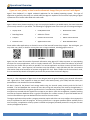
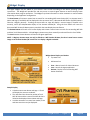
BARCODE FORMATS – There are dozens of barcode formats in use ranging from one-dimensional (1D) linear types
to two dimension (2D) geometric styles. Agent scans many of the formats in general use (e.g., Code 39, Code 128,
QR Code, UPC A, EAN 8, EAN 13, ISBN-13, ISMN, LOGMARS), but there a number of unsupported types.
APPLICATION REQUIREMENTS
① The Android Operating System with a minimum installed Android OS version of 2.3.3 API 10.
② Barcode image accuracy is dependent on the installation device’s camera and screen resolution.
Agent Central Website
Copyright © 2011 - 2012 PayBurst Stbi. All Worldwide Rights Reserved.
Trademark claims are listed in the Terms of Use at www.PayBurst.com or About. All other marks, names and
logos are the property of their respective owners and mentioned as fair-use reference only. This application is not
endorsed by or affiliated with any company. Use of this software application and documentation constitutes
acceptance of the Privacy and Terms of Use policies listed at www.PayBurst.com.
PayBurst™ – Agent™
Page 2