1
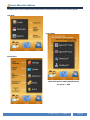
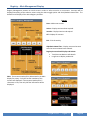
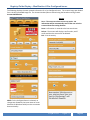
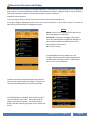
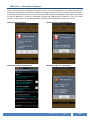
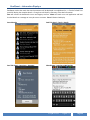
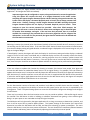
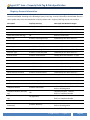
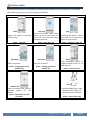
Registry Fields Display – Addition
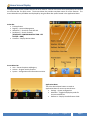
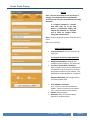
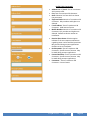
Registry Account Addition
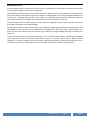
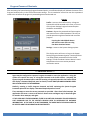
Buttons
Save – The user must select to save any entries. No
information will be automatically saved if the user Exits
the screen without first saving the data.
New – Add a new account.
Exit – Exit the activity.
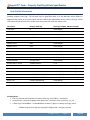
Account Field Specifications
·
·
·
·
·
·
·
·
·
·
·
·
·
·
·
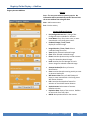
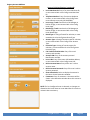
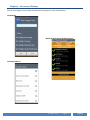
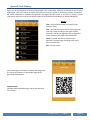
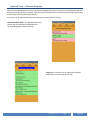
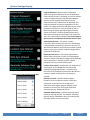
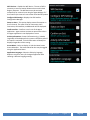
Pre-Configured Issuer List: A listing of PreConfigured Issuers available for selection.
Issuer Name: Entry of an Issuer name, or autoentered with a Pre-Config Issuer name.
Credential Image / Front / Back:
Display of a custom image.
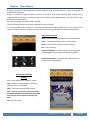
Image Selection / Front / Back: Select a
credential image for action.
View: Display selected credential image.
Clear: Clear selected credential image.
Photo: Launches photo activity to load a custom
image for selected credential image.
Load: Launches the File Manager to load a
custom image for selected credential image.
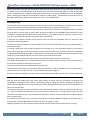
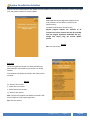
Account Number/ID: Entry of account
identification.
Scan: Launches barcode scanning activity to enter
an Account Number/ID.
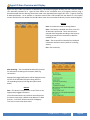
WiFi Access Point: Entry of a WiFi Station ID
Name, or auto-entered with a Pre-Config Issuer
WiFi Station ID Name.
Link: Launches the WaveScan feature for
selection of a local WiFi Station ID Name.
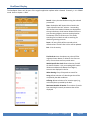
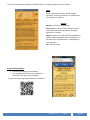
Active Account: Select status of account.
Defaults to Active.
Expiration Date: Expiry of the account. Defaults
to one month from entry date.
NoEXP: No expiration date for the account.
PayBurst™ – Agent™
Page 21