1
In all of these configurations, the disks should only be used for storing the
video files generated by Video Savant. The disks should not be used to store
program or data files from other applications.
The following procedures will erase the contents of the video drive(s). If the
video drives contain useful data, be sure to backup this data before
proceeding.
Single disk configuration
❖ To configure a single disk configuration in Windows XP Pro or
Windows 2000 Pro:
1.
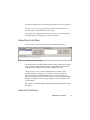
Start Computer Management.
2.
Select Disk Management from the tree on the left.
3.
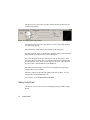
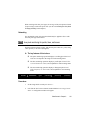
Right-click on the rectangular graphic located to the right of the disk
corresponding to the video drive and select Create Volume.
4.
Click Next; select Simple Volume as the Volume Type; and click
Next again.
5.
Choose a Drive Letter and click Next.
6.
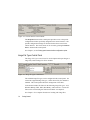
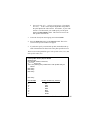
Choose Format this volume as follows, select the NTFS file
system, choose allocation units of 4096, enter the desired volume
label, and ensure that file and folder compression is disabled.
7.
To skip scanning for bad sectors in the partition during formatting,
enable Quick Format. Scanning for bad sectors is a very timeconsuming process, but it is recommended when using a new disk.
8.
Click Next; verify your selected settings; and click Finish.
9.
Close Computer Management and Control Panel.
Video Savant 4: Chapter 2
19