1
Table of Contents
1 Introduction......................................................................................................................................4
1.1 Key features..............................................................................................................................4
1.2 Software updates.......................................................................................................................4
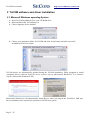
2 ToCOM software and driver installation..........................................................................................5
2.1 Microsoft Windows operating System......................................................................................5
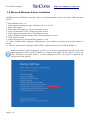
2.2 Microsoft Windows 8 driver installation..................................................................................6
2.3 Interface busy issue [Microsoft Windows]...............................................................................7
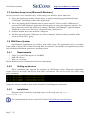
2.4 GNU/Linux System..................................................................................................................7
2.4.1 Requirements....................................................................................................................7
2.4.2 Setting up devices.............................................................................................................7
2.4.3 Installation.........................................................................................................................7
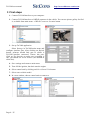
3 First steps..........................................................................................................................................8
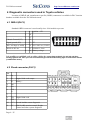
4 Diagnostic connectors used in Toyota vehicles................................................................................9
4.1 OBD-II (DLC3)........................................................................................................................9
4.2 Check connector (DLC1)..........................................................................................................9
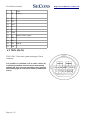
4.3 TDCL (DLC2).........................................................................................................................10
5 Connecting to control units.............................................................................................................11
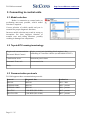
5.1 Model selection.......................................................................................................................11
5.2 Toyota ECU naming terminology...........................................................................................11
5.3 Communication protocols.......................................................................................................11
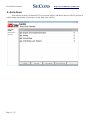
6 Auto-Scan.......................................................................................................................................12
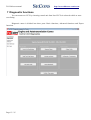
7 Diagnostic functions.......................................................................................................................13
7.1 Control Unit Identification......................................................................................................14
7.2 Read fault code memory.........................................................................................................15
7.3 Clear Fault Codes....................................................................................................................15
7.4 Freeze Frame...........................................................................................................................16
7.5 Monitor (Readiness)...............................................................................................................17
7.6 Measured values.....................................................................................................................18
7.6.1 Graph View.....................................................................................................................18
7.6.2 Display 3x3.....................................................................................................................18
7.6.3 Display list......................................................................................................................18
7.6.4 Save to log.......................................................................................................................18
7.6.5 Actuators activation.........................................................................................................19
7.7 Coding and programming functions (Utility).........................................................................20
7.7.1 Check Mode....................................................................................................................21
7.7.2 Signal check....................................................................................................................21
7.7.3 Reset memory.................................................................................................................21
7.7.4 Inspection Mode..............................................................................................................21
7.8 ECU Configuration (Customization)......................................................................................22
8 Application Settings........................................................................................................................23
8.1 Language.................................................................................................................................23
8.2 Units type................................................................................................................................23
8.3 Interface port selection............................................................................................................23
8.4 Protocol settings......................................................................................................................24
8.5 Debug functions......................................................................................................................24
9 Reporting bugs and improvement requests....................................................................................25