1
ToCOM user manual
http://www.obdtester.com/tocom
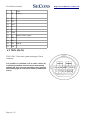
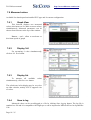
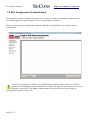
4 Diagnostic connectors used in Toyota vehicles
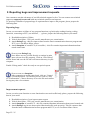
Location of OBD-II and manufacturer-specific (OBD-I) connectors is available in DLC location
database available from the ToCOM main menu.
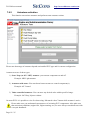
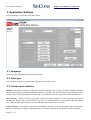
4.1 OBD-II (DLC3)
Standard OBD2 connector is used usually since 1996 models to present.
-
1
9
Ignition +12V
-
2
10
-
-
3
11
-
Chassis Ground (CG)
4
12
-
Signal ground (SG)
5
13 TC
HS CAN High (CANH) 6
14 HS CAN Low (CANL)
ISO9141 K Line
7
15 ISO9141 L-Line
-
8
16 Battery voltage
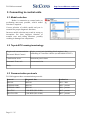
It is possible to read blink code on older vehicles by connecting terminals TC and CG and then
turning ignition ON. Then you can read faultcode(s) from the P/S warning light on instrument cluster
(combination meter).
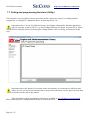
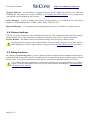
4.2 Check connector (DLC1)
Pin
1
Fp
2
W
Engine blink code output
3
E1
Battery -
4
Ox1
5
AB
6
TH/
O
7
8
TE1 Engine blink code
9
TE2
10
CC2 Second lambda sensor diagnostic
11
TC
Page 9 / 25
ABS L ABS, traction control, Height
Control and other system diagnostic