1
Selecting the Manual option enables alternative buffers to be used by entering their
respective values as the Manual Cal 1 to 3 Buffers in this sub-menu. The buffer
values entered must be the temperature-corrected values at the temperature the
calibration is carried out – for maximum accuracy buffers and samples should be
maintained at this temperature when using this calibration method.
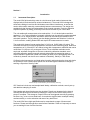
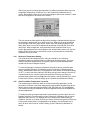
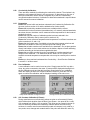
To select alternative buffer sets press the down arrow key in the pH Calibration Set
Up sub-menu to highlight Cal Buffer Set, then press the Enter key. The current setting
will be highlighted, use the up and down arrow keys to cycle through the options for
the alternative buffer sets as described above and in the addendum.
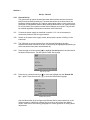
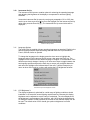
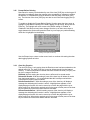
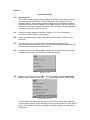
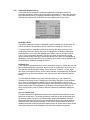
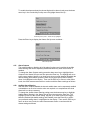
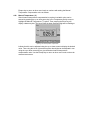
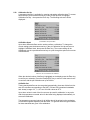
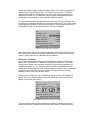
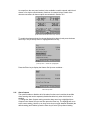
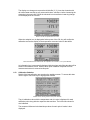
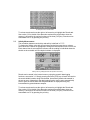
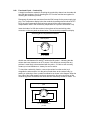
Select from the four buffer sets or manual entry
When the desired buffer set or manual is highlighted on the display press the Enter
key to confirm your selection. Press the Escape [ESC] key to return to other menu
levels or continue with the pH Calibration set up as follows.
Manual Cal 1 to 3 Buffer
Up to 3 alternative buffers can be used by entering their respective values as the
Manual Cal 1, Manual Cal 2, or Manual Cal 3 Buffer in this sub-menu. The buffer
values entered must be the temperature-corrected values at the temperature the
calibration is carried out – for maximum accuracy buffers and samples should be
maintained at this temperature when using this calibration method. They must also be
measured in the same order as they are entered. The procedure for entering
alternative values is the same for each buffer.
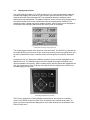
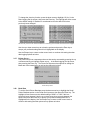
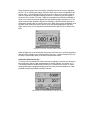
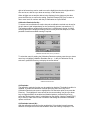
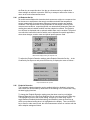
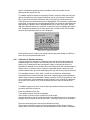
Press the down arrow key in the pH Calibration Set Up sub-menu to highlight the
Manual Cal1 (2 or 3) Buffer option then press the Enter key. A data entry box will
appear in the centre of the screen.
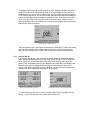
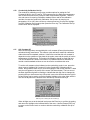
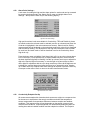
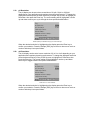
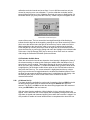
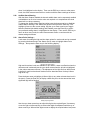
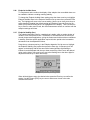
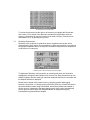
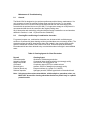
Setting Manual Cal 1 Buffer value (similar for Cal 2 and 3)
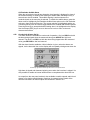
The box around the least significant digit will be flashing to indicate that it can be
adjusted with the up or down arrow keys. When this is set to the desired level the