1
8.4
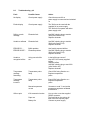
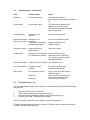
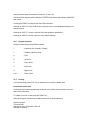
Troubleshooting - Conductivity
Fault
Possible Cause
Action
No display
Check power supply
Check that correct 9V ac
power supply is connected and switched
on
Erratic display
Check power supply
The 3540 must be used with the
supplied 9V ac power supply
The 3540 will not operate with other
power supply units
Unstable display
Conductivity cell
defective
Replace conductivity cell
Display permanently Intermittent or no
under or over range connection
Conductivity cell defective
Contaminated solutions
Replace conductivity cell
Replace solutions
Intermittent display
Conductivity cell not
fitted correctly
Check connections
Reading drifts
Conductivity cell stored dry
CO2 absorption by sample
Allow to soak for 2 hours
Noticeable for low conductivity
- do not allow sample to stand in
unstoppered bottles
Non linear readings
Conductivity cell not zeroed Zero conductivity cell
Poor reproducibility
Carryover between
solutions
Rinse cell in distilled water
between measurements
Will not print
IrDA connection broken
Line up units or use the supplied
RS232 connector
The feed light on the printer will
flash if the unit requires paper
Connect ac power supply
Paper out
Battery flat
8.5
Check cell connection to 3540
Functional Check – pH
The pH measurement function of the meter can be checked using the enclosed BNC shorting
cap (009 146).
1.
2.
3.
4.
Remove the ATC probe, if connected.
Set the manual temperature compensation to 25°C.
Remove the pH electrode and replace it with the BNC shorting cap.
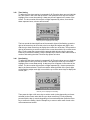
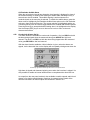
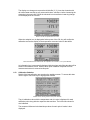
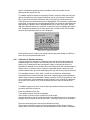
Select the mV mode. The display should read ±1.
If the mV reading is greater then ±1mV perform a reset (refer Section x.x)
To make a measurement from this point, refit the ATC probe and pH electrode and calibrate
the 3540 using fresh buffer solutions.