1
2-16
Calibration
Model 2701 Service Manual
DC current calibration
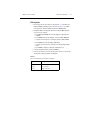
After the 1MΩ resistance point has been calibrated, follow these steps for DC current
calibration:
1.
2.
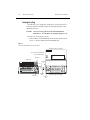
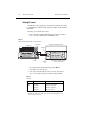
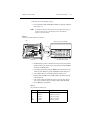
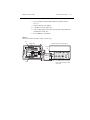
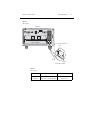
Connect the calibrator to the AMPS and INPUT LO terminals of the Model 2701 as
shown in Figure 2-3.
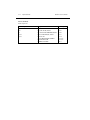
Perform the calibration steps listed in Table 2-10. For each step:
• Set the calibrator to the indicated current and make sure the unit is in operate. (Use
the recommended current if possible.)
• Send the indicated programming command. (Change the current parameter if you
are using a different calibration current.)
• Wait until the Model 2701 completes each step before continuing.
NOTE
If you are performing DC-only calibration, proceed to “Programming calibration
dates” on page 2-18
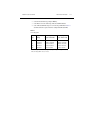
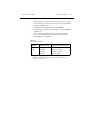
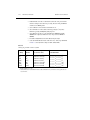
Table 2-10
DC current calibration programming steps
Calibration
step
Calibrator
current
Calibration command*
Parameter range
10mA
100mA
1A
10.00000mA
100.00000mA
1.000000A
:CAL:PROT:DC:STEP10 10E-3
:CAL:PROT:DC:STEP11 100E-3
:CAL:PROT:DC:STEP12 1
9E-3 to 11E-3
90E-3 to 110E-3
0.9 to 1.1
*Change parameter if using different current.