1
Model 2701 Service Manual
5.
6.
7.
Calibration
2-23
Press SHIFT then TEST, then display TEST:CALIB with the up or down range key.
Press ENTER, select RUN, then enter the appropriate calibration code (default:
002701).
Using the up or down range key, select CARD at the CAL:RUN prompt, then press
ENTER.
Set the display value to the cold calibration temperature (°C) you measured in Step 3,
then press ENTER to complete Model 7700 calibration.
Remote Model 7700 calibration
1.
2.
3.
4.
5.
6.
7.
8.
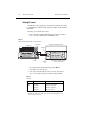
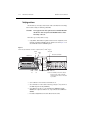
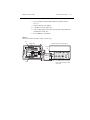
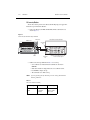
Connect the Model 7700 to the Model 7797 Calibration System card (see “Calibration
card connections” on page 2-22).
With the power off, install the Model 7700/7797 combination in Slot 1 and select the
rear inputs with the INPUTS switch. Allow three minutes for thermal equilibrium.
Accurately measure and record the cold temperature of the Model 7700 card surface at
the center of the card.
Press and hold the Model 2701 OPEN key while turning on the power.
Enable calibration by sending the :CODE command. For example, the default
command is:
:CAL:PROT:CODE 'KI002701'
Initiate calibration by sending the following command:
:CAL:PROT:CARD1:INIT
Calibrate the Model 7700 with the following command:
:CAL:PROT:CARD1:STEP0 <temp>
Here <temp> is the cold calibration temperature (°C) measured in Step 3.
Send the following commands to save calibration and lock out calibration:
:CAL:PROT:CARD1:SAVE
:CAL:PROT:CARD1:LOCK