1
4 KMS 2.0: Installation and Service Manual • June 2008
Login:
Passphrase:
Login:
Passphrase:
Login:
Passphrase:
Security Officer
Root account
Passphrase
ELOM Passphrase
Login:
Passphrase:
Login:
Passphrase:
Login:
Passphrase:
2. Autonomous Unlocking allows the KMA to enter a fully operational state after a hard or soft reset without requiring the entry of a quorum of passphrases
using the KMS Manager. This information should not be written down and should be entered by the person to which they belong.
These entries can be changed in the KMS Manager; so it may be desirable to enter something simple during the configuration,
then change it later using the KMS GUI immediately after the KMA is configured.
Note:
1. Addresses assigned using DHCP must be static. The system cannot handle the DHCP server changing the IP addresses once assigned.
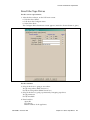
Keyboard Type
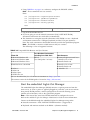
See the list on page 15
Autonomous
Unlocking 2
Key Split Credentials
Hostname:
IP address:
DNS Server
Gateway
KMA Name
Hostname:
IP address:
Yes ❏ No ❏
Yes ❏ No ❏
LAN 2 = Service
LAN 3 = Reserved
Yes ❏ No ❏
DHCP?1
Yes ❏ No ❏
IP Address / Netmask
LAN 1 = ELOM
Hostname
Yes ❏ No ❏
DHCP?1
Yes ❏ No ❏
IP Address / Netmask
Second KMA
LAN 0 = Management
Hostname
First KMA
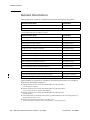
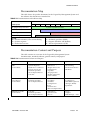
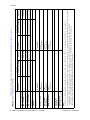
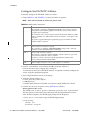
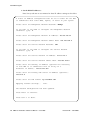
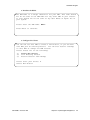
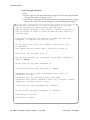
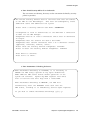
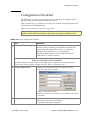
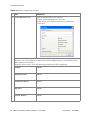
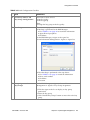
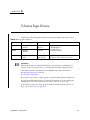
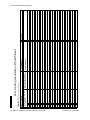
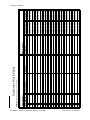
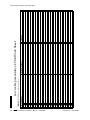
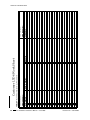
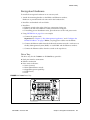
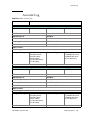
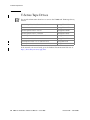
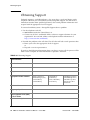
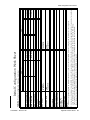
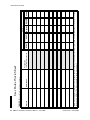
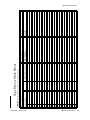
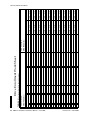
TABLE 2-1 provides space to record information for use with the“QuickStart Program” on page 13.
TABLE 2-1 Initial Configuration Settings
Overview
Revision: BA • 316194903