1
Table of Contents
Sections
Figures, Tables, and Supplements
2.3.6.1. Establishing the Required Connections
2.3.6.2. Saving Data from the Machine to the Storage Device or
a Second Machine
2.3.6.3. Restoring Saved Data to the Machine from the Storage
Device or Another Machine
Chapter 3. Operating
3.1. Running a Formula (Document BICJHO01)
3.1.1. Applying Power
3.1.2. Selecting and Starting the Formula
3.1.2.1. Load Machine and Close Door
3.1.2.2. Selecting a Formula
3.1.3. Unloading the Machine
3.1.4. The Display During Automatic Operation
3.1.5. How to Shorten, Terminate, or Suspend a Running Formula
3.1.6. How to Restart after Power Loss
3.1.7. How the Flush Valve Works
3.2. Viewing and Clearing the Formula Count Accumulator
(Document BICJUD01)
Chapter 4. Testing and Troubleshooting
4.1. Error Messages (Document BICJHT01)
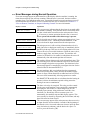
4.1.1. Error Messages at Power Up
4.1.2. Error Messages during Normal Operation
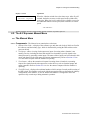
4.2. The E-P Express® Manual Menu (Document BICJHT03)
4.2.1. The Manual Menu
4.2.1.1. Components
4.2.1.2. How to Access the Manual Menu
4.2.1.3. How to Return to the Run Mode from the Manual Menu
4.2.2. Determining the Software Version
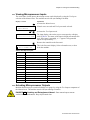
4.2.3. Viewing Microprocessor Inputs
Table 9: E-P Express Inputs
4.2.4. Actuating Microprocessor Outputs
Table 10: E-P Express Outputs
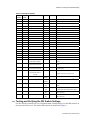
4.2.5. Testing and Verifying the DIP Switch Settings
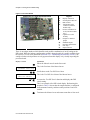
Figure 11: Processor Board
Table 11: Interpretation of Test DIP Switch
Display
4.2.6. Viewing Inputs and Outputs while Machine is Operating
Chapter 5. Supplemental Information
5.1. The E-P Express® Hardware
5.1.1. Keyswitches
(Document BICJUF01)
PELLERIN MILNOR CORPORATION