1
ACT_CH.fm
6/25/12 3:25 PM
5.5" x 7.75" (139.7 mm x 196.85 mm)
Medtronic Confidential
CS0010
Section 4: Installation
Unpacking
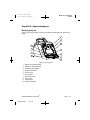
1. The ACT Plus® instrument is shipped with the following items:
■
Operator's manual
■
Power cord
■
Temperature verification cartridge
■
Point of care quick start envelope
■
Quick reference guide
■
Actuator assembly cleaning kit
■
USB storage device
2. Check the box for damage, and report any damage to the carrier.
3. Remove the protective bag.
4. Set the ACT Plus® instrument on a level surface.
5. Check the ACT Plus® instrument for visible damage.
6. Retain all shipping materials.
Power ON: Initial Checkout Procedure
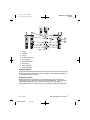
1. Connect the power cord to an AC power source with the same voltage rating
that is listed on the serial plate located on the bottom of the ACT Plus®
instrument.
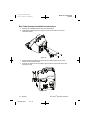
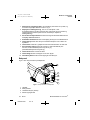
2. Rotate the actuator heat block to the closed position.
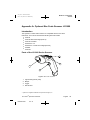
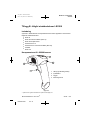
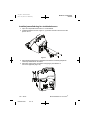
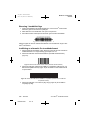
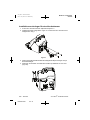
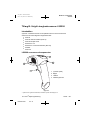
3. [Optional] Attach the optional bar code scanner.
4. Turn the power switch, located on the rear panel, to the ON position. The
actuator heat block should rotate to the open position, followed by
illumination of all clotting time display segments, with the LCD indicating
“Self-Test Pass.” An audible tone indicating the end of the self-test should
accompany this sequence. The version of the ACT Plus® software will display
during this step.
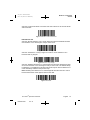
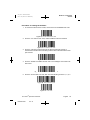
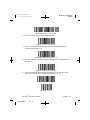
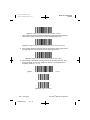
5. From the Main Menu, select [Cartridge Lot]. Scan the bar code label on the
cartridge package. The cartridge lot number and expiration date should be
entered in the appropriate cartridge-type fields.
Note: For manual data entry, refer to Section 6, Data Entry. For data entry
using the bar code scanner, refer to Appendix A or Appendix B.
Note: The lot number and expiration date must be entered before a cartridge
is used; if no bar code scanner is used, see Section 6, Data Entry, for detailed
instructions.
6. From the Main Menu, select [Cartridge Type]. Select the cartridge type
entered in Step 5, and press Enter.
7. Insert an empty cartridge into the actuator heat block.
ACT Plus® Operator’s Manual
M938504A002
Rev B
English
17