1
1. Introduction
The Geosat Suite is a PC application that helps you keeping your Geosat up-to-date and allows you
customizing your contents and sharing them with your friends.
Geosat Suite helps you downloading contents from the AvMap server such as the latest software updates,
user manuals, voices and the freshest maps.
Through the Geosat Suite you can also load on your Geosat other contents such as special Points of
Interests or welcome images to personalize your Geosat.
Geosat Suite makes it easier to share your saved contacts, routes and tracks with friends, as it helps
exchanging contents from Geosat to PC and vice versa.
2. Geosat Suite installation
1. Download the Geosat Suite from www.avmap.it, and save it on your PC.
2. Unzip the downloaded file
3. Launch the executable file
4. Choose a destination folder to save it or use the default one
5. Accept the End User License Agreement
6. Click on the END button to complete the installation, a shortcut to the Geosat Suit will be created on your
desktop.
7. Choose the language: click on the correspondent check box, then click on “Set Language” button and confirm
your choice by clicking Ok.
8. The Geosat Suite will open up showing this message: ‘Please connect the navigator and press Ok.’
3. First connection
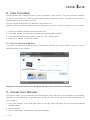
1.Connecting the Geosat to the PC
The Suite cannot be used unless the navigator is connected.
1. Unplug the Geosat from the power supply cable (if plugged)
Warning! Do not connect the USB cable while the power supply cable is plugged as it could PERMANENTLY
damage the internal GPS receiver.
2. Connect the Geosat to your PC, using the USB cable provided
3. Wait for the device recognition: when the operating system of your PC recognizes the navigator as a mass
storage device (a splash screen showing the USB icon appears on the navigator’s display),
4. Click OK on the Geosat Suite window.
2. Identifying your Geosat
When the application is opened for the first time, you are requested to insert the serial number of your
navigator (you can find this code on the silver label attached on the Geosat). This procedure is needed only
the first time. Geosat Suite will recognize your Geosat and will ask you to Login.
3. User Log in / User Account Registration
Already a registered user?
If you already registered on the AvMap web site, use your AvMap account Login and Password that were sent
2 - AvMap