1
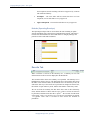
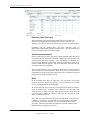
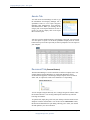
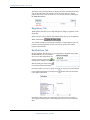
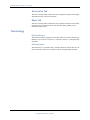
Integrity Manager system – User guide Deficiency Items (item type) The first deficiency item (measurement) for this article is expanded. The deficiency item header (the second blueheader) shows the item type, the deficiency, the cause for concern, the consequence, and any safe guards in place. Continuing with the example above, the three deficiency items are Measurement, Risk Ranking, and High Liquid Velocity. The measurement item has been expanded to show its actions and risks. Actions (recommendation) In the screenshot above there is one action; Integrity Manager labels the actions as recommendations. The action is intended to mitigate one or more of the risks associated with this article (pipeline). The responsibility of completing this action has been delegated to John Smith. John has completed the action on its due date, which raises the question – why is this deficiency item still open if all of its actions have been completed? The reason this deficiency item is still open is because there are risks associated with it that have not yet been approved. When all of an items actions have been completed and risks have been approved the item will be considered closed and not appear in the Integrity Manager System. Risks In the screenshot above there are eight risks. The risk header (4th blue bar) shows the categories: hazard type, approver, severity, likelihood, risk, residual severity, residual likelihood and residual risk. We can see that none of these risks have been approved, the approver column is empty for each risk row. To approve a risk, check the box to the right of the empty approver, to approve all of the risks for this deficiency item, check the box in the header. When you approve a risk, your name will appear in the approver column for that row. Notice that some of the checkboxes are grayed-out and cannot be checked. This is related to your authority. The authority level for the person this screenshot was taken for can approve risks up to a 4, any risks higher than a 4 will be grayed-out. That item will remain open until someone in the company with a higher authority level approves those risks. 2/25/2011 12:48:00 PM Copyright 2007 Alfadata Technologies Corporation. All Rights Reserved. Integrity Manager User guide.doc Page 11