1
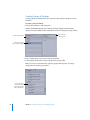
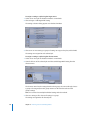
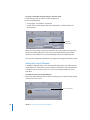
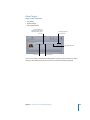
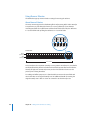
Sound files intended for Dolby Digital Professional encoding must conform to the following rules: Â All source files should be the same length. (If they are not, Compressor sets the length of the AC-3 stream to match the length of the longest file.) Â All files must have a 48 kHz sample rate (as required for DVD). Â AC-3 streams must have a multiple of 1536 samples. If the selected input files do not, Compressor adds digital silence to the end of the files. Note: Compressor can support any kind of source files that contain surround sound and high resolution audio up to 64 bits per sample (floating point) and sample rates up to192 kHz. About Previewing the Encoder Settings The settings made in the Dolby Digital Professional encoder pane cannot be previewed. If you have an external surround sound device connected to the USB, FireWire, or other output from the computer, you will be able to hear the audio assigned to the different channels, but it will not include any settings, such as the Dialog Normalization or Compression Preset settings. Important: Since the audio output is not Dolby Digital, the optical output cannot be used to verify the audio assigned to each channel. The only way to verify the settings is to submit the batch and listen to the results. If you are unsure of the settings, use the Preview window to encode a short portion of the source as a test. You can import an AC-3 file as a source media file into a Compressor batch. Compressor includes a built-in Dolby Digital decoder that it uses to decode the AC-3 files. This decoder will properly apply any settings you made in the Dolby Digital Professional encoder pane, allowing you to hear their effects without requiring you to have an external Dolby Digital decoder. You can also transcode the AC-3 files to a different format. Note: Surround sound AC-3 files are downmixed to stereo if you do not have an external surround sound system connected to the computer. Chapter 8 Creating Dolby Digital Professional Output Files 137