1
4.3 Select by Location
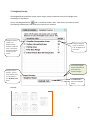
The Select By Location tool lets you select features based on their location relative to features in
another layer.
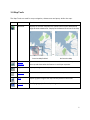
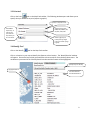
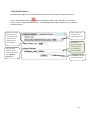
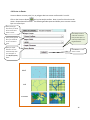
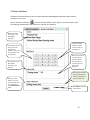
Click on the Select by Location
tool on the Analysis toolbar. Note: Input for this tool must be
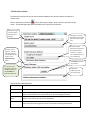
vector. The following window opens and allows you to specify your selection.
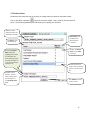
Specify the target
layer from which
features will be
selected.
Specify the source layer
that will be used to select
features from the target
layer.
Choose the spatial
relationship rule that will
be used for selection:
‘intersect’, ‘are within’,
‘are completely within’, or
‘are contained by’.
Specify an output
filename. The new
data layer with your
queried selection will
appear in your
My Data (vector)
folder.
Click Submit to perform
your selection.
This example query
will export a vector file
with all the well sites
that are within the
CWS Key Habitat Sites.
Progress bar
appears when the
tool is processing.
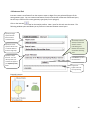
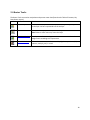
Spatial Selection Method details:
Rule
Definition
intersect
Intersect returns any feature that either fully or partially overlaps the source feature(s).
are within
To be selected, the geometry of the target feature must fall inside the geometry of the source
feature. Selected features and source features can have overlapping boundaries.
To be selected, all parts of the target features must fall inside the geometry of the source
feature(s) and cannot touch the source's boundaries.
are completely
within
are contained by
This method differs from the Are completely within method in that the geometry of the target
feature must fall inside the geometry of the source feature including its boundaries.
13