1
User’s Guide [Print Operations]
Welcome
Welcome
Thank you for choosing this machine.
The bizhub 200, 250, and 350 are equipped with an integrated printer controller that allows you to print directly from a personal computer.
This User’s Guide describes the printing functions, operations, usage, and
safety precautions of the printer controller. In order to ensure that this machine is used efficiently, carefully read this manual before using the machine.
In order to ensure that this machine is used safely, carefully read “Installation
and Operation Precautions” in the User’s Guide [Copy Operations] before
using the machine.
The illustrations used in this User’s Guide may differ from the actual model.
Energy Star®
As an ENERGY STAR® Partner, we have determined that this machine meets
the ENERGY STAR® Guidelines for energy efficiency.
What is an ENERGY STAR® Product?
An ENERGY STAR® product has a special feature that allows it to automatically switch to a “low-power mode” after a period of inactivity. An ENERGY
STAR® product uses energy more efficiently, saves you money on utility bills
and helps protect the environment.
Trademarks and Copyright
- KONICA MINOLTA, the KONICA MINOLTA logo, and The essentials of
imaging are registered trademarks of KONICA MINOLTA HOLDINGS,
INC.
- PageScope and bizhub are registered trademarks of KONICA MINOLTA
BUSINESS TECHNOLOGIES.
- Netscape Communications, the Netscape Communications logo, Netscape Navigator, Netscape Communicator, and Netscape are trademarks of Netscape Communications Corporation.
200/250/350
x-1
Welcome
-
-
200/250/350
Novell and Novell NetWare are registered trademarks of Novell, Inc.
Microsoft, Windows, and Windows NT are registered trademarks of Microsoft Corporation.
IBM is a registered trademark of International Business Machines, Inc.
Apple, Macintosh, and Mac are registered trademarks of Apple Computer, Inc.
Adobe, the Adobe logo, Acrobat, the Acrobat logo, PostScript, and the
PostScript logo are either registered trademarks or trademarks of Adobe
Systems Incorporated.
Ethernet is a registered trademark of Xerox Corporation.
PCL is a registered trademark of Hewlett-Packard Company Limited.
All other product and brand names are trademarks or registered trademarks of their respective companies or organizations.
Compact-VJE
Copyright 1986-2003 VACS Corp.
RC4® is a registered trademark or trademark of RSA Security Inc. in the
United States and/or other countries.
RSA® is a registered trademark or trademark of RSA Security Inc. in the
United States and/or other countries.
x-2
Welcome
OpenSSL Statement
OpenSSL License
Copyright © 1998-2000 The OpenSSL Project. All rights reserved.
Redistribution and use in source and binary forms, with or without modification, are permitted provided that the following conditions are met:
1. Redistributions of source code must retain the above copyright notice,
this list of conditions and the following disclaimer.
2. Redistributions in binary form must reproduce the above copyright notice, this list of conditions and the following disclaimer in the documentation and/or other materials provided with the distribution.
3. All advertising materials mentioning features or use of this software must
display the following acknowledgment:
“This product includes software developed by the OpenSSL Project for
use in the OpenSSL Toolkit. (http://www.openssl.org/)”
4. The names “OpenSSL Toolkit” and “OpenSSL Project” must not be used
to endorse or promote products derived from this software without prior
written permission. For written permission, please contact [email protected].
5. Products derived from this software may not be called “OpenSSL” nor
may “OpenSSL” appear in their names without prior written permission
of the OpenSSL Project.
6. Redistributions of any form whatsoever must retain the following acknowledgment:
“This product includes software developed by the OpenSSL Project for
use in the OpenSSL Toolkit (http://www.openssl.org/)”
THIS SOFTWARE IS PROVIDED BY THE OpenSSL PROJECT “AS IS” AND
ANY EXPRESSED OR IMPLIED WARRANTIES, INCLUDING, BUT NOT LIMITED TO, THE IMPLIED WARRANTIES OF MERCHANTABILITY AND FITNESS FOR A PARTICULAR PURPOSE ARE DISCLAIMED. IN NO EVENT
SHALL THE OpenSSL PROJECT OR ITS CONTRIBUTORS BE LIABLE FOR
ANY DIRECT, INDIRECT, INCIDENTAL, SPECIAL, EXEMPLARY, OR CONSEQENTIAL DAMAGES (INCLUDING, BUT NOT LIMITED TO, PROCUREMENT OF SUBSTITUTE GOODS OR SERVICES; LOSS OF USE, DATA, OR
PROFITS; OR BUSINESS INTERRUPTION) HOWEVER CAUSED AND ON
ANY THEORY OF LIABILITY, WHETHER IN CONTRACT, STRICT LIABILITY,
OR TORT (INCLUDING NEGLIGENCE OR OTHERWISE) ARISING IN ANY
WAY OUT OF THE USE OF THIS SOFTWARE, EVEN IF ADVISED OF THE
POSSIBILITY OF SUCH DAMAGE.
This product includes cryptographic software written by Eric Young
([email protected]). This product includes software written by Tim Hudson ([email protected]).
200/250/350
x-3
Welcome
Original SSLeay License
Copyright © 1995-1998 Eric Young ([email protected]) All rights reserved.
This package is an SSL implementation written by Eric Young ([email protected]).
The implementation was written so as to conform with Netscapes SSL.
This library is free for commercial and non-commercial use as long as the following conditions are aheared to. The following conditions apply to all code
found in this distribution, be it the RC4, RSA, Ihash, DES, etc., code; not just
the SSL code.
The SSL documentation included with this distribution is covered by the
same copyright terms except that the holder is Tim Hudson ([email protected]).
Copyright remains Eric Young’s, and as such any Copyright notices in the
code are not to be removed. If this package is used in a product, Eric Young
should be given attribution as the author of the parts of the library used. This
can be in the form of a textual message at program startup or in documentation (online or textual) provided with the package.
Redistribution and use in source and binary forms, with or without modification, are permitted provided that the following conditions are met:
1. Redistributions of source code must retain the copyright notice, this list
of conditions and the following disclaimer.
2. Redistributions in binary form must reproduce the above copyright notice, this list of conditions and the following disclaimer in the documentation and/or other materials provided with the distribution.
3. All advertising materials mentioning features or use of this software must
display the following acknowledgement:
“This product includes cryptographic software written by Eric Young
([email protected])”
The word ‘cryptographic’ can be left out if the rouines from the library being used are not cryptographic related :-).
4. If you include any Windows specific code (or a derivative thereof) from
the apps directory (application code) you must include an acknowledgement:
“This product includes software written by Tin Hudson ([email protected])”
THIS SOFTWARE IS PROVIDED BY ERIC YOUNG “AS IS” AND ANY EXPRESS OR IMPLIED WARRANTIES, INCLUDING, BUT NOT LIMITED TO,
THE IMPLIED WARRANTIES OF MERCHANTABILITY AND FITNESS FOR A
PARTICULAR PURPOSE ARE DISCLAIMED. IN NO EVENT SHALL THE AUTHOR OR CONTRIBUTORS BE LIABLE FOR ANY DIRECT, INDIRECT, INCIDENTAL, SPECIAL, EXEMPLARY, OR CONSEQUENTIAL DAMAGES
(INCLUDING, BUT NOT LIMITED TO, PROCUREMENT OF SUBSTITUTE
GOODS OR SERVICES; LOSS OF USE, DATA, OR PROFITS; OR BUSINESS
INTERRUPTION) HOWEVER CAUSED AND ON ANY THEORY OF LIABILITY, WHETHER IN CONTRACT, STRICT LIABILITY, OR TORT (INCLUDING
200/250/350
x-4
Welcome
NEGLIGENCE OR OTHERWISE) ARISING IN ANY WAY OUT OF THE USE
OF THIS SOFTWARE, EVEN IF ADVISED OF THE POSSIBILITY OF SUCH
DAMAGE.
The licence and distribution terms for any publically available version or derivative of this code cannot be changed. i.e. this code cannot simply be copied and put under another distribution licence [including the GNU Public
Licence.]
All other product names mentioned are trademarks or registered trademarks
of their respective companies
Copyright
© 2005 KONICA MINOLTA BUSINESS TECHNOLOGIES, INC. All Rights Reserved.
Note
- This User’s Guide may not be reproduced in part or in full without permission.
- Konica Minolta Business Technologies, Inc. will not be held liable for any
incidents caused by using this printing system or User’s Guide.
- Information included in this User’s Guide is subject to change without notice.
- Konica Minolta Business Technologies, Inc. maintains the copyright of
the printer drivers.
200/250/350
x-5
Welcome
SOFTWARE LICENSE AGREEMENT
This package contains the following materials provided by Konica Minolta
Business Technologies, Inc. (KMBT): software included as part of the printing
system, the digitally-encoded machine-readable outline data encoded in the
special format and in the encrypted form (“Font Programs”), other software
which runs on a computer system for use in conjunction with the Printing
Software (“Host Software”), and related explanatory written materials (“Documentation”). The term “Software” shall be used to describe Printing Software, Font Programs and/or Host Software and also include any upgrades,
modified versions, additions, and copies of the Software.
The Software is being licensed to you under the terms of this Agreement.
KMBT grants to you a non-exclusive sublicense to use the Software and
Documentation, provided that you agree to the following:
1. You may use the Printing Software and accompanying Font Programs for
imaging to the licensed output de-vice(s), solely for your own internal
business purposes.
2. In addition to the license for Font Programs set forth in Section 1 (“Printing Software”) above, you may use Roman Font Programs to reproduce
weights, styles, and versions of letters, numerals, characters and symbols (“Typefaces”) on the display or monitor for your own internal business purposes.
3. You may make one backup copy of the Host Software, provided your
backup copy is not installed or used on any computer. Notwithstanding
the above restrictions, you may install the on any number of computers
solely for use with one or more printing systems running the Printing Software.
4. You may assign its rights under this Agreement to an assignee of all of
Licensee’s right and interest to such Software and Documentation (“Assignee”) provided you transfer to Assignee all copies of such Software
and Documentation Assignee agrees to be bound by all of the terms and
conditions of this Agreement.
5. You agree not to modify, adapt or translate the Software and Documentation.
6. You agree that you will not attempt to alter, disassemble, decrypt, reverse engineer or decompile the Software.
7. Title to and ownership of the Software and Documentation and any reproductions thereof shall remain with KMBT and its licensor.
8. Trademarks shall be used in accordance with accepted trademark practice, including identification of the trademark owner’s name. Trademarks
can only be used to identify printed output produced by the Software.
Such use of any trademark does not give you any rights of ownership in
that trademark.
200/250/350
x-6
Welcome
9. You may not rent, lease, sublicense, lend or transfer versions or copies
of the Software Licensee does not use, or Software contained on any unused media, except as part of the permanent transfer of all Software and
Documentation as described above.
10. IN NO EVENT WILL KMBT OR ITS LICENSOR BE LIABLE TO YOU FOR
ANY CONSEQUENTIAL, INCIDENTAL INDIRECT, PUNITIVE OR SPECIAL DAMAGES, INCLUDING ANY LOST PROFITS OR LOST SAVING,
EVEN IF KMBT HAS BEEN ADVISED OF THE POSSIBILITY OF SUCH
DAMAGES, OR FOR ANY CLAIM BY ANY THIRD PARTY. KMBT OR ITS
LICENSOR DISCLAIMS ALL WARRANTIES WITH REGARD TO THE
SOFTWARE, EXPRESS OR IMPLIED, INCLUDING, WITHOUT LIMITATION IMPLIED WARRANTIES OF MERCHANTABILITY, FITNESS FOR A
PARTICULAR PURPOSE, TITLE AND NON-INFRINGEMENT OF THIRD
PARTY RIGHTS. SOME STATES OR JURISDICTIONS DO NOT ALLOW
THE EXCLUSION OR LIMITATION OF INCIDENTIAL, CONSEQUENTIAL
OR SPECIAL DAMAGES, SO THE ABOVE LIMITATIONS MAY NOT APPLY TO YOU.
11. Notice to Government End Users: The Software is a “commercial item,”
as that term is defined at 48 C.F.R.2.101, consisting of “commercial computer software” and “commercial computer software documentation,” as
such terms are used in 48 C.F.R. 12.212. Consistent with 48 C.F.R.
12.212 and 48 C.F.R. 227.7202-1 through 227.7202-4, all U.S. Government End Users acquire the Software with only those rights set forth
herein.
12. You agree that you will not export the Software in any form in violation of
any applicable laws and regulations regarding export control of any
countries.
200/250/350
x-7
Welcome
Contents
Welcome
Energy Star® ...................................................................................... x-1
What is an ENERGY STAR® Product? ........................................... x-1
SOFTWARE LICENSE AGREEMENT ................................................ x-6
Contents ............................................................................................. x-8
About this User’s Guide .................................................................. x-18
200/250/350 User’s Guides .......................................................... x-18
Notations ...................................................................................... x-18
Screen images in this User’s Guide ............................................. x-18
Using this User’s Guide ................................................................ x-19
1
2
Overview
1.1
Printer controller CD-ROM configuration ....................................... 1-1
1.2
Printer controller ............................................................................... 1-6
Role of the printer controller ........................................................... 1-6
Available printer controller functions .............................................. 1-6
Machine modes .............................................................................. 1-7
Printing flow .................................................................................... 1-8
1.3
Operating environment ..................................................................... 1-9
Connectable computers and operating systems ........................... 1-9
Connectable interfaces ................................................................. 1-10
Connection diagram ..................................................................... 1-11
1.4
Setting up the system .....................................................................1-12
To set up the printing system ....................................................... 1-12
Installing the printer driver
2.1
Printer drivers and supported operating systems ......................... 2-1
2.2
When used with Windows ................................................................ 2-2
Automatic installation using the installer ........................................ 2-3
To install the printer driver .............................................................. 2-4
Installing the printer driver using Plug and Play ............................. 2-6
For Windows 98 SE ........................................................................ 2-6
For Windows Me/2000 ................................................................... 2-7
For Windows XP/Server 2003 ........................................................ 2-8
Installing the printer driver using the Add Printer Wizard ............... 2-9
For Windows XP/Server 2003 ........................................................ 2-9
For Windows 98 SE/Me/2000/NT 4.0 ........................................... 2-12
Uninstalling the printer driver ....................................................... 2-14
200/250/350
x-8
Welcome
2.3
3
When used with Macintosh ............................................................ 2-16
Installing the printer driver ............................................................ 2-16
For Mac OS X ............................................................................... 2-16
Selecting a printer ........................................................................ 2-18
For Mac OS X ............................................................................... 2-18
For Mac OS 9.2 ............................................................................ 2-19
Uninstalling the printer driver ....................................................... 2-21
For Mac OS X ............................................................................... 2-21
For Mac OS 9.2 ............................................................................ 2-22
Setting up network printing
3.1
Overview of network functions ........................................................ 3-1
Network functions .......................................................................... 3-1
Features of the network functions .................................................. 3-2
Network connection methods that can be selected in each
Windows operating system ............................................................ 3-3
3.2
Setting the IP address for this machine .......................................... 3-5
Setting the IP address .................................................................... 3-5
3.3
Accessing PageScope Web Connection ........................................ 3-8
To access PageScope Web Connection ........................................ 3-8
3.4
Windows printing .............................................................................. 3-9
Operations on this machine ............................................................ 3-9
Printer driver settings ................................................................... 3-10
For Windows 98 SE/Me ................................................................ 3-10
For Windows 2000/XP/NT 4.0/Server 2003 ................................. 3-10
3.5
LPR printing ..................................................................................... 3-12
Operations on this machine .......................................................... 3-12
Printer driver settings ................................................................... 3-12
For Windows 2000/XP/Server 2003 ............................................. 3-12
For Windows NT 4.0 ..................................................................... 3-13
3.6
Port 9100 Printing (Windows 98 SE/Me/2000/XP/Server 2003) ... 3-14
Operations on this machine .......................................................... 3-14
Printer driver settings (Windows 2000/XP/Server 2003) .............. 3-14
Installing the Peer to Peer Printing Tool (Windows 98 SE/Me) ..... 3-15
To install the Peer to Peer Printing Tool ....................................... 3-15
Printer driver settings (Windows 98 SE/Me) ................................. 3-15
3.7
IPP printing (Windows 2000/XP/Server 2003) ............................... 3-17
Operations on this machine .......................................................... 3-17
Installing the printer driver ............................................................ 3-18
3.8
Printing with NetWare .....................................................................3-21
For Remote Printer mode with NetWare 4.x bindery
emulation ...................................................................................... 3-21
200/250/350
x-9
Welcome
For Print Server mode with NetWare 4.x bindery emulation ........ 3-23
For NetWare 4.x Remote Printer mode (NDS) .............................. 3-25
For NetWare 4.x/5.x/6 Print Server mode (NDS) .......................... 3-27
For NetWare 5.x/6 Novell Distributed Print Service (NDPS) ......... 3-29
Setting up a client (Windows) settings when using the NetWare
server ............................................................................................ 3-30
3.9
4
Printing with Macintosh .................................................................. 3-31
Operations on this machine .......................................................... 3-31
Setting the Macintosh computer .................................................. 3-32
For Mac OS X ............................................................................... 3-32
For Mac OS 9.2 ............................................................................ 3-33
Various printing methods
4.1
Printing operations ........................................................................... 4-1
For Windows ................................................................................... 4-1
Test printing .................................................................................... 4-2
For Macintosh ................................................................................. 4-4
For Mac OS X ................................................................................. 4-4
For Mac OS 9.2 .............................................................................. 4-5
4.2
Setting the printing functions .......................................................... 4-6
Function list .................................................................................... 4-6
Function overview .......................................................................... 4-8
Orientation ...................................................................................... 4-8
Original Size and Output Size ......................................................... 4-9
Zoom (enlargement and reduction) .............................................. 4-10
Input tray (paper source) .............................................................. 4-11
Paper Type ................................................................................... 4-11
Print type (duplex printing/booklet printing) ................................. 4-12
Printing multiple pages on one page ............................................ 4-13
Stapling and hole punching .......................................................... 4-14
Output Method (job management) ............................................... 4-15
Sorting (Collate) and classifying (Offset) ....................................... 4-16
Skip Blank Pages (saving paper) .................................................. 4-17
User Authentication ...................................................................... 4-17
Front Cover Page, Back Cover Page, and Per Page Setting ....... 4-18
Overlay .......................................................................................... 4-19
Watermark .................................................................................... 4-20
Use Printer Fonts (substitute fonts) .............................................. 4-21
Account Track .............................................................................. 4-21
For Windows ................................................................................. 4-21
For Macintosh ............................................................................... 4-24
200/250/350
x-10
Welcome
5
Setting up the PCL driver
5.1
Settings ..............................................................................................5-1
Common settings ........................................................................... 5-1
Setup tab ........................................................................................ 5-2
Per Page Setting tab ...................................................................... 5-3
Overlay tab ..................................................................................... 5-3
Watermark tab ................................................................................ 5-3
Quality tab ...................................................................................... 5-3
Font tab .......................................................................................... 5-3
Version tab ...................................................................................... 5-3
Option tab ....................................................................................... 5-4
5.2
Specifying the Setup tab settings .................................................... 5-5
Printing to suit the paper size ......................................................... 5-5
Saving a custom size ...................................................................... 5-6
Selecting the paper source ............................................................ 5-7
Setting the paper source of the paper type ................................... 5-7
Specifying duplex/booklet printing ................................................. 5-8
Printing multiple pages on one page (N in 1) ............................... 5-10
Setting the file margin ................................................................... 5-11
Stapling ......................................................................................... 5-12
Hole punching .............................................................................. 5-12
Center binding .............................................................................. 5-13
Selecting the output method ........................................................ 5-13
Specifying user authentication settings ....................................... 5-15
Specifying account track settings ................................................ 5-16
5.3
Specifying the Per Page Setting tab settings ............................... 5-18
Printing documents with a front cover/back cover ...................... 5-18
Printing multiple pages ................................................................. 5-18
Per Page Setting ........................................................................... 5-19
5.4
Specifying the Overlay tab settings ...............................................5-20
Printing different original documents together (overlay) ............... 5-20
Editing forms ................................................................................ 5-21
Creating forms .............................................................................. 5-21
5.5
Specifying the Watermark tab settings .........................................5-24
Printing a watermark .................................................................... 5-24
Editing a watermark ...................................................................... 5-25
Printing the document number ..................................................... 5-26
5.6
Specifying the Quality tab settings ................................................ 5-27
Specifying settings ....................................................................... 5-27
5.7
Specifying the Font tab settings .................................................... 5-28
Specifying settings ....................................................................... 5-28
200/250/350
x-11
Welcome
6
5.8
Specifying the Option tab settings ................................................ 5-29
Specifying settings ....................................................................... 5-30
5.9
Saving the driver settings ............................................................... 5-31
Saving the driver settings ............................................................. 5-31
Restoring the settings ................................................................... 5-33
Deleting the settings ..................................................................... 5-33
Setting up the PostScript driver (Windows)
6.1
Settings ..............................................................................................6-1
Common settings ........................................................................... 6-1
Setup tab ........................................................................................ 6-2
Layout tab ....................................................................................... 6-3
Per Page Setting tab ...................................................................... 6-3
Watermark tab ................................................................................ 6-4
Quality tab ...................................................................................... 6-4
Advanced tab ................................................................................. 6-4
Device Settings tab ........................................................................ 6-4
Option Tab ...................................................................................... 6-5
Settings tab .................................................................................... 6-5
6.2
Specifying the Setup tab settings .................................................... 6-7
Printing to suit the paper size ......................................................... 6-7
Saving a custom size ...................................................................... 6-7
Selecting the output method .......................................................... 6-8
Specifying user authentication settings ....................................... 6-10
Specifying account track settings ................................................ 6-12
6.3
Specifying the Layout tab settings ................................................ 6-13
Printing multiple pages on one page (N in 1) ............................... 6-14
Duplex printing ............................................................................. 6-15
Setting the file margin ................................................................... 6-15
Stapling ......................................................................................... 6-15
Center binding .............................................................................. 6-16
Hole punching .............................................................................. 6-16
6.4
Specifying the Per Page Setting tab settings ............................... 6-17
Printing documents with a front cover/back cover ...................... 6-17
6.5
Specifying the Watermark tab settings .........................................6-18
Printing a watermark .................................................................... 6-18
Editing a watermark ...................................................................... 6-19
6.6
Specifying the Quality tab settings ................................................ 6-20
Font Settings ................................................................................ 6-20
6.7
Specifying the Option tab settings ................................................ 6-21
Specifying settings ....................................................................... 6-22
200/250/350
x-12
Welcome
6.8
7
8
9
Saving the driver settings ............................................................... 6-23
Saving the driver settings ............................................................. 6-23
Restoring the settings ................................................................... 6-24
Changing the settings ................................................................... 6-25
Setting up the PPD driver (Windows)
7.1
Settings ..............................................................................................7-1
Paper tab ........................................................................................ 7-1
Graphics tab ................................................................................... 7-2
Device Options tab ......................................................................... 7-2
PostScript tab ................................................................................. 7-3
Fonts tab ........................................................................................ 7-3
7.2
Specifying the Paper tab settings .................................................... 7-4
Specifying settings ......................................................................... 7-4
7.3
Specifying the Device Options tab settings .................................... 7-5
Specifying settings ......................................................................... 7-5
7.4
Specifying options ............................................................................ 7-6
Specifying settings ......................................................................... 7-6
Setting up the PPD driver (Mac OS 9.2)
8.1
Settings ..............................................................................................8-1
Page Setup dialog box ................................................................... 8-1
Print dialog box .............................................................................. 8-3
8.2
Page Setup ......................................................................................... 8-5
Page Attributes (basic settings) ...................................................... 8-5
Custom Page Sizes ........................................................................ 8-6
PostScript Options ......................................................................... 8-7
8.3
Printing ............................................................................................... 8-8
General (basic settings) .................................................................. 8-8
Layout (printing multiple pages on one page) ................................ 8-9
Printer specific options (finishing options 1 to 3) ......................... 8-10
8.4
Specifying options .......................................................................... 8-12
To specify options ........................................................................ 8-12
Setting up the PPD driver (Mac OS X)
9.1
Settings ..............................................................................................9-1
Page Setup dialog box ................................................................... 9-1
Print dialog box .............................................................................. 9-2
9.2
Page Setup ......................................................................................... 9-5
Page Attributes (basic settings) ...................................................... 9-5
200/250/350
x-13
Welcome
Custom Page Size .......................................................................... 9-6
9.3
Printing ............................................................................................... 9-7
Copies & Pages (Standard settings) ............................................... 9-7
Layout (printing multiple pages on one page) ................................ 9-8
Paper Feed ..................................................................................... 9-9
Setup ............................................................................................ 9-10
Finishing ....................................................................................... 9-11
Security ......................................................................................... 9-13
9.4
Specifying options .......................................................................... 9-15
Specifying options ........................................................................ 9-15
9.5
Saving the driver settings ............................................................... 9-16
Saving the driver settings ............................................................. 9-16
Restoring the settings ................................................................... 9-16
Changing the settings ................................................................... 9-17
10 Various settings
10.1
Printer settings on the control panel ............................................. 10-1
Printer settings ............................................................................. 10-1
To display the Printer Setting screen ........................................... 10-1
MFP Set ........................................................................................ 10-3
Proof-Print Hold Time ................................................................... 10-3
Overwrite A4← →Letter ................................................................ 10-4
Document Hold Time .................................................................... 10-4
PostScript Error Report ................................................................ 10-6
Default Set .................................................................................... 10-6
Basic Setting - Tray ...................................................................... 10-6
Basic Setting - Paper Size ............................................................ 10-7
Basic Setting - Original Direction ................................................. 10-7
Basic Setting - Print Method ........................................................ 10-8
Basic Setting - Sets ...................................................................... 10-8
Font - Font # ................................................................................. 10-9
Font list ....................................................................................... 10-10
Font - Symbol Set ...................................................................... 10-11
Symbol set list ............................................................................ 10-12
Font - Number Lines ................................................................... 10-13
Font - Font Size .......................................................................... 10-13
Font - CR/LF Mapping ................................................................ 10-14
PDL Set ...................................................................................... 10-15
Test Print .................................................................................... 10-15
10.2
Administrator settings .................................................................. 10-16
To display the Administrator Management setting screen ......... 10-16
Printer Setting ............................................................................. 10-18
Parallel Setting ............................................................................ 10-18
200/250/350
x-14
Welcome
Timeout ....................................................................................... 10-18
Setting the IP Address ................................................................ 10-19
Frame Type ................................................................................. 10-19
Counter ....................................................................................... 10-20
10.3
Specifying the status settings for the functions
(Software SW) ................................................................................ 10-21
Software SW ............................................................................... 10-21
To change the software SW ....................................................... 10-23
Specifying the valid range for the administrator access code
(mode 368) .................................................................................. 10-25
Specifying the input tray or default paper setting, CR/LF
substitution method, and printing of jobs without authentication
(mode 452) .................................................................................. 10-26
10.4
Using PageScope Web Connection ............................................ 10-27
Operating environment ............................................................... 10-27
Accessing PageScope Web Connection .................................... 10-27
When performing user authentication ........................................ 10-28
Page structure ............................................................................ 10-28
Logging on to Administrator mode ............................................. 10-31
Web Browser Cache ................................................................... 10-33
For Internet Explorer ................................................................... 10-33
For Netscape .............................................................................. 10-33
User mode .................................................................................. 10-34
System tab ................................................................................. 10-34
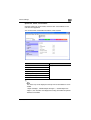
System tab - Summary ............................................................... 10-35
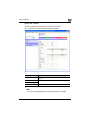
System tab - Detail - Paper Tray ................................................ 10-36
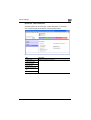
System tab - Detail - Output Tray .............................................. 10-37
System tab - Detail - HDD .......................................................... 10-38
System tab - Detail - Interface Information ................................ 10-39
System tab - Detail - Consumables ........................................... 10-40
System tab - Counter ................................................................. 10-41
System tab - Online Assistance ................................................. 10-42
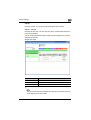
Job tab ....................................................................................... 10-43
Job tab - Job List ....................................................................... 10-43
Print tab ...................................................................................... 10-44
Print tab - Default Settings ......................................................... 10-44
Print tab - Test Print ................................................................... 10-45
Administrator mode .................................................................... 10-46
Basic operation ........................................................................... 10-46
System tab ................................................................................. 10-47
System tab - User’s Choice - User’s Choice 1 .......................... 10-47
System tab - User’s Choice - User’s Choice 2 .......................... 10-48
System tab - User’s Choice - User’s Choice 3 .......................... 10-49
System tab - User’s Choice - User’s Choice 4 .......................... 10-50
System tab - User’s Choice - User’s Choice 5 .......................... 10-52
200/250/350
x-15
Welcome
System tab - User’s Choice - User’s Choice 6 .......................... 10-53
System tab - Administrator Management - Date & Time
Setting ........................................................................................ 10-54
System tab - Administrator Management - Administrator
Settings ....................................................................................... 10-55
System tab - Administrator Management - User
Authentication ............................................................................. 10-56
System tab - Administrator Management - Account Data ......... 10-57
System tab - Online Assistance ................................................. 10-58
Print tab ...................................................................................... 10-59
Print tab - Local I/F ..................................................................... 10-59
Print tab - Default Settings - General Settings ........................... 10-60
Print tab - Default Settings - PCL Settings ................................. 10-61
Print tab - Default Settings - PS Settings ................................... 10-62
Print tab - IPP Configuration ...................................................... 10-63
Fax/Scan tab .............................................................................. 10-63
Network tab ................................................................................ 10-64
Network tab - Common Setting - TCP/IP .................................. 10-64
Network tab - Common Setting - IPP ........................................ 10-66
Network tab - Common Setting - NetWare ................................ 10-67
Network tab - Common Setting - NetWare Status ..................... 10-69
Network tab - Common Setting - Windows ............................... 10-70
Network tab - Common Setting - AppleTalk .............................. 10-72
Network tab - User Authentication ............................................. 10-73
10.5
Print job management .................................................................. 10-74
Specifying job operations ........................................................... 10-74
Specifying settings (for Windows) .............................................. 10-74
Specifying settings (for Mac OS X) ............................................. 10-75
Job storage ................................................................................. 10-76
Recalling jobs (Proof Print) ......................................................... 10-77
Recalling jobs (Secured Print) .................................................... 10-79
Printing with this machine when authentication and
account track settings have been applied ................................. 10-81
Specifying settings (for Windows) .............................................. 10-82
Specifying settings (for Mac OS X) ............................................. 10-83
10.6
Print Status Notifier ...................................................................... 10-84
Installing the tool ........................................................................ 10-84
Starting the tool .......................................................................... 10-84
Status display ............................................................................. 10-85
Settings screen ........................................................................... 10-85
200/250/350
x-16
Welcome
11 Troubleshooting
11.1
Unable to print ................................................................................. 11-1
11.2
Unable to specify desired settings or unable to print as
specified ........................................................................................... 11-3
12 Appendix
12.1
Specifications .................................................................................. 12-1
12.2
Configuration page ......................................................................... 12-3
12.3
Font list ............................................................................................12-4
PCL font list .................................................................................. 12-4
PS font list .................................................................................... 12-5
PCL demo page ............................................................................ 12-6
12.4
Glossary ........................................................................................... 12-7
12.5
Index ...............................................................................................12-12
200/250/350
x-17
Welcome
About this User’s Guide
This User’s Guide contains information for using the printing functions of the
Konica Minolta printer controller. For details on the copy functions, scanning
functions, box functions, and fax functions, refer to the respective User’s
Guide.
This User’s Guide is aimed at users who already have the basic knowledge
of computer and copier operations. For Windows or Macintosh operating
system and application operations, refer to the operation manual of the respective product.
200/250/350 User’s Guides
The User’s Guides for this machine are divided by function and consist of the
following:
User’s Guide
Description
Print Operations
This User’s Guide. Read this guide when using this machine as
a printer.
Print Operations
Quick Guide
Read this guide when using this machine as a printer.
Network Scanner Operations
Read this guide when using this machine as a scanner.
Box Operations
Read this guide when using this machine’s box functions.
Facsimile Operations
Read this guide when using the optional fax functions.
Advanced Scan Operations
Read this guide when using the optional scanner unit functions.
Notations
Product name
Description
KONICA MINOLTA 200/250/350
This machine
This machine, copier, or printer
Integrated network controller
Printer controller
Printer controller, including this machine,
and printing system
Printing system
Microsoft Windows
Windows
Screen images in this User’s Guide
Unless stated otherwise, the printer driver functions are described using the
printer driver for Windows XP.
200/250/350
x-18
Welcome
Using this User’s Guide
Various Printing Methods
Subject titles
4
Various Printing Methods
4.1
Printing Operations
4
For Windows
Data can be printed from an application.
Print jobs are specified from the application software.
Explains the operation
procedure.
1
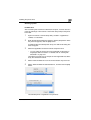
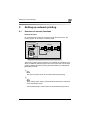
Open the data in the application , “File”, an d then click “Pri nt”.
2
Check that the printer name has been selected.
If the printer is not selected, click the [ ] and select the printer.
Windows, dialog boxes,
icons, and function names
displayed on the screen
are enclosed in .
Button names displayed
on the screen are
enclosed in .
Contents displayed on
a screen.
3
Specify the page range and the number of copies to print.
✎
Additional explanation
of the text is given.
Note
The Print dialog box differs d epending on the applicat ion.
200/250/350
200/250/350
4-1
x-19
Welcome
200/250/350
x-20
Overview
1
1
Overview
1.1
Printer controller CD-ROM configuration
The printer controller CD-ROMs consist of the following:
- User Software CD-ROM
- PostScript Printer Driver CD-ROM (Win/Mac)
Each CD-ROM contains printer drivers (for Windows and for Macintosh) and
utilities as well as screen fonts and documentation, such as the User’s
Guides and release notes.
The configuration of the printer drivers on the CD-ROM is shown below.
Browse through the CD-ROMs for the desired folders and files.
- The folder and file names may not be listed below starting from the root
directory.
- Use all of the files in each language folder.
User Software CD-ROM
DataAdmin
Manual
Readme
setup.exe
200/250/350
1-1
Overview
1
Driver
Drivers
350_250_200
DE
Win2000_XP
Win9X_Me
WinNT
EN
Win2000_XP
Win9X_Me
WinNT
ES
Win2000_XP
Win9X_Me
WinNT
FR
Win2000_XP
Win9X_Me
WinNT
IT
Win2000_XP
Win9X_Me
WinNT
JA
Win2000_XP
Win9X_Me
WinNT
KO
Win2000_XP
Win9X_Me
WinNT
ZH-CN
Win2000_XP
Win9X_Me
WinNT
ZH-TW
Win2000_XP
Win9X_Me
WinNT
Readme
P2P
Lang
UserInst.exe
200/250/350
1-2
Overview
1
FTPUtility
Manual
Readme
FTPUtilitySetup.exe
J2RE
j2re-1_4_2_06-windows-i586-p.exe
Manual
Peer2Peer
Manual
Readme
setup.exe
PrintNotify
Readme
setup.exe
PSNCPlugin
Readme
psnc_plugin_350_250_200_xxx.jar
ScreenFont
Readme
Font file
200/250/350
1-3
Overview
1
PostScript Printer Driver CD-ROM for Windows
Driver
Drivers
350_250_200
DE
EN
ES
FR
IT
JA
KO
ZH-CN
ZH-TW
Lang
P2P
PS-PPD
DE
EN
ES
FR
IT
JA
KO
ZH-CN
ZH-TW
Win2000_XP
WinNT
Win2000_XP
WinNT
Win2000_XP
WinNT
Win2000_XP
WinNT
Win2000_XP
WinNT
Win2000_XP
WinNT
Win2000_XP
WinNT
Win2000_XP
WinNT
Win2000_XP
WinNT
Win9x_Me
Win9x_Me
Win9x_Me
Win9x_Me
Win9x_Me
Win9x_Me
Win9x_Me
Win9x_Me
Win9x_Me
Readme
UserInst.exe
Screenfonts
200/250/350
1-4
Overview
1
PostScript Printer Driver CD-ROM for Macintosh
English
Driver
OS 9_x
KONICAMINOLTA350Vxxx.ppd
OS10_2_X
KONICAMINOLTA_350_102.pkg
OS10_3_X
KONICAMINOLTA_350_103.pkg
Screen Fonts
Japanese
Driver
OS 9_x
KONICAMINOLTA350Vxxx.ppd
OS10_2_X
KONICAMINOLTA_350_102.pkg
OS10_3_X
KONICAMINOLTA_350_103.pkg
Screen Fonts
Francais(French)
Italiano(Italian)
German
Espanol(Spanish)
Korean
Simplified Chinese
Traditional Chinese
*The folders and files for languages other than English and Japanese are
structured in the same way.
200/250/350
1-5
Overview
1.2
1
Printer controller
The printer controller is a device for performing printing functions and network printing functions with this machine.
Role of the printer controller
The printer controller is built into the machine.
You can print from applications on the computer connected to the printing
system. When using this machine as a network printer, you can print from
applications on the computer.
Printing system
Machine
Computer
Printer
controller
Available printer controller functions
The printer controller provides the following functions.
- Printing from a computer (using a printer driver)
- Support of network protocols including TCP/IP, NetBEUI, IPX/SPX, and
AppleTalk
- Direct printing over a network using Windows (SMB), LPR, and IPP printing
- Fax operations using a computer (when the optional fax kit is installed)
- Access to settings for this machine and the printer controller from a client
computer over the network (using a Web browser)
- Control of the number of pages printed (“User Authentication” and “Account Track” function, excluding external server authentication)
2
Note
Only the PCL printer driver can be used with Windows printing.
200/250/350
1-6
Overview
1
Machine modes
The printer driver settings are mainly set using a computer, however, the font
list can be printed, and the printer controller settings and default print settings can be set using the control panel of this machine. In addition, fax and
scanning operations can be used by switching the mode.
To switch between modes, press the mode keys on the control panel.
Box
Extra Scan Fax/Scan
Access
GHI
Reset
Copy
ABC
DEF
JKL
MNO
Accessibility
Interrupt
Power
Proof Copy
Mode Memory
PQRS
TUV
Stop
WXYZ
Enlarge Display
Utility/
Counter
Start
Contrast
Mode Check
Main Power
[Copy]
Switches to the copy mode.
[Fax/Scan]
Switches to the fax/scan mode.
To use the fax function, optional fax kit is required.
[Extra Scan]
Switches to the extra scan mode.
To use the extra scan function, optional fax kit or scanner unit is required.
[Box]
Switches to the box mode.
!
Detail
You can use this machine as a printer in all modes.
Change the default print settings in the Utility mode.
200/250/350
1-7
Overview
1
Printing flow
When using this printing system as a printer, the flow of the main process is
described below.
Print commands transmitted from the application are received by the printer
driver.
Data is transmitted to this machine over a parallel interface (IEEE 1284) when
this machine is used as a local printer, over a USB interface when this machine is used as a USB printer, or over an Ethernet interface (TCP/IP, IPX/
SPX, or AppleTalk) when this machine is used as a network printer. The printer controller then performs image rasterization (development of output characters and images to bitmap data). Finally, this data is printed from this
machine.
2
Note
To connect the parallel interface, the optional local interface kit is required.
Computer
Used as a local
printer
Application
Used as a USB
printer
Application
Used as a network
printer
Application
Printer driver
Printer driver
Printer driver
Parallel interface
(IEEE 1284)
USB
Ethernet (TCP/IP, IPX/
SPX, or AppleTalk)
Machine
Print
Printer controller
PS/PCL processing (rasterizing)
When a print job is received during copying, the data is stored in the memory
of this machine. When copying is complete, the print job is automatically
printed.
200/250/350
1-8
Overview
1.3
1
Operating environment
The system requirements for using this printing system and the interfaces
used for connection are explained below.
Connectable computers and operating systems
Check that the computer being connected meets the following conditions.
Windows
Item
Operating environment
Operating system
Windows 98 SE, Windows Me, Windows NT 4.0 (Service Pack 6a
or later), Windows 2000 Professional (Service Pack 4 or later),
Windows XP Home Edition (Service Pack 2 or later), Windows XP
Professional (Service Pack 2 or later), or Windows Server 2003
Processor
Pentium or higher
Memory
Capacity recommended for the operating system
With sufficient memory resources in the operating system and
application being used
Drive
CD-ROM
Web browser
(when using PageScope
Web Connection)
Windows 98 SE/Me/NT 4.0
Microsoft Internet Explorer 4 or later recommended
Netscape Navigator 4.73 or 7.0
Windows 2000
Microsoft Internet Explorer 5 or later recommended
Netscape Navigator 7.0
Windows XP
Microsoft Internet Explorer 6 or later recommended
Netscape Navigator 7.0
*If using Microsoft Internet Explorer 5.5, use Service Pack 1 or
later.
Macintosh
Item
Operating environment
Operating system
Mac OS 9.2, Mac OS X 10.2, or Mac OS X 10.3
Processor
PowerPC
Memory
Capacity recommended for the operating system
Drive
CD-ROM
Web browser
(when using PageScope
Web Connection)
Netscape Navigator 7.0
200/250/350
1-9
Overview
1
Connectable interfaces
The various interfaces that can be used to connect this printing system to a
computer are described below.
Ethernet interface
Connect when using this printing system as a network printer.
Supports 10Base-T and 100Base-TX standards. In addition, the Ethernet interface supports the TCP/IP (LDP/LPR, peer-to-peer), IPX/SPX (NetWare),
and AppleTalk (EtherTalk) protocols.
Parallel interface (optional)
Connect when using this printing system as a local printer.
A computer running Windows and an IEEE 1284 parallel cable are required
for connection. Use a parallel cable that uses a terminal with an Amphenol
36-pin male connector.
The parallel interface supports the compatible, nibble, and ECP modes.
USB interface
Connect when using this printing system as a network printer.
The USB interface can be connected to a computer running Windows. A
USB cable is required for connection. Use a type A (4 pin, male) or type B (4
pin, male) USB cable. A USB cable measuring 3 meters or less is recommended.
200/250/350
1-10
Overview
1
Connection diagram
The printer cables can be connected to each port at the back of this machine.
Machine (rear view)
Ethernet (10Base-T or 100Base-TX)
USB
cable
T1
OR
LP
USB port
TE
T1
OR
EP
LIN
Parallel cable
Parallel port
T2
OR
LP
TE
T2
OR
EP
LIN
2
Note
To connect this machine to a computer using a parallel connection, optional local interface kit is required.
200/250/350
1-11
Overview
1.4
1
Setting up the system
In order to use this printing system, it must first be set up.
Setup consists of connecting this machine to a computer and installing the
printer driver onto the computer being used.
To set up the printing system
Setup the printing system as described below.
1
Connect this machine to a computer. (Refer to “Connectable interfaces” on page 1-10.)
2
Install the printer driver. (Refer to “Installing the printer driver” on
page 2-1.)
3
When using a network connection, set up the network. (Refer to “Setting up network printing” on page 3-1.)
4
Check the setup by printing a test page. (Refer to “Test printing” on
page 4-2.)
5
Install the screen fonts.
–
–
–
–
–
The User Software CD-ROM and PostScript Printer Driver CD-ROM
contain the Latin TrueType fonts as the screen fonts.
Install the screen fronts after adding the operating system standard
fonts.
For details, refer to Help of the operating system.
The screen fonts are located in the “Screenfont” or “Screenfonts”
folder on the CD-ROM.
To install the Macintosh fonts, install the fonts after decompressing
them.
Installation of the printer driver may differ depending on the connection
method used with this machine in addition to the operating system of the
computer and the type of printer driver being used.
200/250/350
1-12
Overview
1
!
Detail
For details on connecting this machine to a computer, refer to “Connectable interfaces” on page 1-10.
2
Note
To update an existing printer driver, delete the existing printer driver first.
For details, refer to “Uninstalling the printer driver” on page 2-14 and
page 2-21.
If using the optional parallel interface, set the interface time settings and
mode (Compatible, Nibble, or ECP) as necessary with the PageScope
Web Connection and on the control panel. For details, refer to “Print tab
- Local I/F” on page 10-59.
200/250/350
1-13
Overview
200/250/350
1
1-14
Installing the printer driver
2
2
Installing the printer driver
2.1
Printer drivers and supported operating systems
In order to use this printing system, the printer driver must be installed. The
printer driver is a program that controls the processing of data for output. Install the printer driver onto the computer from the provided CD-ROM.
The printer drivers included on the CD and the supported computer operating systems are listed below. Install the required printer driver.
*
Page description
language
Printer driver
Supported operating systems
PCL 6
Konica Minolta
driver
Windows 98 SE, Windows Me, Windows NT
4.0 (Service Pack 6a or later),
Windows 2000 Professional (Service Pack 4 or
later), Windows XP Home Edition/Professional
(Service Pack 2 or later) and Windows Server
2003
PostScript 3
emulation
Konica Minolta
(PS Visual)
Windows NT 4.0 (Service Pack 6a or later),
Windows 2000 Professional (Service Pack 4 or
later), Windows XP Home Edition/Professional
(Service Pack 2 or later) and Windows Server
2003
PostScript PPD
driver
Windows 98 SE and Windows Me
Mac OS 9.2 or later,
Mac OS X 10.2, and Mac OS X 10.3
The User Software CD-ROM contains the PCL printer driver, and the PostScript Printer Driver
CD-ROM contains the PostScript drivers.
200/250/350
2-1
Installing the printer driver
2.2
2
When used with Windows
The installation procedure for the Windows printer driver differs depending
on how this machine is connected to the computer and depending on which
printer driver is used. The installation method also differs depending on the
version of Windows that you are using. Refer to the table below for the appropriate procedure for installing the printer driver on your computer.
Printer driver
Connection
method
Refer to
PCL
All connection
methods
“Automatic installation using the installer” on
page 2-3
PostScript
PCL
Network connection
“Installing the printer driver using the Add Printer
Wizard” on page 2-9
“For Windows 98 SE/Me/2000/NT 4.0” on
page 2-12
“For Windows XP/Server 2003” on page 2-9
Parallel connection
“Installing the printer driver using Plug and Play” on
page 2-6
“For Windows 98 SE” on page 2-6
“For Windows Me/2000” on page 2-7
“For Windows XP/Server 2003” on page 2-8
USB connection
“Installing the printer driver using Plug and Play” on
page 2-6
“For Windows 98 SE” on page 2-6
“For Windows Me/2000” on page 2-7
“For Windows XP/Server 2003” on page 2-8
2
Note
For details on installing the printer driver in a network environment, refer
to “Setting up network printing” on page 3-1. Because it is necessary to
specify other network settings in advance when installing the printer driver using a network connection, install it using a local connection at this
time.
To install the printer driver under Windows XP, Windows Server 2003,
Windows 2000, or Windows NT 4.0, log on using a user name that is authorized by the administrator.
The printer driver can be installed using the Add Printer Wizard, however,
if used, the Plug and Play screen will appear each time the computer is
started.
To connect this machine to a computer using a parallel connection, the
optional local interface kit is required.
200/250/350
2-2
Installing the printer driver
2
Automatic installation using the installer
With the installer, this machine is detected to determine whether it is connected by USB or is on the same TCP/IP network as the computer, and then
the required printer is automatically installed. You can also manually specify
the printer driver to be installed.
2
Note
Since this machine is automatically detected with a network connection,
be sure to set the IP address of this machine before connecting it. For details on specifying the settings, refer to “Setting the IP address for this
machine” on page 3-5.
When installing on Windows NT 4.0, 2000, XP, or Server 2003, administrator permissions are required.
If the wizard starts up in order to add new hardware with a USB or parallel
connection, click [Cancel].
For IPP printing, it is not necessary to install the printer driver at this time
since IPP printing setup is performed when the printer driver is installed.
For further details on IPP printing, refer to “IPP printing (Windows 2000/
XP/Server 2003)” on page 3-17.
Installer operating environment
Item
Operating environment
Operating system
Windows 98 SE, Windows Me, Windows NT 4.0 (Service Pack 6a
or later), Windows 2000 Professional (Service Pack 4 or later),
Windows XP Home Edition (Service Pack 2 or later), Windows XP
Professional (Service Pack 2 or later), or Windows Server 2003
Processor
Pentium 300 MHz or higher recommended
Memory
64 MB or more (128 MB or more recommended)
* With Windows NT 4.0, in order to install a machine that is connected directly to a network using
the TCP/IP protocol, Microsoft TCP/IP Printing Service must first be installed on the computer
being used.
200/250/350
2-3
Installing the printer driver
2
To install the printer driver
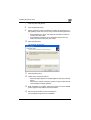
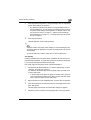
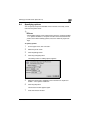
1
Insert the Windows printer driver CD-ROM into the computer’s CDROM drive.
The installer starts up.
2
Click “Printer Install”.
The installation of the printer driver starts.
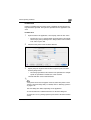
3
Click the [AGREE] button if you agree with all terms and conditions of
the license agreement.
–
–
200/250/350
If you do not agree with the terms and conditions of the license
agreement, the software cannot be installed.
You can change the display language of the installer box in the lower-left corner.
2-4
Installing the printer driver
4
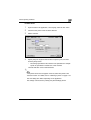
2
When the setup selection dialog box appears, select “Select Printers/
MFPs to Install from the List.”.
The connected printers and copiers are detected.
5
Select this machine and proceed with the installation.
Follow the on-screen instructions to complete the installation.
–
If the connection of this machine cannot be recognized or for parallel connections, the machine will not be listed. When this occurs,
select “Specify the Printer/MFP Except for the Above. (IP Address,
Host Name...)”, and then select the print from the box.
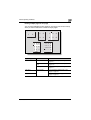
2
Note
If the printer driver installer does not start, double-click “UserInst.exe” located in the “Driver” folder on the CD-ROM.
200/250/350
2-5
Installing the printer driver
2
Installing the printer driver using Plug and Play
For Windows 98 SE
1
After using a parallel cable or a USB cable to connect this machine to
a computer, turn the main power of this machine on.
–
2
Do not disconnect or connect the cable while the computer is starting up.
Start the computer.
The Add New Hardware Wizard starts up.
3
Insert the Windows printer driver CD-ROM into the computer’s CDROM drive.
–
–
Konica Minolta PCL driver: User Software CD-ROM
Konica Minolta PostScript driver: PostScript Printer Driver CDROM
4
Click the [Next] button.
5
Select “Search for the best driver for your device (Recommended)”,
and then click the [Next] button.
6
Select “Specify a location”, and then click the [Browse] button.
7
Specify the folder on the CD-ROM that contains the printer driver for
the operating system that you are using, and then click the [OK] button.
–
–
8
Konica Minolta PCL driver: User Software CD-ROM “Driver\Drivers\350_250_200” folder
PostScript PPD driver: PostScript Printer Driver CD-ROM “Driver\PS-PPD” folder
Click the [Next] button, and then follow the on-screen instructions.
–
If using a parallel connection, proceed to step 10.
9
The Add New Hardware Wizard dialog box appears again. Repeat
steps 4 through 8.
10
When installation is complete, make sure that the icon of the installed
printer appears in the Printers window.
11
Remove the CD-ROM from the CD-ROM drive.
This completes the printer driver installation.
200/250/350
2-6
Installing the printer driver
2
For Windows Me/2000
1
After using a parallel cable or a USB cable to connect this machine to
a computer, turn the main power of this machine on.
–
2
Do not disconnect or connect the cable while the computer is starting up.
Start the computer.
The Add New Hardware Wizard starts up.
3
Insert the Windows printer driver CD-ROM into the computer’s CDROM drive.
–
–
Konica Minolta PCL driver: User Software CD-ROM
Konica Minolta PostScript driver: PostScript Printer Driver CDROM
4
Select “Search for a suitable driver for my device (recommended)” (for
Windows Me, select “Automatic search for a better driver (Recommended)”), and then click the [Next] button.
5
For Windows 2000, select “Specify a location”, and then click the
[Next] button.
For Windows Me, select “Specify a Location”, and then click the
[Browse] button.
6
Specify the folder on the CD-ROM that contains the printer driver for
the operating system that you are using, and then click the [OK] button.
Printer drivers that can be selected:
–
–
For Windows Me
Konica Minolta PCL driver: User Software CD-ROM “Driver\Drivers\350_250_200” folder
PostScript PPD driver: PostScript Printer Driver CD-ROM “Driver\PS-PPD” folder
For Windows 2000
Konica Minolta PCL driver: User Software CD-ROM “Driver\Drivers\350_250_200” folder
Konica Minolta PostScript driver: PostScript Printer Driver CDROM “Driver\Drivers\350_250_200” folder
7
Click the [OK] button (for Windows Me, click the [Next] button), and
then follow the on-screen instructions.
8
Click the [Finish] button.
200/250/350
2-7
Installing the printer driver
2
9
When installation is complete, make sure that the icon of the installed
printer appears in the Printers window.
10
Remove the CD-ROM from the CD-ROM drive.
This completes the printer driver installation.
For Windows XP/Server 2003
1
After using a parallel cable or a USB cable to connect this machine to
a computer, turn the main power of this machine on.
–
2
Do not disconnect or connect the cable while the computer is starting up.
Start the computer.
The Add New Hardware Wizard starts up.
3
Insert the Windows printer driver CD-ROM into the computer’s CDROM drive.
–
–
Konica Minolta PCL driver: User Software CD-ROM
Konica Minolta PostScript driver: PostScript Printer Driver CDROM
4
Select “Install from a list or specific location (Advanced)”, and then
click the [Next] button.
5
Under “Search for the best driver in these locations”, select “Include
this location in the search”, and then click the [Browse] button.
6
Specify the folder on the CD-ROM that contains the printer driver for
the operating system that you are using, and then click the [OK] button.
–
–
7
Konica Minolta PCL driver: User Software CD-ROM “Driver\Drivers\350_250_200” folder
Konica Minolta PostScript driver: PostScript Printer Driver CDROM “Driver\Drivers\350_250_200” folder
Click the [Next] button, and then follow the on-screen instructions.
–
When the Digital Signature dialog box appears, click the [Continue]
button.
8
Click the [Finish] button.
9
When installation is complete, make sure that the icon of the installed
printer appears in the Printers and Faxes window.
200/250/350
2-8
Installing the printer driver
10
2
Remove the CD-ROM from the CD-ROM drive.
This completes the printer driver installation.
Installing the printer driver using the Add Printer Wizard
2
Note
For IPP printing, it is not necessary to install the printer driver at this time
since IPP printing setup is performed when the printer driver is installed.
For further details on IPP printing, refer to “IPP printing (Windows 2000/
XP/Server 2003)” on page 3-17.
For details on installing the printer driver in a network environment, refer
to “Setting up network printing” on page 3-1. Because it is necessary to
specify other network settings in advance when installing the printer driver using a network connection, install it using a local connection at this
time.
For Windows XP/Server 2003
1
Insert the Windows printer driver CD-ROM into the computer’s CDROM drive.
–
–
2
Click the [Start] button, and then click “Printers and Faxes”.
–
200/250/350
Konica Minolta PCL driver: User Software CD-ROM
Konica Minolta PostScript driver: PostScript Printer Driver CDROM
If “Printers and Faxes” does not appear in the Start menu, open the
Control Panel from the Start menu, select “Printers and Other Hardware”, and then select “Printers and Faxes”.
2-9
Installing the printer driver
3
2
For Windows XP, click “Add a printer” on the “Printer Tasks” menu.
–
For Windows Server 2003, double-click the “Add Printer” icon.
Windows XP
Windows Server 2003
The Add Printer Wizard starts up.
4
Click the [Next] button.
5
Select “Local printer attached to this computer”, and then click the
[Next] button.
–
6
200/250/350
Clear the “Automatically detect and install my Plug and Play printer” check box.
The Select Printer Port dialog box appears. Select “LPT1” here, and
then click the [Next] button.
2-10
Installing the printer driver
2
7
Click the [Have Disk] button.
8
Click the [Browse] button.
9
Specify the folder on the CD-ROM that contains the printer driver for
the operating system that you are using, and then click the [OK] button.
–
–
10
Konica Minolta PCL driver: User Software CD-ROM “Driver\Drivers\350_250_200” folder
Konica Minolta PostScript driver: PostScript Printer Driver CDROM “Driver\Drivers\350_250_200” folder
Click the [OK] button.
The “Printers” list appears.
11
Click the [Next] button.
12
Follow the on-screen instructions.
–
–
When the Digital Signature message appears, click the [Continue]
button.
When using a network connection, perform a test print after the network settings have been specified.
13
When installation is complete, make sure that the icon of the installed
printer appears in the Printers and Faxes window.
14
Remove the CD-ROM from the CD-ROM drive.
This completes the printer driver installation.
200/250/350
2-11
Installing the printer driver
2
For Windows 98 SE/Me/2000/NT 4.0
1
Insert the Windows printer driver CD-ROM into the computer’s CDROM drive.
–
–
2
Konica Minolta PCL driver: User Software CD-ROM
Konica Minolta PostScript driver: PostScript Printer Driver CDROM
Click the [Start] button, point to “Settings”, and then click “Printers”.
The Printers window appears.
3
Double-click the “Add Printer” icon.
The Add Printer Wizard starts up.
4
Follow the on-screen instructions.
5
On the screen for selecting the printer connection, select “Local Printer”.
6
Click the [Next] button.
7
Click the [Have Disk] button.
8
Click the [Browse] button.
200/250/350
2-12
Installing the printer driver
9
Specify the folder on the CD-ROM that contains the printer driver for
the operating system that you are using, and then click the [OK] button.
–
–
–
10
2
For Windows 98 SE/Me
Konica Minolta PCL driver: User Software CD-ROM “Driver\Drivers\350_250_200” folder
PostScript PPD driver: PostScript Printer Driver CD-ROM “Driver\PS-PPD” folder
For Windows 2000
Konica Minolta PCL driver: User Software CD-ROM “Driver\Drivers\350_250_200” folder
Konica Minolta PostScript driver: PostScript Printer Driver CDROM “Driver\Drivers\350_250_200” folder
For Windows NT 4.0
Konica Minolta PCL driver: User Software CD-ROM “Driver\Drivers\350_250_200” folder
Konica Minolta PostScript driver: PostScript Printer Driver CDROM “Driver\Drivers\350_250_200” folder
Click the [OK] button.
The “Printers” list appears.
11
Click the [Next] button.
12
Specify the connection port. Select “LPT1” here.
13
Follow the on-screen instructions.
–
200/250/350
When using a network connection, perform a test print after the network settings have been specified.
2-13
Installing the printer driver
2
14
When installation is complete, make sure that the icon of the installed
printer appears in the Printers window.
15
Remove the CD-ROM from the CD-ROM drive.
This completes the printer driver installation.
Uninstalling the printer driver
If it becomes necessary to delete the printer driver, for example, when you
want to reinstall the printer driver, follow the procedure below to delete the
driver.
1
For Windows 98 SE/Me/2000/NT 4.0, click the [Start] button, point to
“Settings”, and then click “Printers”.
For Windows XP/Server 2003, click the [Start] button, and then click
“Printers and Faxes”.
–
If “Printers and Faxes” does not appear in the Start menu, open the
Control Panel from the Start menu, select “Printers and Other Hardware”, and then select “Printers and Faxes”.
2
In the Printers window (for Windows XP/Server 2003, Printers and Faxes window), select the icon of the printer that you want to delete.
3
Press the [Delete] key on the computer keyboard to delete the printer
driver.
4
Follow the on-screen instructions.
–
When the printer driver has been deleted, the printer icon will disappear from the Printers window (for Windows XP/Server 2003,
Printers and Faxes window).
For Windows 98 SE/Me/NT 4.0, this completes the uninstallation procedure.
For Windows 2000/XP/Sever 2003, delete the driver from the server
properties.
5
Click the “File” menu, and then click “Server Properties”.
6
Click the Driver tab.
7
Select the printer driver to be deleted from the Installed Printer Drivers,
and then click [Delete].
8
On the Deletion Confirmation dialog box, click the [Yes] button.
200/250/350
2-14
Installing the printer driver
2
9
Close the Print Server Properties dialog box and Printers window (for
Windows XP/Server 2003, “Printers and Faxes” window).
10
Restart the computer.
This completes the uninstallation procedure.
2
Note
Be sure to restart the computer.
200/250/350
2-15
Installing the printer driver
2.3
2
When used with Macintosh
Installation procedure of the Macintosh printer driver differs depending on
the Mac OS version and printer driver being used. Refer to the table below
for the appropriate procedure for installing the printer driver on your Macintosh computer.
Mac OS
Printer driver
Refer to
Mac OS X 10.2 and
Mac OS X 10.3
PostScript PPD
“Installing the printer driver” on page 2-16
Mac OS 9.2 or later
PostScript PPD
“Selecting a printer” on page 2-18
Installing the printer driver
For Mac OS X
1
Turn the Macintosh computer on.
2
Insert the Macintosh printer driver CD-ROM into the Macintosh computer’s CD-ROM drive.
–
Quit all running applications that may have started when the Macintosh computer was turned on.
3
Open the “OS10_2_x” or “OS10_3_x” folder from “Driver”, which is located in a language folder on the CD-ROM.
4
Select the Mac OS version being used, and then copy the drive file onto
the desktop.
Mac OS X 10.2: KONICAMINOLTA_350_102.pkg
Mac OS X 10.3: KONICAMINOLTA_350_103.pkg
5
Double-click the file copied onto the desktop.
–
–
–
6
200/250/350
Enter the requested administrator’s name and password.
For the administrator’s name and password, ask your network administrator.
To quite the installation, click the [Cancel] button.
Click the [Continue] button and follow the on-screen instructions until
the Installation dialog box appears.
2-16
Installing the printer driver
7
2
On the Easy Install dialog box, click the [Install] button.
–
From the second time the printer driver is installed and thereafter,
the [Installation] button may appear as the [Upgrade] button.
The printer driver is installed onto the Macintosh computer. When installation is complete, a message appears.
8
Click the [Close] button.
This completes the printer driver installation.
Next, select the printer.
200/250/350
2-17
Installing the printer driver
2
Selecting a printer
For Mac OS X
After connecting this machine to a Macintosh computer, it can be used as a
printer by selecting it in Print Center or the Printer Setup Utility as the printer
to be used.
1
Open Print Center or Printer Setup Utility, located in “Applications”−
“Utilities” of “Hard Disk”.
2
When the Add Printer dialog box appears, click the [Add] button. When
the printer list appears, click the [Add] button.
If usable printers have already been set up, the Add Printer dialog box
does not appear.
3
Select the applicable connection method and printer name.
–
You can check the printer name from AppleTalk Configuration in
PageScope Web Connection. For details, refer to “Printing with
Macintosh” on page 3-31.
The following procedure is an example of when AppleTalk was selected by the connection method.
4
Select “KONICA MINOLTA” from the “Printer Model” drop-down list.
5
Select “KONICA MINOLTA 350/250/200 PS”, and then click the [Add]
button.
The selected printer is registered in the printer list.
200/250/350
2-18
Installing the printer driver
2
For Mac OS 9.2
After connecting this machine, it can be used as a printer by selecting “PostScript printer” under “Chooser” and by specifying the printer description
(PPD) File.
First, copy the printer description (PPD) file onto the Macintosh computer.
1
Insert the Macintosh printer driver CD-ROM into the Macintosh computer’s CD-ROM drive.
2
Open the “OS 9_x” folder from “Driver”, which is located in a language
folder on the CD-ROM.
3
Select the PPD file “KONICAMINOLTA350xxxxx”, and then copy it into
the “Printer Descriptions” folder in “System Folder”−“Extensions” of
“Hard Disk”.
–
Next, select a printer.
The printer driver can use a standard Macintosh LaserWriter.
4
On the Apple menu, click “Chooser”.
5
Make sure that “AppleTalk” is set to “Active”, and then click the [LaserWriter] icon.
6
From the “Select a PostScript Printer” list, click the applicable printer
for the printing system, and then click the [Create] button.
–
You can check the printer name from AppleTalk Configuration in
PageScope Web Connection.
For details, refer to “Printing with Macintosh” on page 3-31.
– If a different PPD file has already been selected, click the [Setup]
button in step 6, and then click the [Select PPD] button from the
screen that is already displayed.
The PostScript printer description (PPD) file selection screen appears.
200/250/350
2-19
Installing the printer driver
7
2
Select the applicable PPD file, and then click the [Select] button or
[Open] button.
The setting screen for adding Options appears.
8
Select the options that are installed on this machine.
9
Click the [OK] button.
The Chooser window appears again.
10
200/250/350
Close the Chooser window.
2-20
Installing the printer driver
2
Uninstalling the printer driver
If it becomes necessary to delete the printer driver, for example, when you
want to reinstall the printer driver, follow the procedure below to delete the
driver.
2
Note
Quit all running applications that may have started when the Macintosh
computer was turned on.
For Mac OS X
1
Open Print Center or Printer Setup Utility, located in “Applications”−
“Utilities” of “Hard Disk”.
2
Select the name of the printer to be deleted, and then click the [Delete]
button.
The selected printer is deleted.
3
Close the printer list.
4
Drag the following file, which is located in “Library”−“Printers”−
“PPDs”−“Contents”−“Resources”−“en.lproj” of “Hard Disk”, to the
“Trash” icon.
–
“KONICA MINOLTA 350.gz”
5
Delete the unnecessary files from “Library”−“Printers”.
6
For Mac OS 10.3, drag the “pstokm350” folder, which is located in “Library”−“Printers”−“KONICAMINOLTA”−“filter”, and the following folders, which are located in “Library”−“Printers”−“KONICAMINOLTA”−
“PDEs”, to the “Trash” icon.
–
–
–
–
7
For Mac OS 10.2, drag the following folders, which are located in “Library”−“Printers”−“PPD Plugins”, to the “Trash” icon.
–
–
–
–
200/250/350
KONICAMINOLTA350 Finishing.plugin
KONICAMINOLTA350 ImageLayout.plugin
KONICAMINOLTA350 Security.plugin
KONICAMINOLTA350 Setup.plugin
KONICAMINOLTA350 Finishing.plugin
KONICAMINOLTA350 ImageLayout.plugin
KONICAMINOLTA350 Security.plugin
KONICAMINOLTA350 Setup.plugin
2-21
Installing the printer driver
2
8
For Mac OS 10.2, enter “/usr” in “Move to”-“Move to folder”, move it
to the “/usr” folder, and then drag the “pstokm350” folder, which is located in “libexec”-“cups”-“filter”, to the “Trash” icon.
9
Restart the Macintosh computer.
This completes the uninstallation procedure.
For Mac OS 9.2
1
Drag PPD file “KONICAMINOLTA350xxxxx”, which is located in “System Folder”−“Extensions”−“Printer Descriptions” of “Hard Disk”, to the
“Trash” icon.
The related printer driver files are deleted.
2
Restart the Macintosh computer.
This completes the uninstallation procedure.
200/250/350
2-22
Setting up network printing
3
3
Setting up network printing
3.1
Overview of network functions
Network functions
By connecting this machine to a network through the Ethernet port, this
printing system can be used as a network printer.
Printing system
Network
Ethernet
Hub
Machine
This printing system supports 10Base-T and 100Base-TX standards. In addition, the Ethernet interface supports the TCP/IP (LDP/LPR, IPP, Windows
printing), NetBEUI (Windows printing), IPX/SPX (NetWare), and AppleTalk
(EtherTalk) protocols.
2
Note
Only the PCL printer driver can be used with Windows printing.
2
Note
When setting up the network, the administrator password is required to
enter Administrator mode.
Ask the administrator of this machine for the administrator password.
200/250/350
3-1
Setting up network printing
3
Features of the network functions
This printing system is equipped with the following network functions to flexibly support various network environments.
- Automatic selection of 10Base-T or 100Base-TX (Fast Ethernet)
- Supports multiple network protocols including TCP/IP, NetBEUI, IPX/
SPX, and AppleTalk (EtherTalk)
- Supports Windows printing (SMB printing) from Windows 98 SE or Windows Me
- Supports LPD/LPR over TCP/IP from Windows NT 4.0, Windows 2000 or
Windows XP
- Supports Novell NetWare Pserver and Rprinter (Nprinter)
- Supports the Novell NetWare print server functions and supports both
bindery mode and Novell Directory Service (NDS)
- Acquires IP address automatically through DHCP
With Windows printing (Windows 98 SE/Me)
Windows printing is a printing method that does not require a dedicated print
server on computers running Windows 98 SE or Windows Me.
2
Note
Only the PCL printer driver can be used with Windows printing.
With LPR (Windows NT 4.0/2000/XP)
You can print with LPD/LPR using Windows NT 4.0, Windows 2000, or Windows XP. Windows 98 SE and Windows Me cannot be used.
!
Detail
LPR (Line Printer Request): This print request system can be used under
Windows NT 4.0, Windows 2000, or Windows XP. The queue name is input as “Print”.
Port 9100 (Windows 98 SE/Me/2000/XP):
You can print (Raw print) using Port 9100 under Windows 98 SE, Windows
Me, Windows 2000, or Windows XP.
2
Note
When using with Windows 98 SE or Windows Me, the Peer To Peer Printing Tool must be installed.
200/250/350
3-2
Setting up network printing
3
With NetWare
The Novell NetWare 4.x—6 print server functions are supported.
You can connect this printing system to a network using Novell NetWare
4.x—6 as the network operating system and send print jobs from the client
to the print server (network controller). The three modes supported are as follows:
- Nprinter
- Pserver
- NDPS
2
Note
For details on the NetWare functions, refer to the NetWare operation
manual.
With Macintosh
You can print from your Macintosh computer using LPR or AppleTalk.
You can connect this printing system to a print server in an AppleTalk environment and send print jobs from the Macintosh computer to this machine.
Network connection methods that can be selected in each Windows operating system
This chapter describes the settings that must be specified for network printing.
Setting procedures differ depending on the method of networking printing
used (Windows, LPR, or IPP printing). Select the best method of network
printing for your Windows environment.
Network printing from a Windows operating system.
Windows
printing
Protocol used
Windows 98
SE
TCP/IP,
NetBEUI
+
Windows
Me
+
Windows
2000
Windows
XP
Windows
NT 4.0
Windows
Server
2003
+
+
+
+
o
o
LPR printing
TCP/IP
o
o
IPP printing
TCP/IP
o
o
o
Port 9100
printing
TCP/IP
o
o
o
200/250/350
+
+
3-3
Setting up network printing
3
2
Note
Before setting up network printing, install the printer driver. For details,
refer to “Installing the printer driver” on page 2-1.
To perform network printing, change the printer port for the installed
printer driver to one for a network connection, and then change the settings on this machine as necessary. For an IPP connection, it is necessary to install the printer driver first.
When using Port 9100 to print under Windows 98 SE or Windows Me, the
Peer To Peer Printing Tool must be installed.
Only the PCL printer driver can be used with Windows printing. If network
printing with the PostScript printer driver, use LPR printing or Port 9100
printing.
!
Detail
When using Port 9100 to print under Windows 98 SE or Windows Me and
the 200/250/350, the required Peer to Peer Printing Tool is automatically
installed when the installer is used to install the print driver when this machine is connected to a network. When the installer was not used, the
Peer to Peer Printing Tool must be installed separately. For details, refer
to “Port 9100 Printing (Windows 98 SE/Me/2000/XP/Server 2003” on
page 3-14.
Network printing in a NetWare environment
NetWare version
Protocol used
Emulation
Service mode
NetWare 4.x
IPX
NDS/Bindery
Pserver/Nprinter
IPX
NDS
Pserver
TCP/IP
NDPS(lpr)
NetWare 5.x/6
200/250/350
3-4
Setting up network printing
3.2
3
Setting the IP address for this machine
Use this machine’s control panel to assign an IP address to this machine.
2
Note
When specifying network settings, follow the instructions of the network
administrator.
Setting the IP address
1
Press the [Utility/Counter] key on this machine’s control panel, touch
[Admin. Management], and then enter the administrator password.
–
The administrator password is required to enter Administrator
mode. Ask the administrator of this machine for the administrator
password.
2
Touch [Admin. 2].
3
Touch [Network Settings].
4
Touch [Basic Setting].
5
Touch [IP Address Settings].
200/250/350
3-5
Setting up network printing
3
6
Enter the IP address, and then touch [Enter].
7
Touch [Subnet Mask] and enter the subnet mask address.
8
Touch [Gateway] and enter the default gateway address.
9
To apply the settings, restart this machine (turn the main power off,
then on again).
Turn this machine back on to apply the IP address.
2
Reminder
When turning the machine off, then on again, wait about 10 seconds after
turning the machine off before turning the machine on again. The settings
may not be applied correctly if the machine is turned on immediately after
it is turned off.
!
Detail
Although the IP address is entered without using the DHCP server in the
procedure described here, it is also possible to automatically assign the
IP address from the DHCP server. When “DHCP Configuration” is set to
“Auto-Obtain”, the IP address, subnet mask, and gateway address settings are automatically assigned from the DHCP server on the network,
so it is not necessary to assign them manually. However, note the following when setting “DHCP Configuration” to “Auto-Obtain”.
Check with the network administrator that the DHCP server exists. If the
DHCP server does not exist, be sure to specify settings for “IP Address”,
“Subnet Mask”, and “Gateway Address”.
If the settings for the IP address and other items have been assigned using the DHCP server, there is a possibility that they may be automatically
changed. When the settings for the IP address and other items are
200/250/350
3-6
Setting up network printing
3
changed, if the IP address has been used to specify a printer on the network for printing, there is a possibility that printing may not be possible
because this machine cannot communicate with the network. If “DHCP
Configuration” has been set to “Auto-Obtain”, it is recommended that the
IP address assigned to this machine be fixed in the DHCP server settings.
200/250/350
3-7
Setting up network printing
3.3
3
Accessing PageScope Web Connection
Setting the IP address for this machine enables you to access PageScope
Web Connection.
Use your Web browser to directly access PageScope Web Connection.
To access PageScope Web Connection
1
Start up the Web browser.
2
In the “Address” bar, enter the IP address for this machine as shown
below, and then press the [Enter] key.
–
http://<IP_address_for_this_machine>/
Example: If the IP address for this machine is 192.168.1.20
http://192.168.1.20/
The initial page of PageScope Web Connection appears.
!
Detail
For further details on PageScope Web Connection, refer to “Using PageScope Web Connection” on page 10-27.
200/250/350
3-8
Setting up network printing
3.4
3
Windows printing
You can use Windows printing (SMB printing) to print directly over the Microsoft network from computers running Windows 98 SE or Windows Me.
2
Note
Only the PCL printer driver can be used with Windows printing.
Operations on this machine
Set the IP address for this machine. For the setting procedure, refer to “Setting the IP address for this machine” on page 3-5.
In PageScope Web Connection, specify the settings described below for
Windows printing.
1
Start up PageScope Web Connection.
2
Enter the administrator password, and then click [Log-in].
3
On the Network tab, click “Common Setting”, then “Windows”.
4
Specify settings for the following:
200/250/350
3-9
Setting up network printing
–
–
–
–
5
3
Enable Windows Printing Service: Set whether to use the Windows
printing service. Select “Enable” here.
NetBIOS Name: Specify the NetBIOS name. Up to 15 of the following alphanumeric characters and symbols can be used.
Uppercase and lowercase letters, numbers, hyphens (-), and underscores (_).
Printing Service Name: Specify the printing service name. Up to 13
alphanumeric characters can be used, excluding the following
characters.
Spaces, backslashes (\), and commas (,).
WorkGroup Name:Specify the work group name. Up to 15 alphanumeric characters can be used, excluding the following characters.
\ * + = | : ; “ ? < > ,.
To apply the settings, restart this machine (turn the main power off,
then on again).
2
Reminder
When turning the machine off, then on again, wait about 10 seconds after
turning the machine off before turning the machine on again. The settings
may not be applied correctly if the machine is turned on immediately after
it is turned off.
Printer driver settings
For Windows 98 SE/Me
1
Click the [Start] button, point to “Settings”, and then click “Printers”.
2
Right-click the icon of the installed printer, and then click “Properties”.
3
On the Details tab, click the [Add Port] button.
4
Select “Network”, and then click the [Browse] button. In the network
configuration window that appears, select the appropriate printer icon.
For Windows 2000/XP/NT 4.0/Server 2003
1
For Windows 2000/NT 4.0, click the [Start] button, point to “Settings”,
and then click “Printers”. For Windows XP/Server 2003, click the [Start]
button, and then click “Printers and Faxes”.
–
200/250/350
If “Printers and Faxes” does not appear in the Start menu, open the
Control Panel from the Start menu, select “Printers and Other Hardware”, and then select “Printers and Faxes”.
3-10
Setting up network printing
3
2
Right-click the icon of the installed printer, and then click “Properties”.
3
Click the [Add Port] button on the Ports tab, double-click “Local Port”
or select “Local Port” and click the [New Port] button, and then enter
“\\<NetBIOS_name>\<printing_service_name>”.
–
4
200/250/350
Enter the same NetBIOS name and printing service name that you
entered in PageScope Web Connection. For the setting procedure,
refer to “Operations on this machine” on page 3-9.
Click the [Close] button to apply the setting.
3-11
Setting up network printing
3.5
3
LPR printing
The LPR print service is supported as standard in Windows 2000, Windows
XP, Windows NT 4.0, and Windows Server 2003. TCP/IP is used as the network protocol.
Operations on this machine
Set the IP address for this machine. For the setting procedure, refer to “Setting the IP address for this machine” on page 3-5.
Printer driver settings
For Windows 2000/XP/Server 2003
1
For Windows 2000, click the [Start] button, point to “Settings”, and
then click “Printers”.
For Windows XP/Server 2003, click the [Start] button, and then click
“Printers and Faxes”.
–
If “Printers and Faxes” does not appear in the Start menu, open the
Control Panel from the Start menu, select “Printers and Other Hardware”, and then select “Printers and Faxes”.
2
Right-click the icon of the installed printer, and then click “Properties”.
3
On the Ports tab, click the [Add Port] button.
4
In the “Available Printer Ports” list, select “Standard TCP/IP Port”, and
then click the [New Port] button.
5
When the Add Standard TCP/IP Printer Port Wizard starts up, click the
[Next] button.
6
In the “Name of printer or IP address” box, enter the IP address for this
machine, and then click the [Next] button.
7
Select “Custom”, and then click the [Settings] button.
8
Select “LPR”, enter “Print” in the “Queue Name” box.
9
For Windows XP, select “LPR Byte Counting Enabled”, and then click
the [OK] button.
–
200/250/350
If “LPR Byte Counting Enabled” is not selected, the data may not
be printed.
3-12
Setting up network printing
10
3
Click the [Next] button, and then click the [Finish] button to apply the
setting.
For Windows NT 4.0
1
Click the [Start] button, point to “Settings”, and then click “Printers”.
2
Right-click the icon of the installed printer, and then click “Properties”.
3
On the Ports tab, click the [Add Port] button.
4
In the “Available Printer Ports” list, select “LPR Port”, and then click the
[New Port] button.
–
If “LPR Port” is not in the list, click the [Start] button, point to “Control Panel”, and then click “Network”. Then, on the Service tab, click
the [Add] button and install the Microsoft TCP/IP Printing service.
5
In the “Name or address of server providing lpd” box on the Add LPR
Compatible Printer dialog box, enter the IP address for this machine.
6
In the “Name of printer or print queue on that server” box, enter “Print”.
7
Click the [OK] button to apply the setting.
200/250/350
3-13
350_03.fm Page 14 Wednesday, June 22, 2005 7:29 PM
Setting up network printing
3.6
3
Port 9100 Printing (Windows 98 SE/Me/2000/XP/Server 2003)
The Port 9100 print service is supported as standard in Windows 2000, Windows XP, and Windows Server 2003. TCP/IP is used as the network protocol. For Windows 98 SE or Windows Me, the Peer To Peer Printing Tool must
be installed separately.
Operations on this machine
Set the IP address for this machine. For the setting procedure, refer to “Setting the IP address for this machine” on page 3-5.
Printer driver settings (Windows 2000/XP/Server 2003)
When using Port 9100 to print, change the printer driver port to the Port 9100
port.
1
For Windows 2000, click the [Start] button, point to “Settings”, and
then click “Printers”.
For Windows XP/Server 2003, click the [Start] button, and then click
“Printers and Faxes”.
–
If “Printers and Faxes” does not appear in the Start menu, open the
Control Panel from the Start menu, select “Printers and Other Hardware”, and then select “Printers and Faxes”.
2
Right-click the icon of the installed printer, and then click “Properties”.
3
On the Ports tab, click the [Add Port] button.
4
In the “Available Printer Ports” list, select “Standard TCP/IP Port”, and
then click the [New Port] button.
5
When the Add Standard TCP/IP Printer Port Wizard starts up, click the
[Next] button.
6
In the “Name of printer or IP address” box, enter the IP address for this
machine, and then click the [Next] button.
7
Select “Custom”, and then click the [Settings] button.
8
Click [RAW], and then enter “9100” in the Port Number box.
–
200/250/350
If the RAW port number of this machine is changed, input the specified port number. For details, refer to “Network tab - Common Setting - TCP/IP” on page 10-64.
3-14
Setting up network printing
9
3
Click the [Next] button, and then click the [Finish] button to apply the
setting.
Installing the Peer to Peer Printing Tool (Windows 98 SE/Me)
When using Port 9100 to print under Windows 98 SE or Windows Me, the
Peer To Peer Printing Tool must be installed.
The Peer to Peer Printing Tool is included on the User Software CD-ROM.
!
Detail
When using Port 9100 to print under Windows 98 SE or Windows Me, the
required Peer to Peer Printing Tool is automatically installed when the installer is used to install the print driver when this machine is connected to
a network.
When the installer was not used, follow the procedures below to install
the Peer to Peer Printing Tool.
To install the Peer to Peer Printing Tool
1
Insert the User Software CD-ROM into the computer’s CD-ROM drive.
–
2
When the installer dialog box appears, click the [Close] button.
Open the CD-ROM.
–
Open My Computer, right-click CD-ROM, and then select “Open”.
3
Open the “Peer2Peer” folder.
4
Double-click “setup.exe”.
The setup program starts up. Follow the on-screen instructions to
complete the installation.
–
After installation, change the printer driver to be used for printing to
the Peer to Peer port.
!
Detail
To uninstall the Peer to Peer Printing Tool, delete the printer driver using
the Peer to Peer port first, and then delete the Peer to Peer Tool in “Add
or Remove Programs” in the “Control Panel”.
Printer driver settings (Windows 98 SE/Me)
When using the Port 9100 to print under Windows 98 SE or Windows Me,
change the printer driver port to the Peer to Peer port.
200/250/350
3-15
Setting up network printing
3
1
Click the [Start] button, point to “Settings”, and then click “Printers”.
2
Right-click the icon of the installed printer, and then click “Properties”.
3
On the Details tab, click the [Add Port] button.
4
Click “Others”, select “KONICA MINOLTA Peer to Peer Port” from the
list, and then click the [OK] button.
The Peer to Peer setup dialog box appears. The printer connected to
the network is automatically detected.
5
Select the printer from the device list, enter the port number, and then
click the “Add Port” button.
–
–
Skip to step 8.
If the desired printer does not appear in the device list, proceed to
step 6.
6
Click the [Manual Setup] button.
7
Enter the TCP/IP or IPX setting for the network being connected, and
then click the “Add Port” button.
–
8
Click the [OK] button on the confirmation screen.
–
9
200/250/350
Skip to step 8.
The port is added.
Click the [OK] button on the screen that appears.
3-16
Setting up network printing
3.7
3
IPP printing (Windows 2000/XP/Server 2003)
The IPP (Internet Printing Protocol) print service is supported as standard in
Windows 2000, Windows XP, and Windows Server 2003. TCP/IP is used as
the network protocol.
Operations on this machine
Set the IP address for this machine. For the setting procedure, refer to “Setting the IP address for this machine” on page 3-5.
Also, specify the IPP printing settings in PageScope Web Connection. (Printing can be performed with the default settings.)
1
Start up PageScope Web Connection.
2
Enter the administrator password, and then click [Log-in].
3
On the Network tab, click “Common Setting”, then “IPP”.
200/250/350
3-17
Setting up network printing
4
3
Specify settings for the following:
–
–
–
–
Printer URI: The URI of the printer that can be used for IPP printing
is displayed.
Enable IPP: Set whether to perform IPP printing. Select “Enable”
here.
Accept IPP Jobs: Set whether to use the IPP reception function.
Operations-Supported: Specify print operations supported by IPP.
5
On the Print tab, click “IPP Configuration”.
6
Specify settings for the following:
–
–
–
Printer Name: Specify the printer name (up to 127 alphanumeric
characters and symbols).
Printer Location: Specify the printer location (up to 127 alphanumeric characters and symbols).
Printer Information: Specify the printer manufacturer details (up to
127 alphanumeric characters and symbols).
Installing the printer driver
For IPP printing, reinstall the printer driver.
1
Insert the Windows printer driver CD-ROM into the computer’s CDROM drive.
–
–
200/250/350
Konica Minolta PCL driver: User Software CD-ROM
Konica Minolta PostScript driver: PostScript Printer Driver CDROM
3-18
Setting up network printing
2
For Windows 2000, click the [Start] button, point to “Settings”, and
then click “Printers”.
For Windows XP/Server 2003, click the [Start] button, and then click
“Printers and Faxes”.
–
3
3
If “Printers and Faxes” does not appear in the Start menu, open the
Control Panel from the Start menu, select “Printers and Other Hardware”, and then select “Printers and Faxes”.
For Windows 2000/Server 2003, double-click the “Add Printer” icon.
For Windows XP, click “Add a printer” on the “Printer Tasks” menu.
The “Add Printer Wizard” starts up.
4
Click the [Next] button.
5
In the Local or Network Printer dialog box, select “Network printer”,
and then click the [Next] button.
6
In the Locate Your Printer dialog box, select “Connect to a printer on
the Internet or on your intranet”.
7
In the “URL” field, enter the URL for this machine in the following format, and then click the [Next] button.
–
http://<IP_address_for_this_machine>/ipp
Example: If the IP address for this machine is 192.168.1.20
http://192.168.1.20/ipp
8
When the confirmation dialog box appears, click the [OK] button.
9
Click the [Have Disk] button.
10
Click the [Browse] button, specify the folder on the CD-ROM that contains the printer driver, and then click the [OK] button.
–
–
Konica Minolta PCL driver: User Software CD-ROM “Driver\Drivers\350_250_200” folder
Konica Minolta PostScript driver: PostScript Printer Driver CDROM “Driver\Drivers\350_250_200” folder
11
Check that the printer name is displayed in the “Printers” list, and then
click the [Next] button.
12
Select whether to set the printer as the default printer, and then click
the [Next] button.
200/250/350
3-19
Setting up network printing
13
3
Click the [Finish] button to exit the Add Printer Wizard.
Once the settings for the printer have been specified, you can use the
printer in the same way as a default local printer. Also, if you set up the
printer for sharing in Windows, it can be used as a network printer by
other Windows computers over the network.
200/250/350
3-20
Setting up network printing
3.8
3
Printing with NetWare
The printer controller supports the following environments.
Network printing in a NetWare environment
NetWare version
Protocol used
Emulation
Service mode
NetWare 4.x
IPX
NDS/Bindery
Pserver/Nprinter
IPX
NDS
Pserver
TCP/IP
NDPS(lpr)
NetWare 5.x/6
2
Note
Before using bindery emulation, check that bindery emulation is compatible with the NetWare server.
For Remote Printer mode with NetWare 4.x bindery emulation
1
From a client computer, log on with Supervisor permissions to access
the NetWare server where the Pserver is registered.
2
Start up Pconsole.
3
From the “Available Options” list, select “Quick Setup”, and then click
the [Enter] button.
4
Enter the appropriate names in the “Printer Server Name”, “Printer
Name”, “Print Queue Name”, and “Print Queue Volume” fields, select
“Other/Unknown” from the “Printer type” field, and then save the specified settings.
5
Click the [Esc] button to quit Pconsole.
6
Use the NetWare server console to load PSERVER.NLM.
7
For queue user privileges, printer notification option, assignment of
multiple queues, and passwords, refer to the NetWare documentation,
and specify settings as necessary.
200/250/350
3-21
Setting up network printing
8
In Administrator mode of PageScope Web Connection, select “Common Setting”, then “NetWare” from the Network tab, and then specify
the following settings.
–
–
–
–
–
–
–
–
–
200/250/350
3
Enable NetWare: Select “Enable”.
Frame Type: Select “Auto Detect”. (Select the frame type according
to the network environment.)
Bindery/NDS: Select “Bindery/NDS”.
Print Server Name: Specify the print server name created in step 4.
Print Server Password: Specify only when setting from the NetWare
server. (Displayed by “••••”.) If changing the password, delete
“••••”, and then input the password.
Preferred File Server: Specify the name of the file server that connects to the Pserver.
Print Queue Scan Rate: Specify “1”. (Change as necessary.)
Mode: Select “Nprinter/Rprinter”.
Printer Number: Specify “255”. (Set the number assigned to the
printer (0 to 254) or 255.)
3-22
Setting up network printing
3
9
Restart this machine (turn the main power off, then on again).
10
Use the NetWare server console to display the print server screen, and
then check that the created printer is shown as “Waiting for Job” for
the connected printer (0).
2
Reminder
When turning the machine off, then on again, wait about 10 seconds after
turning the machine off before turning the machine on again. The settings
may not be applied correctly if the machine is turned on immediately after
it is turned off.
For Print Server mode with NetWare 4.x bindery emulation
Before using bindery emulation, check that bindery emulation is compatible
with the NetWare server.
1
From a client computer, log on with Supervisor permissions to access
the NetWare server where the Pserver is registered.
2
Start up Pconsole.
3
From the “Available Options” list, select “Quick Setup”, and then click
the [Enter] button.
4
Enter the appropriate names in the “Printer Server Name”, “Printer
Name”, “Print Queue Name”, and “Print Queue Volume” fields, select
“Other/Unknown” from the “Printer type” field, and then save the specified settings.
5
Click the [Esc] button to quit Pconsole.
200/250/350
3-23
Setting up network printing
6
In Administrator mode of PageScope Web Connection, select “Common Setting”, then “NetWare” from the Network tab, and then specify
the following settings.
–
–
–
–
–
–
–
–
–
7
200/250/350
3
Enable NetWare: Select “Enable”.
Frame Type: Select “Auto Detect”. (Select the frame type according
to the network environment.)
Bindery/NDS: Select “Bindery/NDS”.
Print Server Name: Specify the print server name created in step 4.
Print Server Password: Specify only when setting from the NetWare
server. (Displayed by “••••”.) If changing the password, delete
“••••”, and then input the password.
Preferred File Server: Specify the name of the file server that connects to the Pserver.
Print Queue Scan Rate: Specify “1”. (Change as necessary.)
Mode: Select “PServer”.
Printer Number: Specify “255”. (Set the number assigned to the
printer (0 to 254) or 255.)
Restart this machine (turn the main power off, then on again).
3-24
Setting up network printing
3
8
Use the NetWare server console to load MONITOR.NLM.
9
Select the connection information and, in the active connection column, check that the created Pserver is connected.
2
Reminder
When turning the machine off, then on again, wait about 10 seconds after
turning the machine off before turning the machine on again. The settings
may not be applied correctly if the machine is turned on immediately after
it is turned off.
For NetWare 4.x Remote Printer mode (NDS)
1
Log on to NetWare as an administrator from a client computer.
2
Start up NWadmin.
3
Select either the organization or organizational unit container that offers the print service, and then click “Print Services Quick Setup” on
the “Tools” menu.
4
Enter the appropriate names in the “Printer Server Name”, “Printer
Name”, “Print Queue Name”, and “Print Queue Volume” fields, select
“Other/Unknown” from the “Printer type” field, and then save the specified settings.
5
For queue user privileges, printer notification option, assignment of
multiple queues, and passwords, refer to the NetWare documentation,
and specify settings as necessary.
200/250/350
3-25
Setting up network printing
6
In Administrator mode of PageScope Web Connection, select “Common Setting”, then “NetWare” from the Network tab, and then specify
the following settings.
–
–
–
–
–
–
–
–
–
–
200/250/350
3
Enable NetWare: Select “Enable”.
Frame Type: Select “Auto Detect”. (Select the frame type according
to the network environment.)
Bindery/NDS: Select “NDS”.
Print Server Name: Specify the print server name created in step 4.
Print Server Password: Specify only when setting from the NetWare
server. (Displayed by “••••”.) If changing the password, delete
“••••”, and then input the password.
Preferred NDS Context: Specify the name of the context that connects to Pserver.
Preferred NDS Tree: Specify the name of the tree that Pserver logs
on to.
Print Queue Scan Rate: Specify “1”. (Change as necessary.)
Mode: Select “Nprinter/Rprinter”.
Printer Number: Specify “255”. (Set the number assigned to the
printer (0 to 254) or 255.)
3-26
Setting up network printing
3
7
Restart this machine (turn the main power off, then on again).
8
Use the NetWare server console to load PSERVER.NLM.
9
Use the NetWare server console to display the print server screen, and
then check that “XXX” (created printer) is shown as “Waiting for Job”
for the connected printer (0).
2
Reminder
When turning the machine off, then on again, wait about 10 seconds after
turning the machine off before turning the machine on again. The settings
may not be applied correctly if the machine is turned on immediately after
it is turned off.
For NetWare 4.x/5.x/6 Print Server mode (NDS)
To use the Print Server mode, IPX protocol must be loaded on the NetWare
server.
1
Log on to NetWare as an administrator from a client computer.
2
Start up NWadmin.
3
Select either the organization or organizational unit container that offers the print service, and then click “Print Services Quick Setup (nonNDPS)” on the “Tools” menu.
4
Enter the appropriate names in the “Printer Server Name”, “Printer
Name”, “Print Queue Name”, and “Print Queue Volume” fields, select
“Other/Unknown” from the “Printer Type” field, and then click the
[Create] button.
5
For queue user privileges, printer notification option, assignment of
multiple queues, and passwords, refer to the NetWare documentation,
and specify settings as necessary.
200/250/350
3-27
Setting up network printing
6
In Administrator mode of PageScope Web Connection, select “Common Setting”, then “NetWare” from the Network tab, and then specify
the following settings.
–
–
–
–
–
–
–
–
–
–
200/250/350
3
Enable NetWare: Select “Enable”.
Frame Type: Select “Auto Detect”. (Select the frame type according
to the network environment.)
Bindery/NDS: Select “NDS”.
Print Server Name: Specify the print server name created in step 4.
Print Server Password: Specify only when setting from the NetWare
server. (Displayed by “••••”.) If changing the password, delete
“••••”, and then input the password.
Preferred NDS Context: Specify the name of the context that connects to Pserver.
Preferred NDS Tree: Specify the name of the tree that Pserver logs
on to.
Print Queue Scan Rate: Specify “1”. (Change as necessary.)
Mode: Select “PServer”.
Printer Number: Specify “255”. (Set the number assigned to the
printer (0 to 254) or 255.)
3-28
Setting up network printing
3
7
Restart this machine (turn the main power off, then on again).
8
Use the NetWare server console to load MONITOR.NLM.
9
Select the connection information and, in the active connection column, check that the created Pserver is connected.
2
Reminder
When turning the machine off, then on again, wait about 10 seconds after
turning the machine off before turning the machine on again. The settings
may not be applied correctly if the machine is turned on immediately after
it is turned off.
For NetWare 5.x/6 Novell Distributed Print Service (NDPS)
Before specifying settings for NDPS, check that the NDPS broker and NDPS
manager have been created and loaded.
Also, before performing the following procedure, check that the TCP/IP protocol has been set in the NetWare server, and check that the IP address has
been set for this machine and that this machine is on.
1
Log on to NetWare as an administrator from a client computer.
2
Start up NWadmin.
3
Right-click the organization or organizational unit container where you
will create the printer agent, and then click “NDPS Printer” on the “Create” sub-menu.
4
In the “NDPS Printer Name” box, enter the printer name.
5
In the “Printer Agent Source” column, select “Create a New Printer
Agent”, and then click the [Create] button.
6
Check the printer agent name, and then in the “NDPS Manager Name”
box, browse through the NDPS manager names, and register one.
7
In “Gateway Types”, select “Novell Printer Gateway”, and then register
it.
8
In the Configure Novell DPS for Printer Agent window, select “(None)”
for the printer type and “Novell Port Handler” for the port handler type,
and then register the settings.
9
In “Connection type”, select “Remote (LPR on IP)”, and then register it.
200/250/350
3-29
Setting up network printing
3
10
Enter the IP address set for this machine as the host address, enter
“Print” as the printer name, and then click the [Finish] button to register
the settings.
11
The printer driver registration screen appears. Select “None” for each
operating system to complete the registration.
2
Note
For settings for the queue user rights, printer notification option, assignment of multiple queues, and passwords, refer to the NetWare documentation, and set them as necessary.
Setting up a client (Windows) settings when using the NetWare server
1
For Windows 98 SE/Me/2000/NT 4.0, click the [Start] button, point to
“Settings”, and then click “Printers”.
For Windows XP/Server 2003, click the [Start] button, and then click
“Printers and Faxes”.
–
If “Printers and Faxes” does not appear in the Start menu, open the
Control Panel from the Start menu, select “Printers and Other Hardware”, and then select “Printers and Faxes”.
2
For Windows 98 SE/Me/2000/NT 4.0/Server 2003, double-click the
“Add Printer” icon.
For Windows XP, click “Add a printer” on the “Printer Tasks” menu.
The “Add Printer Wizard” starts up.
3
In the port settings, browse the network, and specify the name of the
created queue (or NDPS printer name).
4
In the “Printer Model” list, specify the folder on the CD-ROM that contains the operating system and printer driver to be used.
–
–
5
200/250/350
For Windows 98 SE/Me
Konica Minolta PCL driver: User Software CD-ROM
“Driver\Drivers\350_250_200” folder
PostScript PPD driver : PostScript Printer Driver CD-ROM “Driver\PS-PPD” folder
For Windows NT 4.0/2000/XP/Server 2003
Konica Minolta PCL driver: User Software CD-ROM
“Driver\Drivers\350_250_200” folder
Konica Minolta PostScript driver: PostScript Printer Driver CDROM “Driver\Drivers\350_250_200” folder
Follow the on-screen instructions to complete the installation.
3-30
Setting up network printing
3.9
3
Printing with Macintosh
Operations on this machine
Set the IP address for this machine. For the setting procedure, refer to “Setting the IP address for this machine” on page 3-5.
In the PageScope Web Connection, specify the settings described below for
AppleTalk.
1
Start up PageScope Web Connection.
2
Enter the administrator password, and then click [Log-in].
3
On the Network tab, click “Common Setting”, then “AppleTalk”.
4
Specify settings for the following:
–
–
–
200/250/350
AppleTalk: Set whether to use AppleTalk. Select “Enable” here.
Printer Name: Specify the printer name (up to 31 alphanumeric
characters and symbols, excluding = ~).
Zone Name: Specify the zone being connected to (up to 31 alphanumeric characters and symbols, excluding = ~).
3-31
Setting up network printing
5
3
To apply the settings, restart this machine (turn the main power off,
then on again).
2
Reminder
When turning the machine off, then on again, wait about 10 seconds after
turning the machine off before turning the machine on again. The settings
may not be applied correctly if the machine is turned on immediately after
it is turned off.
Setting the Macintosh computer
Use the Macintosh computer that is connected to specify the TCP/IP and
AppleTalk settings.
2
Note
For network settings, consult the network administrator.
For printer driver installation, refer to “Installing the printer driver” on
page 2-1.
For Mac OS X
1
On the Apple menu, select “System Preferences”.
2
Click the “Network” icon.
3
From “Show”, select “Built-in Ethernet”.
4
Click the AppleTalk tab.
5
Check that the “Make AppleTalk Active” check box is selected.
6
Click the TCP/IP tab.
7
Select the items from “Configure” that correspond to the network settings for the Macintosh computer that is connected to the network, and
then set the IP address and subnet mask.
8
Click the close button at the top left of the dialog box.
The “Apply configuration changes?” message appears.
9
Click the [Apply] button.
The AppleTalk and Ethernet settings are saved.
200/250/350
3-32
Setting up network printing
3
For Mac OS 9.2
1
On the Apple menu, point to “Control Panel”, and then click “AppleTalk”.
2
From the “Connect via” drop-down list, select “Ethernet”.
3
On the Apple menu, point to “Control Panel”, and then click “TCP/IP”.
4
From the “Connect via” drop-down list, select “Ethernet”.
5
Select the items from “Configure” that correspond to the network settings for the Macintosh computer that is connected to the network, and
then set the IP address and subnet mask.
6
Click the close button at the top left of the dialog box.
The “Save changes to the current configuration?” message appears.
7
200/250/350
Click the [Save] button.
3-33
Setting up network printing
200/250/350
3
3-34
Various printing methods
4
Various printing methods
4.1
Printing operations
4
For Windows
Printing is possible when the printer driver is installed and the network settings have been specified. Print jobs are specified from the application software.
1
Open the data in the application, click [File], then click “Print”.
2
Check that the printer name has been selected in Printer Name or Select Printer.
–
If the printer is not selected, click to select the printer.
The Print dialog box differs depending on the application.
3
Specify the page range and the number of copies to print.
–
200/250/350
For the PPD driver, the settings specified on this machine have
precedence if multiple copies are specified in “Default Set” of this
machine.
4-1
Various printing methods
4
Click the [Preferences] button or the [Properties] button to change the
printer driver settings as necessary.
–
5
4
By clicking the [Preferences] button or the [Properties] button on
the Print dialog box, you can specify the settings of each model on
the printer driver dialog box that appears. For details, refer to “Setting up the PCL driver” on page 5-1, “Setting up the PostScript
driver (Windows)” on page 6-1, or “Setting up the PPD driver (Windows)” on page 7-1.
Click the [Print] button.
The Data indicator of this machine flashes.
2
Note
Changes made to the printer driver settings on the Print dialog box are
not saved. When the application is exited, the settings return to their default settings.
Do not the select the “Collate” check box on the Print dialog box.
Test printing
Printing is possible when the printer driver is installed and the network settings have been specified. To check that connection has been made properly, you can print the standard Windows test page.
Print a test page from the printer driver Properties dialog box.
1
For Windows 98 SE/Me/2000/NT 4.0, click the [Start] button, point to
“Settings”, and then click “Printers”.
For Windows XP/Server 2003, click the [Start] button, and then click
“Printers and Faxes”.
–
If “Printers and Faxes” does not appear in the Start menu, open the
Control Panel from the Start menu, select “Printers and Other Hardware”, and then select “Printers and Faxes”.
2
Right-click the icon of the installed printer, and then click “Properties”.
3
Click the General tab, and then click the [Print Test Page] button or the
[Print Test] button.
The test page is printed and the confirmation dialog box appears.
4
200/250/350
Check the printout, and then click the [OK] button or the [Yes] button.
4-2
Various printing methods
4
2
Note
If the test page is not printed properly, check that the printer driver has
been installed properly and that the network settings are complete.
200/250/350
4-3
Various printing methods
4
For Macintosh
Printing is possible when the printer driver is installed and the network settings have been specified. Print jobs are specified from the application software.
For Mac OS X
1
Open the data in the application, choose [File], and then click “Print”.
–
For Mac OS X 10.3.x, printing speed may be slower for some applications if you print by clicking “Print”. Always select “Print” from the
“File” menu to print data.
2
Check that the printer name has been selected.
3
Specify the print range and the number of copies to print, and then
click the [Print] button.
–
The settings specified on this machine have precedence if multiple
copies are specified in “Default Set” of this machine.
The Data indicator of this machine flashes.
2
Note
If the printer name does not appear in the list, select the printer in Print
Center or the Print Setup Utility. For details, refer to “Selecting a printer”
on page 2-18.
The Print dialog box differs depending on the application.
Do not the select the “Collated”check box on the Print dialog box.
For Mac OS X 10.2.x, printing speed may be slower if the data contains
colors.
200/250/350
4-4
Various printing methods
4
For Mac OS 9.2
1
Open the data in the application, choose [File], and then click “Print”.
2
Check that the printer name has been selected.
3
Select “General”.
4
Specify the print range and the number of copies to print, and then
click the [Print] button.
–
The settings specified on this machine have precedence if multiple
copies are specified in “Default Set” of this machine.
The Data indicator of this machine flashes.
2
Note
If the printer name does not appear in the list, select the printer in the
Chooser window. For details, refer to “Selecting a printer” on page 2-18.
The Print dialog box differs depending on the application.
The settings can be saved by clicking the [Save Settings] button.
200/250/350
4-5
Various printing methods
4.2
4
Setting the printing functions
The functions of this machine such as sorting and folding can be set when
printing from a computer. Depending on the operating system running on the
connected computer, the setting procedure of this machine’s functions may
differ.
Function list
The function list contains a summary of the main settings related to printing
and printer driver support.
2
Note
The function names in this list are based on those displayed by the PCL
printer driver in Windows XP. In addition, the items and setting values displayed may differ depending on whether the options are installed or the
settings are available.
Printer driver
Function
Overview
Orientation
Selects the print orientation.
o
o
Original Size
Specifies the size of the original document.
o
o
Output Size
Specifies the output paper size.
o
o
o
Zoom
Prints enlarged or reduced.
o
o
o
Paper Source
Selects the paper source for printing.
o
o
o
Paper Type Settings
Specifies the paper type of the paper
source.
o
o
o
Binding Position
Selects the binding position.
o
o
o
Print Type
Selects the print type (simplex, duplex, or
booklet).
o
o
o
Combination
Prints multiple pages on one page.
o
o
o
File Margin
Sets margins for punch holes and staples.
o
Staple
Staples documents.
o
o
o
Center Staple and
Fold
Folds the printouts in half and staples.
o
o
o
Hole-Punch
Punches holes in documents.
o
o
o
Output Method
(Job Management)
For non-conventional printing, selects the
special output format for secured documents or saves data in a box.
o
o
(Mac
OS X
only)
200/250/350
PCL
PostScript
PPD
o
4-6
Various printing methods
4
Printer driver
Function
Overview
Copies
Specifies the number of copies to print.
o
o
o
Output Tray
Selects the tray where to output the printed pages.
o
o
o
Collate
Specifies whether to print multiple copies
in sets.
o
o
o
Offset
When printing multiple copies, shifts the
output position of each set.
o
o
o
Skip Blank Pages
Does not print blank pages in the data.
o
User Authentication
Printing is performed after the registered
user name and password are entered.
o
o
(Mac
OS X
only)
Account Track
Tracks operations performed by each account.
o
o
(Mac
OS X
only)
Front Cover Page
Attaches a front cover page.
o
o
o
Back Cover Page
Attaches a back cover page.
o
o
o
Overlay
Prints the original document on top of
form data that was created separately.
o
Watermark
Prints a watermark (text stamp) on the
page being printed.
o
Distribution
Number Stamping
Prints the number of the copy.
o
Use Printer Fonts
Specifies the replacement of TrueType
fonts with printer fonts.
o
200/250/350
PCL
PostScript
PPD
o
o
o
4-7
Various printing methods
4
Function overview
An overview of each function is summarized in this section.
Orientation
You can specify “Portrait” or “Landscape” as the orientation of the page being printed.
ABCD
ABCDEF
Portrait
Landscape
Operating system
Printer driver
Refer to
Windows
Konica Minolta PCL
“Specifying the Setup tab settings” on
page 5-5.
Konica Minolta PostScript
“Specifying the Setup tab settings” on
page 6-7.
PostScript PPD
“Specifying the Paper tab settings” on
page 7-4.
PostScript PPD
“Page Attributes (basic settings)” on
page 9-5.
Mac OS X
Mac OS 9.2
200/250/350
“Page Attributes (basic settings)” on
page 8-5.
4-8
Various printing methods
4
Original Size and Output Size
You can specify the original document size and the output paper size. By
specifying each size, you can specify the enlargement and reduction ratio.
Output size
Original size
Operating system
Printer driver
Refer to
Windows
Konica Minolta PCL
“Specifying the Setup tab settings” on
page 5-5.
Konica Minolta PostScript
“Specifying the Setup tab settings” on
page 6-7.
PostScript PPD
“Specifying the Paper tab settings” on
page 7-4.
PostScript PPD
“Page Attributes (basic settings)” on
page 9-5.
Mac OS X
Mac OS 9.2
“Page Attributes (basic settings)” on
page 8-5.
2
Note
Only the output paper sizes can be specified with the PostScript PPD
driver for Windows and the Macintosh.
200/250/350
4-9
Various printing methods
4
Zoom (enlargement and reduction)
You can specify the enlargement or reduction ratio using numeric values.
ABCD
Original
ABCD
Enlarged
ABCD
ABCD
Reduced
ABC
Operating system
Printer driver
Refer to
Windows
Konica Minolta PCL
“Specifying the Setup tab settings” on
page 5-5.
Konica Minolta PostScript
“Specifying the Setup tab settings” on
page 6-7.
PostScript PPD
“Graphics tab” on page 7-2.
PostScript PPD
“Page Attributes (basic settings)” on
page 9-5.
Mac OS X
Mac OS 9.2
200/250/350
“Page Attributes (basic settings)” on
page 8-5.
4-10
Various printing methods
4
Input tray (paper source)
You can select the input tray as the paper source for printing. When changing
the paper type, you can select an input tray according to the paper type.
Tray
Operating system
Printer driver
Refer to
Windows
Konica Minolta PCL
“Specifying the Setup tab settings” on
page 5-5.
Konica Minolta PostScript
“Specifying the Setup tab settings” on
page 6-7.
PostScript PPD
“Specifying the Paper tab settings” on
page 7-4.
PostScript PPD
“Paper Feed” on page 9-9.
Mac OS X
Mac OS 9.2
“General (basic settings)” on page 8-8.
Paper Type
You can specify the paper type being printed.
Operating system
Printer driver
Refer to
Windows
Konica Minolta PCL
“Specifying the Setup tab settings” on
page 5-5.
Konica Minolta PostScript
“Specifying the Setup tab settings” on
page 6-7.
PostScript PPD
“Specifying the Paper tab settings” on
page 7-4.
2
Note
With the Konica Minolta PCL driver for Windows, the paper type settings
can be pre-set by specifying the paper type of the paper tray.
200/250/350
4-11
Various printing methods
4
Print type (duplex printing/booklet printing)
You can print onto both sides of a page or in a booklet format (two facing
pages or center binding). This comes in handy when you want to bind multiple-page documents.
The binding area can be specified by specifying the binding position.
Duplex printing
Print data
Printout
Print data
Left binding
Printout
Top binding
Booklet printing
Print data
Printout
Operating system
Printer driver
Refer to
Windows
Konica Minolta PCL
“Specifying the Setup tab settings” on
page 5-5.
Konica Minolta PostScript
“Specifying the Layout tab settings” on
page 6-13.
PostScript PPD
“Specifying the Device Options tab settings”
on page 7-5.
PostScript PPD
“Finishing” on page 9-11.
Mac OS X
Mac OS 9.2
200/250/350
“Printer specific options (finishing options 1
to 3)” on page 8-10.
4-12
Various printing methods
4
Printing multiple pages on one page
You can print multiple document pages on one page. This comes in handy
when you want to reduce the number of output pages.
1
2
2 up
1
2
1
2
3
3
4
4
5
6
4 up
1
2
3
4
5
6
7
8
9
6 up
1 2 3 4
5 6 7 8
9 10 11 12
13 14 15 16
9 up
16 up
Operating system
Printer driver
Refer to
Windows
Konica Minolta PCL
“Specifying the Setup tab settings” on
page 5-5.
Konica Minolta PostScript
“Specifying the Layout tab settings” on
page 6-13.
PostScript PPD
“Specifying the Paper tab settings” on
page 7-4.
PostScript PPD
“Layout (printing multiple pages on one
page)” on page 9-8.
Mac OS X
Mac OS 9.2
200/250/350
“Layout (printing multiple pages on one
page)” on page 8-9.
4-13
Various printing methods
4
Stapling and hole punching
Documents can be stapled together or holes punched into the document.
By specifying the file margin, you can specify the margin for stapling or hole
punching.
Hole punching
Stapling
ABCD
ABCDEF
ABCD
ABCDEF
2
Note
The staple function is available only when optional finisher is installed.
The hole punch function is available only when punch unit is installed on
optional finisher.
Operating system
Printer driver
Refer to
Windows
Konica Minolta PCL
“Specifying the Setup tab settings” on
page 5-5.
Konica Minolta PostScript
“Specifying the Layout tab settings” on
page 6-13.
PostScript PPD
“Specifying the Device Options tab settings”
on page 7-5.
PostScript PPD
“Finishing” on page 9-11.
Mac OS X
Mac OS 9.2
200/250/350
“Printer specific options (finishing options 1
to 3)” on page 8-10.
4-14
Various printing methods
4
Output Method (job management)
You can select “Secured Print”, which requires a password to print, or “Save
in User Box”, which saves documents in a document folder.
Operating system
Printer driver
Refer to
Windows
Konica Minolta PCL
“Specifying the Setup tab settings” on
page 5-5.
Konica Minolta PostScript
“Specifying the Setup tab settings” on
page 6-7.
PostScript PPD
“Specifying the Device Options tab settings”
on page 7-5.
PostScript PPD
“Security” on page 9-13.
Mac OS X
200/250/350
4-15
Various printing methods
4
Sorting (Collate) and classifying (Offset)
You can print the document sets the specified number of times or each page
the specified number of times.
By specifying offset, each copy can be output in sets.
!
Detail
The offset function consists of two types. When optional finisher is installed, the output position of each set is shifted and sorted. When the
finisher is not installed, crisscross sorting is performed when the following conditions are met.
Crisscross sorting conditions:
- When letter, executive, or 16K paper is used.
- When paper of the same size and type is loaded in both the [ w ] and
[ v ] directions.
-When all pages in the document are the same size.
-When stapling or hole punching setting have not been specified.
-When printing multiple pages (when not printing only one page).
Offset (shift)
ABCD
ABCD
ABCD
Collate
1
3
2
1
Offset (crisscross)
ABCD
ABCD
ABCD
3
2
ABCD
ABCD
ABCD
200/250/350
ABCD
ABCD
ABCD
ABCD
4-16
Various printing methods
4
Operating system
Printer driver
Refer to
Windows
Konica Minolta PCL
“Specifying the Setup tab settings” on
page 5-5.
Konica Minolta PostScript
“Specifying the Setup tab settings” on
page 6-7.
PostScript PPD
“Specifying the Device Options tab settings”
on page 7-5.
PostScript PPD
“Finishing” on page 9-11 .
Mac OS X
Mac OS 9.2
“General (basic settings)” on page 8-8 and
“Printer specific options (finishing options 1
to 3)” on page 8-10.
Skip Blank Pages (saving paper)
Does not print blank pages in the data.
Operating system
Printer driver
Refer to
Windows
Konica Minolta PCL
“Specifying the Setup tab settings” on
page 5-5.
User Authentication
When the authentication settings have been applied on this machine, you
must enter the required user ID and password.
Operating system
Printer driver
Refer to
Windows
Konica Minolta PCL
“Specifying the Setup tab settings” on
page 5-5.
Konica Minolta PostScript
“Specifying the Setup tab settings” on
page 6-7.
PostScript PPD
“Security” on page 9-13.
Mac OS X
200/250/350
4-17
Various printing methods
4
Front Cover Page, Back Cover Page, and Per Page Setting
A front cover and back cover can be added and pages can be inserted between pages. (The Per Page Setting is only available with the PCL printer
driver.)
Front cover
Back cover
ABCD
ABCD
ABCD
ABCD
ABCD
Front cover
Operating system
Printer driver
Refer to
Windows
Konica Minolta PCL
“Specifying the Per Page Setting tab settings” on page 5-18.
Konica Minolta PostScript
“Specifying the Per Page Setting tab settings” on page 6-17.
PostScript PPD
“Specifying the Device Options tab settings”
on page 7-5.
PostScript PPD
“Setup” on page 9-10.
Mac OS X
Mac OS 9.2
200/250/350
“Printer specific options (finishing options 1
to 3)” on page 8-10.
4-18
Various printing methods
4
Overlay
Prints the original document on top of form data that was created separately.
New Product
Form data
New Product
Created data
Operating system
Printer driver
Refer to
Windows
Konica Minolta PCL
“Specifying the Overlay tab settings” on
page 5-20.
200/250/350
4-19
Various printing methods
4
Watermark
Prints a watermark (text stamp) on the page being printed.
R
LA
U
IC RC
W
RA
D
H
WIT
NO EUCNTIOTN
GOD
URERPR
P LART
O
T CURE
C
CISRE
L
NA
R
E
INT USE
oo
Pr
PY
ial
t
n
e
no fid
C
CO
DR
AF
T
NT
A
T
OR
P
IM
f
T
UR
N
GE
Operating system
Printer driver
Refer to
Windows
Konica Minolta PCL
“Specifying the Watermark tab settings” on
page 5-24.
Konica Minolta PostScript
“Specifying the Watermark tab settings” on
page 6-18.
200/250/350
4-20
Various printing methods
4
Use Printer Fonts (substitute fonts)
Specifies the replacement of TrueType fonts with printer fonts.
Operating system
Printer driver
Refer to
Windows
Konica Minolta PCL
“Specifying the Font tab settings” on
page 5-28.
Konica Minolta PostScript
“Specifying the Quality tab settings” on
page 6-20.
Mac OS 9.2
PostScript PPD
“Fonts tab” on page 7-3.
PostScript PPD
“PostScript Options” on page 8-7.
Account Track
Specifies when this machine is operating in Account Track.
Operating system
Printer driver
Refer to
Windows
Konica Minolta PCL
“Specifying the Setup tab settings” on
page 5-5.
Konica Minolta PostScript
“Specifying the Setup tab settings” on
page 6-7.
PostScript PPD
“Security” on page 9-13.
Mac OS X
For Windows
The functions of this machine that can be used when printing can be specified in the printer driver setup dialog box, which can be displayed from the
Printers window (for Windows XP/Server 2003, Printers and Faxes window).
Settings specified in the printer driver setup dialog box displayed using the
procedure described below will be applied when printing from any application.
1
For Windows 98 SE/Me/2000/NT 4.0, click the [Start] button, point to
“Settings”, and then click “Printers”.
For Windows XP/Server 2003, click the [Start] button, and then click
“Printers and Faxes”.
–
200/250/350
If “Printers and Faxes” does not appear in the Start menu, open the
Control Panel from the Start menu, select “Printers and Other Hardware”, and then select “Printers and Faxes”.
4-21
Various printing methods
2
4
For Windows 98 SE/Me, right-click the icon of the installed printer, and
then click “Properties”.
For Windows 2000/XP/Server 2003, right-click the icon of the installed
printer, and then click “Printing Preferences”.
For Windows NT 4.0, right-click the icon of the installed printer, and
then click “Document Default”.
The following printer driver setting dialog box appears. For the settings that
can be specified with each printer driver, refer to the following:
- Konica Minolta PCL driver: “Setting up the PCL driver” on page 5-1
- Konica Minolta PostScript driver: “Setting up the PostScript driver (Windows)” on page 6-1
- Konica Minolta PostScript PPD driver: “Setting up the PPD driver (Windows)” on page 7-1
PCL driver
200/250/350
4-22
Various printing methods
4
PostScript driver
PostScript PPD
200/250/350
4-23
Various printing methods
4
2
Note
Use each tab in the dialog box to set up the printer driver.
To specify custom settings, click Print in the application, and then click
the [Properties] or [Preferences] button on the Print dialog box. The settings specified on the Print dialog box apply only to the current file.
For Macintosh
The functions of this machine that can be used when printing can be specified on the Print dialog box or the Page Setup dialog box.
The settings can only be applied while using the application. When the application is exited, the settings return to their default settings.
To display the Print dialog box
Open the data in the application, choose “File”, then click “Print”.
200/250/350
4-24
Various printing methods
4
To display Page Setup dialog box
Open the data in the application, choose “File”, and then click “Page Setup”
or “Paper Setup”.
For the settings that can be specified with each printer driver, refer to the following:
- OS X: “Setting up the PPD driver (Mac OS X)” on page 9-1
- OS 9.2: “Setting up the PPD driver (Mac OS 9.2)” on page 8-1
2
Note
The contents of the Print dialog box and the Page Setup dialog box may
differ.
Depending on the application, the Page Setup dialog box can be displayed by selecting “Paper Setup”—“Options” from the “File” menu.
200/250/350
4-25
Various printing methods
200/250/350
4
4-26
Setting up the PCL driver
5
5
Setting up the PCL driver
5.1
Settings
Common settings
The following describes the common settings and buttons that are displayed
on all tabs.
Button
Function
OK
Click this button to close the dialog box and apply any settings that
have been changed.
Cancel
Click this button to cancel any settings that have been changed and
close the dialog box.
Help
Click this button to display the help for each item on the currently displayed dialog box.
Save/Restore Setting
Click this button to save the current settings and to view them at a later
time.
Restore Defaults
Click this button to return the settings to their defaults, which were selected when the driver was installed.
200/250/350
5-1
Setting up the PCL driver
5
Button
Function
View
When “Paper” is selected, a preview of the page layout as specified in
the current settings is displayed and a preview image of the print job
can be checked.
When “Printer” is selected, a printer figure is displayed showing any
options, such as the paper tray, that are installed on this machine.
Paper
Printer
2
Note
To enable any installed options, you must specify the Option settings. For
details, refer to “Specifying the Option tab settings” on page 5-29.
Setup tab
Item
Function
Paper
Specifies the orientation, paper size, paper source, and paper
type.
Binding
Specifies the folding format such as the binding position, duplex
printing, booklet printing, printing multiple pages on one page, file
margin, stapling, or hole punching.
Output
Specifies the output format such as the output method, number
of copies, output tray, collate, or offset.
200/250/350
5-2
Setting up the PCL driver
5
Per Page Setting tab
Item
Function
Front Cover Page
Attaches a front cover page.
Back Cover Page
Attaches a back cover page.
Per Page Setting
Specifies the paper to be inserted into a print document.
Overlay tab
Item
Function
Overlay
Specifies overlay printing.
Watermark tab
Item
Function
Watermark
Prints a watermark (text stamp) on the document being printed.
Distribution Number
Stamping
Prints the number of the copy.
Quality tab
Item
Function
Print with Black
Specifies the data to be printed in black.
Pattern
Selects the print pattern.
Font tab
Item
Function
Use Printer Fonts
Selects whether to use TrueType fonts or the printer fonts when
printing.
Download Font Format
Selects whether the fonts are downloaded to the printer as bitmap
or outline.
Version tab
Item
Function
Version
Displays the version of the printer driver.
200/250/350
5-3
Setting up the PCL driver
5
Option tab
Item
Function
Option
Specifies the options installed on this machine.
Option Information
Automatically specifies the printer driver option settings.
2
Note
To display the Option tab in Windows 2000/XP/NT 4.0/Server 2003, rightclick the icon of the installed printer, and then click “Properties”.
200/250/350
5-4
Setting up the PCL driver
5.2
5
Specifying the Setup tab settings
Printing to suit the paper size
You can enlarge or reduce documents created when printing to match the
output paper size.
1
Click the Setup tab.
2
From the “Original Size” and “Output Size” drop-down lists, select the
desired settings.
–
200/250/350
You can also specify any enlargement or reduction ratio in the
“Zoom” box.
5-5
Setting up the PCL driver
5
Saving a custom size
A custom size can be specified and saved in advance as described below.
1
From the “Output Size” drop-down list, select “Custom Size Settings”.
The Custom Size Settings dialog box appears.
2
Specify settings for the following:
–
–
–
3
List of Custom Sizes: Select the size for the custom size being set.
Custom Size Name: Input the name of the custom size being registered.
Size: Specify the width and length of the custom size according to
the selected measurement units.
Click the [OK] button.
2
Note
The custom size settings can only be specified in the printer driver setup
dialog box, which can be displayed from the Printers window in Windows
2000/NT 4.0 or from the Printers and Faxes window in Windows XP/Server 2003.
Windows 98 SE/Me can be specified from the Properties dialog box on
the print screen.
200/250/350
5-6
Setting up the PCL driver
5
Selecting the paper source
When changing the paper type, you can register it to an input tray and you
will be able to select the input tray according to the desired paper type.
1
Click the Setup tab.
2
From the “Paper Source” drop-down list, select the paper tray that
contains the paper to be used.
Setting the paper source of the paper type
Follow the procedure described below to assign a paper type to a paper tray.
1
Click the [Paper Type Settings] button.
2
Select the “Paper Source” being changed, and then click the [Edit] button.
200/250/350
5-7
Setting up the PCL driver
3
5
Select the desired setting from the “Paper Type” drop-down list, and
then click the [OK] button.
Only the paper types that can be selected in each input tray are
displayed.
If “Transparency” is selected as the paper type, you can specify transparency interleaving.
When the “Transparency Interleave” check box is selected, the Transparency Interleave Settings dialog box appears, allowing you to select
the source of the interleaf paper.
The Transparency Interleave Settings dialog box can also be displayed
by clicking the [Settings] button.
Specifying duplex/booklet printing
You can print a document onto both sides of a page or in a booklet format
(two facing pages). This comes in handy when you want to bind multiplepage documents.
1
Click the Setup tab.
2
From the “Print Type” drop-down list, select “Duplex” or “Booklet”.
200/250/350
5-8
Setting up the PCL driver
5
2
Note
The binding orientation can be specified from the “Binding Position”
drop-down list.
When optional finisher and saddle stitcher are installed and Booklet is
specified, you can specify “Center Staple and Fold” to fold and bind the
printout in half.
200/250/350
5-9
Setting up the PCL driver
5
Printing multiple pages on one page (N in 1)
You can print multiple document pages on one page. This comes in handy
when you want to reduce the number of output pages.
1
Click the Setup tab.
2
Select the “Combination” check box.
3
From the “Combination” drop-down list, select the number of pages to
be printed on one page.
To change the border line and printing order settings, select the “Details”, and then change the settings in the Combination Details dialog
box that appears.
2
Note
When printing a job that contains pages of different sizes and orientations, images may be missing or overlapping when the document is printed.
200/250/350
5-10
Setting up the PCL driver
5
Setting the file margin
File margins are added to the document before it is printed.
1
Click the Setup tab.
2
Select the “File Margin” check box.
3
To set the width of the file margin, click the [Details] button, and then
specify the desired settings in File Margin Details dialog box that appears.
–
–
200/250/350
Front Side/Back Side: Sets the file margin values. By clearing the
“Same Value for Front and Back Sides” check box, you can specify
each value for the front and back sides.
Shift Mode: Selects the printing process for the document.
5-11
Setting up the PCL driver
5
Stapling
Multiple-page documents can be stapled.
The staple function is available only when optional finisher is installed.
1
Click the Setup tab.
2
Select the “Staple” check box.
3
From the drop-down list, specify the number of staples and the stapling position.
2
Note
Depending on the selected Binding Position setting, different stapling positions are available.
Hole punching
Holes can be punched into the printed document.
The hole punch function is available only when punch unit is installed on optional finisher.
1
Click the Setup tab.
2
Select the “Hole-Punch” check box.
3
From the drop-down list, specify the number of punched holes.
2
Note
The number of punched holes differs depending on the country (region)
where the unit is installed.
200/250/350
5-12
Setting up the PCL driver
5
Center binding
You can fold and staple printouts in half.
%
When “Booklet” is specified in “Print Type”, the “Staple” and “HolePunch” settings disappear and the “Center Staple and Fold” setting
appears.
2
Note
“Center Staple and Fold” is shown when “Booklet” is specified and settings can be specified when optional finisher and saddle stitcher are installed.
Selecting the output method
Not only can you print directly, but you can select “Secure Print”, which requires a password to print, or “Save in User Box”, which saves documents
in the document folder.
The Save in User Box and Save in User Box and Print functions can only be
used when an optional hard disk is installed.
The Save in User Box, Save in User Box and Print, and Proof and Print functions cannot be specified when the “Per Page Setting” setting is specified.
1
Click the Setup tab.
2
From the “Output Method” drop-down list, select the output method.
–
–
–
–
–
200/250/350
Print: Prints immediately.
Secure Print: Saves the document to be printed in the secured document box of this machine. When printing, you are required to enter
the user ID and password in this machine’s control panel. Select
when printing highly confidential documents.
Save in User Box: Saves the document to be printed in a box on this
machine.
Save in User Box and Print: Saves the document in a box and prints
at the same time.
Proof and Print: After part of the document has been printed, this
machine stops printing temporarily. Select to avoid misprinting
large print jobs.
5-13
Setting up the PCL driver
5
Secure Print
If “Secure Print” was selected, enter the user ID and password in the dialog
box that appeared.
2
Note
To print the document, touch “Secured Print” in the Box mode of this machine, enter the user ID and password, and then select the document. For
details, refer to “Print job management” on page 10-74.
For details on the box functions of this machine, refer to User’s Guide
[Box Operations].
Save in User Box
When “Save in User Box” or “Save in User Box and Print” is selected, specify
the file name in the dialog box that appears for entering the file name.
2
Note
For details on the box functions of this machine, refer to User’s Guide
[Box Operations].
200/250/350
5-14
Setting up the PCL driver
5
Proof and Print
When a print job is sent, this machine stops printing temporarily after part of
the document has been printed. The remaining print job is stored in this machine as a print job. When printing multiple copies, you can print the remaining part of the print job after checking the print results.
2
Note
To print the document, touch “Proof Print” in the Box mode of this machine, and then select the document. For details, refer to “Print job management” on page 10-74.
Proof and Print can be specified when “Collate” is specified.
For details on the box functions of this machine, refer to User’s Guide
[Box Operations].
Specifying user authentication settings
When the authentication settings have been applied on this machine, a user
name and password must be entered.
1
Click the Setup tab.
2
Click the [User Authentication/Account Track] button.
3
Select the “User Authentication” check box, and then enter the user
name and password.
4
Click the [OK] button.
200/250/350
5-15
Setting up the PCL driver
5
2
Note
If a print job is sent using a user name or password that is not a registered
account on this machine or if a job is sent without the “User Authentication” check box selected, this machine cannot authenticate the operation
and cannot print. When this occurs, the sent job is deleted.
!
Detail
For user authentication settings, consult the administrator of this machine.
Specifying account track settings
If account track settings have been specified on this machine, you must enter a user name and password in order to print a job.
1
Click the Setup tab.
2
Click the [User Authentication/Account Track] button.
3
Select the “Account Track” check box, and then enter the department
name and password.
–
200/250/350
A default password can also be registered and used rather than entering a password for each job. The default password can be specified in the printer driver setup dialog box, which can be displayed
from the Printers window (for Windows XP/Server 2003, Printers
and Faxes window).
5-16
Setting up the PCL driver
4
5
Click the [OK] button.
2
Note
If a print job is sent using a department name or password that is not a
registered account or if a job is sent without the “Track Account” check
box selected, this machine cannot authenticate the operation and cannot
print. When this occurs, the sent job is deleted.
200/250/350
5-17
Setting up the PCL driver
5.3
5
Specifying the Per Page Setting tab settings
Printing documents with a front cover/back cover
1
Click the Per Page Setting tab.
2
Select the “Front Cover Page” and “Back Cover Page” check boxes.
3
To print on the front cover and back cover, select “Printed”. To only
add a blank page, select “Blank”.
4
Select the input tray that contains the loaded paper for the front cover
and back cover.
2
Note
The front cover and back cover use the paper of the same input tray.
You cannot specify settings in “Back Cover Page” only. Specify settings
in “Back Cover Page” and “Front Cover Page” at the same time.
The Save in User Box, Save in User Box and Print, and Proof and Print
functions cannot be specified when the “Per Page Setting” setting is
specified.
Printing multiple pages
The “Per Page Setting” function comes in handy when you want to change
the input tray during a print job when printing multiple pages.
200/250/350
5-18
Setting up the PCL driver
5
Per Page Setting
You can specify the print type and input tray for each page.
1
Click the Per Page Setting tab.
2
Select the “Per Page Setting” check box.
3
From the “List Name” drop-down list, select the name of the desired
list.
–
4
When changing the list name, click the [Edit List Name] button after
selecting the list name, and then apply the settings on the dialog
box that appears.
Click the [Add] button, and then specify the page number, print type,
and paper source in the dialog box that appears.
2
Note
For an existing list, click the [Edit] button to change the registered page
numbers, or click the [Delete] button to delete them.
Click [↑] or [↓] to change the page number starting with the smallest page
number.
200/250/350
5-19
Setting up the PCL driver
5.4
5
Specifying the Overlay tab settings
Printing different original documents together (overlay)
An original document can be printed on top of form data that was created
separately. This function is handy for fax cover letters and form letters.
You must pre-register forms to be printed. For details, refer to “Editing
forms” on page 5-21.
1
Create the print data using any application.
2
From the “File” menu, select “Print”.
3
Select the KONICA MINOLTA 350/250/200 PCL printer, and then click
the [Preferences] button.
4
Click the Overlay tab.
5
Select “Print Overlay”.
200/250/350
5-20
Setting up the PCL driver
6
From the list, select the form that you want to print.
7
Select the file name, and then click the [OK] button.
5
The Print dialog box appears again.
8
Click the [OK] button.
Overlay printing is performed.
Editing forms
Creating forms
To use forms, the data for using forms must be pre-registered. To register a
form, select “Create Overlay”, and then specify the document that you want
to register.
1
Create the form data using any application.
2
From the “File” menu, select “Print”.
3
Select the KONICA MINOLTA 350/250/200 PCL printer, and then click
the [Preferences] button.
4
Click the Overlay tab.
200/250/350
5-21
Setting up the PCL driver
5
5
Select “Create Overlay”.
6
Click the [Browse Files] button.
7
Specify the storage location for the form data, and then enter the file
name in the “File name” box.
8
Click the [Save] button.
9
Select the file name, and then click the [OK] button.
The Print dialog box appears again.
10
200/250/350
Click the [OK] button.
5-22
Setting up the PCL driver
5
Instead of executing a print job, the form data is saved. The file extension is “.kmf”.
2
Note
From the Overlay tab, the selected form data can be deleted by clicking
the [Delete Overlay File] button.
200/250/350
5-23
Setting up the PCL driver
5.5
5
Specifying the Watermark tab settings
Printing a watermark
You can print specific text in the background as a watermark.
1
Click the Watermark tab.
2
Select the “Watermark” check box.
3
From the drop-down list, select the watermark that you want to print.
4
Specify the desired settings for “Type” and “1st Page Only”.
–
–
200/250/350
Overwrite: Prints the watermark with a white background.
Transparent: Prints the watermark with a transparent background.
5-24
Setting up the PCL driver
5
Editing a watermark
You can change the fonts and position of the watermark and you can register
a new one.
1
Click the Watermark tab.
2
Select the “Watermark” check box.
3
Click the [Edit] button.
4
Specify settings for the following:
–
–
–
–
–
–
200/250/350
[Add]: Click to enter a new watermark in the watermark text box.
[Delete]: Click to delete the selected watermark.
Font Settings: Specifies the font and font size.
Text Angle: Specifies the watermark print angle.
Position: Specifies the watermark position with the horizontal and
vertical scroll bars.
Text Density: Specifies the watermark text density.
5-25
Setting up the PCL driver
5
Printing the document number
When printing multiple copies, you can print the number of each document.
1
Click the Watermark tab.
2
Select the “Distribution Number Stamping” check box.
3
Specify settings for the following:
–
–
–
Pages to Print: Specifies the pages where the numbering is to be
printed.
Starting Number: Specifies the starting number.
Density: Specifies the density of the number being printed.
2
Note
The “Distribution Number Stamping” check box is not available if the
“Collate” check box is not selected on the Setup tab.
200/250/350
5-26
Setting up the PCL driver
5.6
5
Specifying the Quality tab settings
Specifying settings
1
Click the Quality tab.
2
Specify settings for the following:
–
–
200/250/350
Print with Black: Specifies the data to be printed in black. Prints in
black except the white areas.
Pattern: Selects the print pattern as “Fine” or “Coarse”.
5-27
Setting up the PCL driver
5.7
5
Specifying the Font tab settings
Specifying settings
You can replace the TrueType fonts used in Windows with the printer fonts
of this machine.
1
Click the Font tab.
2
Select the “Use Printer Fonts” check box.
3
Select the TrueType font that you want to replace.
4
From the “Printer Font to Use” drop-down list, select the printer font to
replace the TrueType font.
5
Click the [OK] button.
2
Note
Using the printer fonts will shorten the printing time, however, there may
be a difference in the screen display and the print results.
When using TrueType fonts, select from the “Download Font Format”
drop-down list the font type to be downloaded to the printer.
200/250/350
5-28
Setting up the PCL driver
5.8
5
Specifying the Option tab settings
2
Note
If the installed options are not set from the Option tab, the option function
cannot be used with the printer driver. When installing options, be sure to
make the proper settings.
200/250/350
5-29
Setting up the PCL driver
5
Specifying settings
You can specify the options installed on this machine so that they can be
used from the printer driver.
1
For Windows 98 SE/Me/2000/NT 4.0, click the [Start] button, point to
“Settings”, and then click “Printers”.
For Windows XP/Server 2003, click the [Start] button, and then click
“Printers and Faxes”.
–
If “Printers and Faxes” does not appear in the Start menu, open the
Control Panel from the Start menu, select “Printers and Other Hardware”, and then select “Printers and Faxes”.
2
Right-click the “KONICA MINOLTA 350/250/200 PCL” icon, and then
click “Properties”.
3
Click the Option tab.
4
Specify the installation status of each option.
2
Note
To automatically set the installed options, enter the printer name or IP address of this machine in the “Printer Name or IP Address” box under “Option Information”, and then click the [Gather Option Information] button.
However, to execute the Gather Option Information function, the network
settings of this machine must be specified in advance.
200/250/350
5-30
Setting up the PCL driver
5.9
5
Saving the driver settings
For PCL drivers, you can save the setting values of the changed driver and
recall them as necessary.
Saving the driver settings
1
Change the driver settings from the Setup tab and the Per Page Setting
tab.
2
Click the [Save/Restore Setting] button, and then select “Save Current
Setting”.
200/250/350
5-31
Setting up the PCL driver
5
3
Enter the file name in the “Name” text box.
4
Enter a message in the “Comment” text box as necessary.
5
Specify a folder in the “Save Location” box, and then click the [OK] button.
The settings are registered in a library.
2
Note
The file extension is “.ksf”.
You can save up to 25 items in the library.
Up to 64 characters can be entered in the “Name” text box.
Up to 512 characters can be entered in the “Comment” text box.
200/250/350
5-32
Setting up the PCL driver
5
Restoring the settings
1
Click the [Save/Restore Setting] button on the Printing Preferences dialog box, and then select “Restore Saved Setting”.
2
From the “Library” list, select the desired settings file.
3
Click the [OK] button.
The setting values are recalled, and the Printing Preferences dialog box
appears again.
Deleting the settings
1
Click the [Save/Restore Setting] button on the Printing Preferences dialog box, and then select “Edit Library”.
2
From the “Library” list, select the desired settings file to be deleted.
3
Click the [Delete] button.
2
Note
Even if the settings file is deleted from the “Library” list, it will remain on
the hard disk of your computer. By specifying the file name in “Save Setting File in Library”, you can save it in the “Library” list.
200/250/350
5-33
Setting up the PCL driver
200/250/350
5
5-34
Setting up the PostScript driver (Windows)
6
Setting up the PostScript driver (Windows)
6.1
Settings
6
Common settings
The following describes the common settings and buttons that are displayed
on all tabs.
Button
Function
OK
Click this button to close the dialog box and apply any settings that
have been changed.
Cancel
Click this button to cancel any settings that have been changed and
close the dialog box.
Help
Click this button to display the help for each item on the currently displayed dialog box.
Save
Click this button to save the current settings and to view them at a later
time.
Edit
Click this button to change the saved settings.
Default
Click this button to return the settings to their defaults, which were selected when the driver was installed.
200/250/350
6-1
Setting up the PostScript driver (Windows)
6
Button
Function
View
When the [Paper] button is clicked, a preview of the page layout as
specified in the current settings is displayed and a preview image of
the print job can be checked.
When the [Printer] button is clicked, a printer figure is displayed showing any options, such as the paper tray, that are installed on this machine.
Paper
Printer
2
Note
To enable any installed options, you must specify the Option settings. For
details, refer to “Specifying the Option tab settings” on page 6-21.
Setup tab
Item
Function
Orientation
Specifies the orientation of the image being printed on the paper.
Original Size
Specifies the size of the original document.
Output Size
Specifies the output paper size. Automatically enlarges or reduces when the Original Size setting is changed.
Zoom
Specifies the enlargement and reduction ratio.
Paper Source
Selects the paper source for printing.
Paper Type
Selects the paper type for printing.
Copies
Specifies the number of copies to print.
200/250/350
6-2
Setting up the PostScript driver (Windows)
6
Item
Function
Collate
Specifies whether to print multiple copies in sets.
Offset
When printing multiple copies, shifts the output position of each
set.
Output Tray
Selects the tray where to output the printed pages.
Output Method
Specifies output methods, such as “Secure Print” and “Save in
User Box”.
[User Authentication/Account Track]
For user management in the “User Authentication” and “Account
Track”, enter a user name, department name, and password.
Layout tab
Item
Function
Combination
Prints multiple pages on one page and specifies the booklet function. Details can be specified in Combination Details.
Rotate 180
Prints the image rotated 180°.
Double Sides
Specifies duplex printing.
Binding Position
Specifies the binding position.
Staple
Specifies stapling.
Center Staple and Fold
Folds the printouts in half and staples.
Hole-Punch
Specifies hole punching.
Per Page Setting tab
Item
Function
Front Cover Page
Attaches a front cover page.
Back Cover Page
Attaches a back cover page.
Paper Source
Selects the input tray for the front cover page and back cover
page.
Transparency Interleave
Outputs and inserts interleaves when printing overhead projector
transparencies.
Paper Source
Selects the input tray for the transparency interleaves.
200/250/350
6-3
Setting up the PostScript driver (Windows)
6
Watermark tab
Item
Function
Watermark
Prints a watermark (text stamp) on the page being printed. Watermarks can be added, changed, or deleted.
Transparent
Prints the watermark with a transparent background.
1st Page Only
Prints the watermark on the first page only.
Repeat
Prints several watermarks on a single page.
Quality tab
Item
Function
Font Settings
Selects whether to use TrueType fonts or the printer fonts when
printing.
Advanced tab
Item
Function
Detailed Print Function
Specifies whether to enable metafile spooling.
PostScript Output Options
Specifies the PostScript file output format.
PostScript Error Handler
Transmission
Specifies whether to print an error report when a PostScript error
occurs.
Horizontal Reverse Printing
Reverses horizontally, then prints.
B/W Reverse Printing
Reverses black and white, then prints.
PostScript Pass Through
Allows applications to print directly without using a printer driver.
Device Settings tab
Item
Function
Font Substitute List
Specifies the replacement of TrueType fonts with printer fonts.
Usable PostScript Memory
Specifies the usable PostScript memory size.
Output Protocol
Specifies the protocol for transmitting to the printer.
Send CTRL-D Before Job
Specifies whether to reset printer before printing.
Send CTRL-D After Job
Specifies whether to reset printer after printing.
Convert gray text to PostScript gray
Specifies whether to convert gray text in a document to PostScript gray.
Convert gray graphics to
PostScript gray
Specifies whether to convert gray graphics in a document to
PostScript gray.
Convert Euro Currency
Symbol to PostScript Fonts
Specifies whether to convert the Euro currency symbol in a document to PostScript fonts.
200/250/350
6-4
Setting up the PostScript driver (Windows)
6
Item
Function
Job Timeout
Printer stops printing when a print job is not completed within the
specified time.
Print Queue Timeout
Printer stops printing when the printer does not receive data within the specified time from when the job was sent.
Minimum Font Size Downloaded as Outline
Specifies the minimum font size (pixels) when downloading TrueType fonts as outline fonts. Fonts smaller than the minimum
specified size are downloaded as bitmap fonts.
Maximum Font Size Downloaded as Bitmap
Specifies the maximum font size (pixels) when downloading TrueType fonts as bitmap fonts. Fonts larger than the maximum
specified size are downloaded as outline fonts.
2
Note
To display the Device Settings tab in Windows 2000/XP/NT 4.0/Server
2003, right-click the icon of the installed printer, and then click “Properties”.
Option Tab
Item
Function
Option
Specifies the options that are installed on this machine.
Gather Option Information
Communicates with this machine and reads the status of the installed options.
PageScope Web Connection
Starts up PageScope Web Connection.
2
Note
To display the Device Information tab in Windows 2000/XP/NT 4.0/Server
2003, right-click the icon of the installed printer, and then click “Properties”.
You cannot click the [Gather Option Information] button if you are not
connected to or able to communicate with this machine.
Settings tab
Item
Function
Displays a confirmation
message when a prohibited
action occurs.
Displays a message when you want to perform a function that
cannot be set when the printer is being used.
Use the Server Property
Paper
Uses the added registered paper in [Server Properties].
200/250/350
6-5
Setting up the PostScript driver (Windows)
6
2
Note
To display the Settings tab in Windows 2000/XP/NT 4.0/Server 2003,
right-click the icon of the installed printer, and then click “Properties”.
200/250/350
6-6
Setting up the PostScript driver (Windows)
6.2
6
Specifying the Setup tab settings
Printing to suit the paper size
You can enlarge or reduce documents created when printing to match the
output paper size.
1
Click the Setup tab.
2
From the “Original Size” and “Output Size” drop-down lists, select the
desired settings.
–
You can also specify any enlargement or reduction ratio in the
“Zoom” box.
Saving a custom size
A custom size can be specified and saved in advance as described below.
1
From the “Original Size” or “Output Size” drop-down lists, select “Custom Size Settings”.
The Custom Size Settings dialog box appears.
200/250/350
6-7
Setting up the PostScript driver (Windows)
2
Specify settings for the following:
–
3
6
Size: Specify the width and length of the custom size according to
the selected measurement units.
Click the [OK] button.
Selecting the output method
Not only can you print directly, but you can select “Secure Print”, which requires a password to print, or “Save in User Box”, which saves documents
in the document folder.
The Save in User Box and Save in User Box and Print functions can only be
used when an optional hard disk is installed.
The Save in User Box, Save in User Box and Print, and Proof and Print functions cannot be specified when the “Per Page Setting” setting is specified.
1
Click the Setup tab.
2
From the “Output Method” drop-down list, select the output method.
–
–
–
–
–
200/250/350
Print: Prints immediately.
Secure Print: Saves the document to be printed in the secured document box of this machine. When printing, you are required to enter
the user ID and password in this machine’s control panel. Select
when printing highly confidential documents.
Save in User Box: Saves the document to be printed in a box on this
machine.
Save in User Box and Print: Saves the document in a box and prints
at the same time.
Proof and Print: After a part of the document has been printed, this
machine stops printing temporarily. Select to avoid misprinting
large print jobs.
6-8
Setting up the PostScript driver (Windows)
6
Secure Print
If “Secure Print” was selected, enter the user ID and password in the dialog
box that appeared.
2
Note
To print the document, touch “Secured Print” in the Box mode of this machine, enter the user ID and password, and then select the document. For
details, refer to “Print job management” on page 10-74.
For details on the box functions of this machine, refer to User’s Guide
[Box Operations].
Save in User Box
When “Save in User Box” or “Save in User Box and Print” is selected, specify
the file name in the dialog box that appears for entering the file name.
2
Note
For details on the box functions of this machine, refer to User’s Guide
[Box Operations].
200/250/350
6-9
Setting up the PostScript driver (Windows)
6
Proof and Print
When a print job is sent, this machine stops printing temporarily after part of
the document has been printed. The remaining print job is stored in this machine as a print job. When printing multiple copies, you can print the remaining part of the print job after checking the print results.
2
Note
To print the document, touch “Proof Print” in the Box mode of this machine, and then select the document. For details, refer to “Print job management” on page 10-74.
Proof and Print can be specified when “Collate” is specified.
For details on the box functions of this machine, refer to User’s Guide
[Box Operations].
Specifying user authentication settings
When the authentication settings have been applied on this machine, a user
name and password must be entered.
1
Click the Setup tab.
2
Click the [User Authentication/Account Track] button.
200/250/350
6-10
Setting up the PostScript driver (Windows)
3
6
Select the “User Authentication” check box, and then enter the user
name and password.
2
Note
If a print job is sent using a user name or password that is not a registered
account on this machine or if a job is sent without the “User Authentication” check box selected, this machine cannot authenticate the operation
and cannot print. When this occurs, the sent job is deleted.
!
Detail
For user authentication settings, consult the administrator of this machine.
200/250/350
6-11
Setting up the PostScript driver (Windows)
6
Specifying account track settings
If account track settings have been specified on this machine, you must enter a department name and password.
1
Click the Setup tab.
2
Click the [User Authentication/Account Track] button.
3
Select the “Account Track” check box, and then enter the department
name and password.
2
Note
If a print job is sent using a department name or password that is not a
registered account or if a job is sent without the “Track Account” check
box selected, this machine cannot authenticate the operation and cannot
print. When this occurs, the sent job is deleted.
200/250/350
6-12
Setting up the PostScript driver (Windows)
6.3
6
Specifying the Layout tab settings
200/250/350
6-13
Setting up the PostScript driver (Windows)
6
Printing multiple pages on one page (N in 1)
You can print multiple documents pages on one page. You can also specify
the “Booklet” setting to fold the printouts in half to make a booklet.
1
Click the Layout tab.
2
From the “Combination” drop-down list, select the number of pages to
be printed on one page.
To change the border line and printing order settings, click [Combination Details] button, and then change the settings in the dialog box that
appears.
2
Note
When printing a job that contains pages of different sizes and orientations, images may be missing or overlapping when the document is printed.
When optional finisher and saddle stitcher are installed and Booklet is
specified, you can specify “Center Staple and Fold” to fold and bind the
printout in half.
200/250/350
6-14
Setting up the PostScript driver (Windows)
6
Duplex printing
You can print a document onto both side of a page. This comes in handy
when you want to bind multiple-page documents.
1
Click the Layout tab.
2
From the “Double Sides” drop-down list, select “Double-Sided”.
2
Note
The binding orientation can be specified from the “Binding Position”
drop-down list.
Setting the file margin
File margins are added to the document before it is printed.
1
Click the Layout tab.
2
From the “Binding Position” drop-down list, select the position of the
binding margin.
Stapling
Multiple-page documents can be stapled.
The staple function is available only when optional finisher is installed.
1
Click the Layout tab.
2
From the “Staple” drop-down list, specify the number of staples and
the stapling position.
2
Note
Depending on the selected Binding Position setting, different stapling positions are available.
200/250/350
6-15
Setting up the PostScript driver (Windows)
6
Center binding
You can fold and staple printouts in half.
When optional finisher and saddle stitcher are installed and Booklet is specified, you can specify “Center Staple and Fold”.
1
Click the Layout tab.
2
From the “Center Staple and Fold” drop-down list, select “Center Staple and Fold”.
Hole punching
Holes can be punched into the printed document.
The hole punch function is available only when punch unit is installed on optional finisher.
1
Click the Layout tab.
2
From the “Hole-Punch” drop-down list, specify the number of punched
holes.
2
Note
The number of punched holes differs depending on the country (region)
where the unit is installed.
Depending on the selected Binding Position setting, different hole punching positions are available.
200/250/350
6-16
Setting up the PostScript driver (Windows)
6.4
6
Specifying the Per Page Setting tab settings
Printing documents with a front cover/back cover
1
Click the Per Page Setting tab.
2
From the “Front Cover Page” and “Back Cover Page” drop-down lists,
select the desired printing settings.
To print on the front cover and back cover, select “Printed”. To only
add a blank page, select “Blank”.
3
Select the input tray that contains the loaded paper for the front cover
and back cover.
2
Note
The front cover and back cover use the paper of the same input tray.
You cannot specify settings in “Back Cover Page” only. Specify settings
in “Back Cover Page” and “Front Cover Page” at the same time.
The Save in User Box, Save in User Box and Print, and Proof and Print
functions cannot be specified when the “Per Page Setting” setting is
specified.
200/250/350
6-17
Setting up the PostScript driver (Windows)
6.5
6
Specifying the Watermark tab settings
Printing a watermark
You can print specific text in the background as a watermark.
1
Click the Watermark tab.
2
From the drop-down list, select the watermark that you want to print.
3
Specify settings for the following:
–
–
–
200/250/350
Transparent: Prints the watermark with a transparent background.
1st Page Only: Prints the watermark on the first page only.
Repeat: Prints several watermarks on a single page.
6-18
Setting up the PostScript driver (Windows)
6
Editing a watermark
You can change the fonts and position of the watermark and you can register
a new one.
1
Click the Watermark tab.
2
To create a watermark, click the [Add] button.
To change a watermark, select the watermark to be changed, and then
click the [Edit] button.
3
Specify settings for the following:
–
–
–
–
–
Watermark Name: Specifies the watermark name being registered.
Watermark Text: Specifies the watermark text.
Font Name, Size, Style, Angle, Text Density, and Frame: Specifies
the font, font size, style, text angle, text density, and frame of the
watermark.
Position: Specifies the watermark position with the horizontal and
vertical scroll bars.
Sharing: Specifies whether to register the watermark as public or
private.
2
Note
Only the administrator of the computer can select a setting under “Sharing”.
200/250/350
6-19
Setting up the PostScript driver (Windows)
6.6
6
Specifying the Quality tab settings
Font Settings
You can replace the TrueType fonts used in Windows with the printer fonts
of this machine.
1
Click the [Font Settings] button.
2
Specify settings for the following:
–
–
Download Font Format: Select the TrueType font downloading
method.
Use Printer Fonts: Replace TrueType fonts with the printer fonts.
2
Note
Using the printer fonts will shorten the printing time, however, there may
be a difference in the screen display and the print results.
When using TrueType fonts, select from the “Download Font Format”
drop-down list the font type to be downloaded to the printer.
Specify the font replacement list from the Device Settings tab.
200/250/350
6-20
Setting up the PostScript driver (Windows)
6.7
6
Specifying the Option tab settings
You can specify the options installed on this machine so that they can be
used from the printer driver.
2
Note
If the installed options are not set from the Option tab, the option function
cannot be used with the printer driver. When installing options, be sure to
make the proper settings.
200/250/350
6-21
Setting up the PostScript driver (Windows)
6
Specifying settings
1
For Windows 2000/NT 4.0, click the [Start] button, point to “Settings”,
and then click “Printers”.
For Windows XP/Server 2003, click the [Start] button, and then click
“Printers and Faxes”.
–
If “Printers and Faxes” does not appear in the Start menu, open the
Control Panel from the Start menu, select “Printers and Other Hardware”, and then select “Printers and Faxes”.
2
Right-click the “KONICA MINOLTA 350/250/200 PS” icon, and then
click “Properties”.
3
Click the Option tab.
4
Select the option, and then specify the installation status from the
drop-down list below.
2
Note
The installed option can be automatically registered in the “Option” list by
clicking the [Gather Option Information] button when connected to this
machine. However, to execute the Gather Option Information function,
the network settings of this machine must be specified in advance.
200/250/350
6-22
Setting up the PostScript driver (Windows)
6.8
6
Saving the driver settings
For PostScript drivers, you can save the setting values of the changed driver
and recall them as necessary.
Saving the driver settings
1
Change the driver settings from the Setup tab and the Layout tab.
2
Click the [Save] button.
200/250/350
6-23
Setting up the PostScript driver (Windows)
3
Enter the file name in the “Name” text box.
4
Enter a message in the “Comment” text box as necessary.
5
Specify whether to register the watermark as public or private.
6
Click the [OK] button.
6
The settings are registered in a library.
2
Note
Up to 30 public and 20 private watermarks can be registered.
Only the administrator of the computer can select a setting under “Sharing”.
Up to 30 characters can be entered in the “Name” text box.
Up to 255 characters can be entered in the “Comment” text box.
Restoring the settings
%
200/250/350
Select the settings to restore from the “Easy Set” drop-down list on the
Printing Preferences dialog box.
The setting values are recalled, and the Printing Preferences dialog box
appears again.
6-24
Setting up the PostScript driver (Windows)
6
Changing the settings
1
On the Printing Preferences dialog box, click the [Edit] button.
2
From the list, select the file that you want to change, and then change
the setting.
To delete the file, click the [Delete] button.
3
Click the [Options] button, check the settings to recall, and then click
the [OK] button.
4
Click the [OK] button.
200/250/350
6-25
Setting up the PostScript driver (Windows)
200/250/350
6
6-26
Setting up the PPD driver (Windows)
7
Setting up the PPD driver (Windows)
7.1
Settings
7
Paper tab
Item
Function
Paper size
Specifies the paper size.
Layout
Specifies the number of pages printed on one page.
Orientation
Specifies the orientation.
Rotated
Rotates the paper.
Paper source
Selects the input tray.
Copies
Specifies the number of copies to print.
More Options
Specifies the paper type and output device.
200/250/350
7-1
Setting up the PPD driver (Windows)
7
Graphics tab
Item
Function
Resolution
Specifies the print resolution.
Halftone
Specifies the halftone number of lines and the pattern angle.
Other
Prints a negative or mirror image.
Magnification
Specifies the enlargement and reduction ratio.
Device Options tab
To specify the following printer-specific options, right-click the printer icon in
the Printers window, and then click “Properties” in the menu that appeared.
Item
Function
Collate
Specifies whether to print multiple copies in sets.
Offset
When printing multiple copies, shifts the output position of each
set.
Binding Position
Specifies the binding position.
Duplex
Specifies duplex printing.
Special Mode
Specifies booklet printing.
Staple
Performs stapling.
Hole-Punch
Performs hole punching.
Center Staple and Fold
Folds the printouts in half and staples.
Front Cover
Attaches a front cover page.
Back Cover
Attaches a back cover page.
Paper Tray (Cover Page)
Selects the input tray for the front cover page and back cover
page.
OHP Interleaving
Inserts interleaves between overhead projector transparencies.
OHP Interleaving Tray
Selects the input tray for the transparency interleaves.
Stop
Stops printing temporarily after part of the document has been
printed so that the proof print can be checked.
You can specify the following options by right-clicking the printer icon in the
Printers window, then clicking “Properties”.
Item
Function
Usable Printer Memory
Specifies the memory installed on this machine.
Usable Option
Specifies the options installed on this machine.
200/250/350
7-2
Setting up the PPD driver (Windows)
7
PostScript tab
Item
Function
PostScript Output Method
Specifies the PostScript file output format.
PostScript Header
Specifies whether to transmit header information to the printer.
Print PostScript Error Information
Specifies whether to print PostScript error reports.
PostScript Timeout Value
Specifies the time for a timeout.
Fonts tab
Item
Function
Send TrueType fonts to
printer according to the font
Substitution Table
Prints the fonts specified in the Font Substitution Table with the
printer fonts. The Font Substitution Table can be specified by
clicking the [Edit the Table] button.
Always use built-in printer
fonts instead of TrueType
fonts
Prints all fonts with printer fonts.
Always use TrueType fonts
The printer fonts are not substituted.
Send Fonts As
Specifies the font transmission method.
200/250/350
7-3
Setting up the PPD driver (Windows)
7.2
7
Specifying the Paper tab settings
You can specify the orientation and number of pages to be printed on one
page when printing.
Specifying settings
1
Click the Paper tab.
2
Specify settings for the following:
–
–
–
–
–
–
–
Paper size: Specifies the paper size.
Layout: Specifies printing multiple pages on one page (N in 1 printing).
Orientation: Specifies the orientation.
Rotated: Rotates the paper.
Paper source: Selects the input tray.
Copies: Specifies the number of copies to print.
More Options: Specifies the paper type and output device.
2
Note
The settings specified on this machine have precedence if multiple copies are specified in “Default Set” of this machine.
200/250/350
7-4
Setting up the PPD driver (Windows)
7.3
7
Specifying the Device Options tab settings
You can specify the advanced functions such as the finisher function and
color adjustments from the Device Options tab.
Specifying settings
1
Click the Device Options tab.
2
Select a function, and then select the setting from the “Change setting
for” drop-down list.
!
Detail
For the items and functions that can be specified, refer to “Settings” on
page 7-1.
2
Note
When optional finisher and saddle stitcher are installed and Booklet is
specified, you can specify “Center Staple and Fold” to fold and bind the
printout in half.
The staple function is available only when optional finisher is installed.
The hole punch function is available only when punch unit is installed on
optional finisher.
200/250/350
7-5
Setting up the PPD driver (Windows)
7.4
7
Specifying options
You can specify the options installed on this machine so that they can be
used from the printer driver.
2
Note
If the installed options are not set from the Device Options tab, the option
function cannot be used with the printer driver. When installing options,
be sure to make the proper settings.
Specifying settings
1
For Windows 98 SE/Me, click the [Start] button, point to “Settings”,
and then click “Printers”.
2
Right-click the “KONICA MINOLTA 350/250/200 PS(P)” icon, and then
click “Properties”.
3
Click the Device Options tab.
4
Select a function, and then select the setting from the “Change setting
for” drop-down list.
200/250/350
7-6
Setting up the PPD driver (Windows)
7
!
Detail
For the items and functions that can be specified, refer to “Settings” on
page 7-1.
200/250/350
7-7
Setting up the PPD driver (Windows)
200/250/350
7
7-8
Setting up the PPD driver (Mac OS 9.2)
8
8
Setting up the PPD driver (Mac OS 9.2)
8.1
Settings
The functions of this machine can be specified on the Page Setup and Print
dialog boxes displayed from an application.
The settings can only be applied while using the application. When the application is exited, the settings return to their defaults.
Page Setup dialog box
Page Setup items
Menu
Item
Function
Page Attributes
Paper
Specifies the paper size.
200/250/350
Orientation
Specifies the orientation.
Scale
Specifies the enlargement and reduction ratio.
8-1
Setting up the PPD driver (Mac OS 9.2)
8
Menu
Item
Function
PostScript Options
Flip Horizontal
Prints the image flipped horizontally.
Flip Vertical
Prints the image flipped vertically.
Invert Image
Prints a negative image.
Substitute Fonts
Replaces some fonts with printer fonts.
Smooth Text
Smooths text data.
Smooth Graphics
Smooths graphic data.
Precision Bitmap
Alignment
Corrects jagged graphic images.
Unlimited Downloadable Fonts
Does not limit downloading screen fonts.
Units
Selects the specified unit.
Paper Size
Specifies any paper size.
Custom Page Sizes
Margins
Specifies the paper margins.
Custom Page Size
Name
Enters the registered name for the specified paper
size and margin after the [OK] button is clicked.
2
Note
Depending on the application, “Page Setup” may be displayed as “Paper
Setup”. In addition, you may have to select “Paper Setup”—“Options”
from the “File” menu.
The dialog boxes differ depending on the application.
200/250/350
8-2
Setting up the PPD driver (Mac OS 9.2)
8
Print dialog box
Print items
Menu
Item
General
Copies
Specifies the number of copies to print.
Collated
Prints multiple copies in sets.
Pages
Specifies the print range to print.
Paper Source
Selects the input tray.
Color Selection
Specifies the color for printing.
Matching Style
Selects the matching method.
Print Profile
Specifies the color adjustment profile of the output device.
Background Printing
Printing Method
Specifies background printing.
Print Time
Specifies the priority level and print time.
Save as File
Format
Specifies the PostScript file output format.
PostScript Level
Specifies the PostScript level.
Data Format
Specifies the format to save a document.
Save Fonts
Specifies whether to include the font data on a
file.
Font Information
Adds information to the font key.
Font Download
Specifies the conditions to download fonts.
Color Matching
Font Settings
200/250/350
Function
8-3
Setting up the PPD driver (Mac OS 9.2)
8
Menu
Item
Function
Layout
Pages per sheet
Specifies the number of pages to print on one
page.
Layout direction
Specifies the page order for printing multiple pages on one page.
Border
Specifies the borders around pages.
When a PostScript Error Occurs
Specifies the PostScript error report conditions.
Operation Record
Specifies the conditions for the operation record
to be saved.
Operation Record File
Specifies the folder to which the operation record
is to be saved.
Print Cover
Attaches a cover.
Cover Paper Source
Selects the cover input tray.
Job Logging
Cover Page
Finishing Options
1
Finishing Options
2
Finishing Options
3
Offset
Specifies offset.
Output Tray
Selects the output tray.
Binding Position
Specifies the binding position.
Duplex
Performs duplex printing.
Combination
Specifies booklet printing.
Staple
Performs stapling.
Hole-Punch
Performs hole punching.
Center Staple and
Fold
Folds the printouts in half and staples.
Front Cover
Attaches a front cover page.
Back Cover
Attaches a back cover page.
Paper Source
Selects the input tray for the front cover page and
back cover page.
OHP Interleaving
Inserts interleaves between overhead projector
transparencies.
OHP Interleaving Tray
Selects the input tray for the transparency interleaves.
Stop
Stops printing temporarily after part of the document has been printed so that the proof print can
be checked.
Resolution
Specifies the print resolution.
2
Note
The dialog boxes differ depending on the application.
200/250/350
8-4
Setting up the PPD driver (Mac OS 9.2)
8.2
8
Page Setup
Page Attributes (basic settings)
1
Select “Page Setup” or “Paper Setup” from the “File” menu.
2
Select “Page Attributes”.
3
Specify settings for the following:
–
–
–
200/250/350
Paper: Specify the paper size.
Orientation: Specify the orientation.
Scale: Specify the enlargement and reduction ratio.
8-5
Setting up the PPD driver (Mac OS 9.2)
8
2
Note
The folding function can be selected from the screen that is displayed
when “Layout” is selected in the Print dialog box.
Custom Page Sizes
1
Select “Page Setup” or “Paper Setup” from the “File” menu.
2
Select “Custom Paper Sizes”.
3
Specify settings for the following:
–
–
–
–
4
Paper Size: Specifies the paper size.
Margins: Specifies the paper margins.
Custom Page Size Name: Enter the registered name for the specified paper size and margins, and then click the [OK] button.
Units: Selects the specified unit.
Click the [OK] button.
This registers the custom page settings which allows you to select the
paper in the screen that appears when “Page Attributes” is selected.
200/250/350
8-6
Setting up the PPD driver (Mac OS 9.2)
8
PostScript Options
1
Select “Page Setup” or “Paper Setup” from the “File” menu.
2
Select “PostScript Options”.
3
Specify settings for the following:
–
–
–
–
–
–
200/250/350
Visual Effects: Provides “Flip Horizontal”, “Flip Vertical”, and “Invert
Image” (negative image).
Substitute Fonts: Replaces some fonts with printer fonts.
Smooth Text: Smooths text data.
Smooth Graphics: Smooths graphic data.
Precision Bitmap Alignment: Corrects jagged graphic images.
Unlimited Downloadable Fonts: Does not limit downloading screen
fonts.
8-7
Setting up the PPD driver (Mac OS 9.2)
8.3
8
Printing
General (basic settings)
1
From the “File” menu, select “Print”.
2
Select “General”.
3
Specify settings for the following:
–
–
–
–
200/250/350
Copies: Specifies the number of copies to print.
Collated: Prints multiple copies in sets.
Pages: Specifies the print range to print.
Paper Source: Selects the input tray.
8-8
Setting up the PPD driver (Mac OS 9.2)
8
2
Note
The settings specified on this machine have precedence if multiple copies are specified in “Default Set” of this machine.
Layout (printing multiple pages on one page)
You can specify printing multiple pages on one page of paper or duplex
printing.
1
From the “File” menu, select “Print”.
2
Select “Layout”.
3
Specify settings for the following:
–
–
–
200/250/350
Pages per sheet: Specifies the number of pages to print on one
page.
Layout direction: Specifies the document page order.
Border: Specifies the borders around pages.
8-9
Setting up the PPD driver (Mac OS 9.2)
8
Printer specific options (finishing options 1 to 3)
You can specify printer-specific options. You can specify these options
when using the staple or hole punch functions of this machine.
1
From the “File” menu, select “Print”.
2
Select “Finishing Options 1 to 3”.
3
Specify settings for the following:
–
–
–
–
–
–
–
–
–
–
–
–
–
–
–
200/250/350
Offset: Specifies offset.
Output Tray: Selects the output tray.
Binding Position: Specifies the binding position.
Duplex: Performs duplex printing.
Combination: Specifies booklet printing.
Staple: Performs stapling.
Hole-Punch: Performs hole punching.
Center Staple and Fold: Folds the printouts in half and staples.
Front Cover Page: Attaches a front cover page.
Back Cover Page: Attaches a back cover page.
Paper Source: Selects the input tray for the front cover page and
back cover page.
OHP Interleaving: Inserts interleaves between overhead projector
transparencies.
OHP Interleaving Tray: Selects the input tray for the transparency
interleaves.
Stop: Stops printing temporarily after part of the document has
been printed so that the proof print can be checked.
Resolution: Specifies the resolution.
8-10
Setting up the PPD driver (Mac OS 9.2)
8
2
Note
When optional finisher and saddle stitcher are installed and Booklet is
specified, you can specify “Center Staple and Fold” to fold and bind the
printout in half.
The staple function is available only when optional finisher is installed.
The hole punch function is available only when punch unit is installed on
optional finisher.
You cannot specify settings in “Back Cover Page” only. Specify settings
in “Back Cover Page” and “Front Cover Page” at the same time.
200/250/350
8-11
Setting up the PPD driver (Mac OS 9.2)
8.4
8
Specifying options
You can specify the options installed on this machine so that they can be
used from the printer driver.
2
Reminder
If the installed options on this machine are not set from “Options Installed
1” or “Options Installed 2”, the option function cannot be used with the
printer driver. When installing options, be sure to make the proper settings.
To specify options
1
On the Apple menu, click “Chooser”.
2
Select the printer name.
3
Click the [Setup] button.
4
Click the [Configure] button
The setting screen for adding options appears.
5
Select the option that is installed on this machine from “Options Installed 1” and “Options Installed 2”.
6
Click the [OK] button.
The Chooser window appears again.
7
200/250/350
Close the Chooser window.
8-12
Setting up the PPD driver (Mac OS 9.2)
8
2
Note
The option settings are displayed automatically the first time the printer
driver is selected. For details, refer to “Selecting a printer” on page 2-18.
200/250/350
8-13
Setting up the PPD driver (Mac OS 9.2)
200/250/350
8
8-14
Setting up the PPD driver (Mac OS X)
9
9
Setting up the PPD driver (Mac OS X)
9.1
Settings
The functions of this machine can be specified on the “Page Setup” and
“Print” dialog boxes recalled from the application.
The settings can only be applied while using the application. When the application is exited, the settings return to their defaults.
Page Setup dialog box
Page Setup items
Menu
Item
Page Attributes
Paper Size
Specifies the paper size.
Orientation
Specifies the orientation.
Custom Page Size
200/250/350
Function
Scale
Specifies the enlargement and reduction ratio.
Paper Size
Specifies any paper size.
Printer Margins
Specifies the paper margins.
9-1
Setting up the PPD driver (Mac OS X)
9
2
Note
Depending on the application, “Page Setup” may be displayed as “Paper
Setup”. In addition, you may have to select “Paper Setup”—“Options”
from the “File” menu.
The dialog boxes differ depending on the application.
Print dialog box
Print items
Menu
Item
Function
Copies & Pages
Copies
Specifies the number of copies to print.
Collated
Do not select the “Collated” check box. Specify
this setting in the sort function.
Layout
Pages
Specifies the print range to print.
Pages per Sheet
Specifies the number of pages to print on one
page.
Layout Direction
Specifies the page order for printing multiple pages on one page.
Border
Specifies the borders around pages.
Output Options
Output format
Specifies the format of the file being output.
Scheduler*1
Print Document
Specifies the print time.
Preferred Order
Specify the priority level.
Paper Handling*1
Reverse Page Order
Prints pages in the reverse order.
Print
Specifies the pages for printing.
200/250/350
9-2
Setting up the PPD driver (Mac OS X)
Menu
ColorSync*1
9
Item
Function
Color Conversion
Specifies the color conversion method.
Quartz Filter
Specifies the color for printing.
Print Cover Page
Specifies whether to attach a cover page.
Cover Page Type
Selects to print “Confidential” or other comments
on the cover page.
Error Handling
PostScript Error
Specifies whether to print an error report when a
PostScript error occurs.
Paper Feed
All pages from
Selects the input tray.
Cover Page*1
Setup
Finishing
Security
200/250/350
First page from
Selects the input tray.
Remaining from
Selects the input tray.
Paper Type
Selects the paper type.
Front Cover Page
Attaches a front cover page.
Back Cover Page
Attaches a back cover page.
Paper Tray (Cover
Page)
Selects the input tray for the front cover page and
back cover page.
Transparency Interleave
Inserts interleaves between overhead projector
transparencies.
Paper Tray (Transparency Interleave)
Selects the input tray for the transparency interleaves.
Collate
Prints multiple copies in sets.
Offset
Specifies offset.
Duplex
Performs duplex printing.
Output Tray
Selects the output tray.
Binding Position
Specifies the binding position.
Combination
Specifies booklet printing.
Staple
Performs stapling.
Hole-Punch
Performs hole punching.
Center Staple and
Fold
Folds the printouts in half and staples.
Output Method
Specifies output methods, such as “Secure Print”
and “Save in User Box”.
Secure Print Settings
Specifies user ID and password for “Secure
Print”.
Save in User Box Settings
Specifies the file name and box name for “Save in
User Box”.
User Authentication
Checks if using user authentication and specifies
user name and password.
Account Track
Checks if account track settings have been applied and specifies the account name and password.
9-3
Setting up the PPD driver (Mac OS X)
9
2
Note
The dialog boxes differ depending on the application.
The items indicated by “*1” are displayed only in Mac OS 10.3.
200/250/350
9-4
Setting up the PPD driver (Mac OS X)
9.2
9
Page Setup
Page Attributes (basic settings)
1
Select “Page Setup” or “Paper Setup” from the “File” menu.
2
Select “Page Attributes”.
3
Specify settings for the following:
–
–
–
200/250/350
Paper Size: Specifies the paper size.
Orientation: Specify the orientation.
Scale: Specify the enlargement and reduction ratio.
9-5
Setting up the PPD driver (Mac OS X)
9
Custom Page Size
1
Select “Page Setup” or “Paper Setup” from the “File” menu.
2
Select “Custom Paper Size”.
3
Click the [New] button.
4
Enter the paper size name.
5
Specify settings for the following:
–
–
Paper Size: Specifies any paper size.
Printer Margins: Specifies the paper margins.
6
Click the [Save] button.
7
Click the [OK] button.
This registers the custom paper size which allows you to select the paper size in the screen that appears when “Page Attributes” is selected.
200/250/350
9-6
Setting up the PPD driver (Mac OS X)
9.3
9
Printing
Copies & Pages (Standard settings)
1
From the “File” menu, select “Print”.
2
Select “Copies & Pages”.
3
Specify settings for the following:
–
–
–
200/250/350
Copies: Specifies the number of copies to print.
Collated: Do not select the “Collate” check box. Specify this setting
in the sort function.
Pages: Specifies the print range to print.
9-7
Setting up the PPD driver (Mac OS X)
9
2
Note
The settings specified on this machine have precedence if multiple copies are specified in “Default Set” of this machine.
Layout (printing multiple pages on one page)
You can print multiple pages on one page.
1
From the “File” menu, select “Print”.
2
Select “Layout”.
3
Specify settings for the following:
–
–
–
200/250/350
Pages per Sheet: Specifies the number of pages to print on one
page.
Layout Direction: Specifies the page order for printing multiple pages on one page.
Border: Specifies the borders around pages.
9-8
Setting up the PPD driver (Mac OS X)
9
Paper Feed
You can specify the input tray for printing.
1
From the “File” menu, select “Print”.
2
Select “Paper Feed”.
3
Specify settings for the following:
–
–
–
200/250/350
All pages from: Selects the input tray to print all pages.
First page from: Selects the input tray to print the first page.
Remaining from: Selects the input tray to print from the second
page.
9-9
Setting up the PPD driver (Mac OS X)
9
Setup
You can specify the cover page settings.
1
From the “File” menu, select “Print”.
2
Select “Setup”.
3
Specify settings for the following:
–
–
–
–
–
–
Paper Type: Selects the paper type.
Front Cover Page: Attaches a front cover page.
Back Cover Page: Attaches a back cover page.
Paper Tray (Cover Page): Selects the input tray for the front cover
page and back cover page.
Transparency Interleave: Inserts interleaves between overhead projector transparencies.
Paper Tray (Transparency Interleave): Selects the input tray for the
transparency interleaves.
You cannot specify settings in “Back Cover Page” only. Specify settings in “Back Cover Page” and “Front Cover Page” at the same time.
200/250/350
9-10
Setting up the PPD driver (Mac OS X)
9
Finishing
You can specify these options when using the staple or hole punch finisher
functions of this machine.
1
From the “File” menu, select “Print”.
2
Select “Finishing”.
3
Specify settings for the following:
–
–
–
–
–
–
–
–
–
200/250/350
Collate: Prints multiple copies in sets.
Offset: Specifies offset.
Duplex: Performs duplex printing.
Output Tray: Selects the output tray.
Binding Position: Specifies the binding position.
Combination: Specifies booklet printing.
Staple: Performs stapling.
Hole-Punch: Performs hole punching.
Center Staple and Fold: Folds the printouts in half and staples.
9-11
Setting up the PPD driver (Mac OS X)
9
2
Note
When optional finisher and saddle stitcher are installed and Booklet is
specified, you can specify “Center Staple and Fold” to fold and bind the
printout in half.
The staple function is available only when optional finisher is installed.
The hole punch function is available only when punch unit is installed on
optional finisher.
200/250/350
9-12
Setting up the PPD driver (Mac OS X)
9
Security
Not only can you print directly, but you can select “Secure Print”, which requires a password to print, “Save in User Box”, which saves documents in
the document folder, “Proof and Print”, which prints the first set of multiple
copies and temporarily stops printing, “User Authentication”, which requires
user authentication, and “Account Track”, which manages the number of
printed pages.
The Save in User Box function can only be used when an optional hard disk
is installed.
1
From the “File” menu, select “Print”.
2
Select “Security”.
3
Specify settings for the following:
–
–
–
–
–
Output Method: Specifies conditions for “Secure Print” and “Save
in User Box”.
Secure Print Settings: Enters ID and password when “Secure Print”
is selected from the “Output Method” drop-down list. Enter the ID
and password on this machine’s control panel when printing.
Save in User Box Settings: Enters the file name when “Save in User
Box” or “Save in User Box and Print” is selected from the “Output
Method” drop-down list.
User Authentication: Enters the user name and password when
user authentication settings have been applied on this machine and
when the check box is selected.
Account Track: Enters the access name and password when the
account track settings have been applied on this machine and
when the check box is selected.
!
Detail
If a print job is sent using a user name or password that is not a registered
account on this machine or if a job is sent without the “User Authentication” check box selected, this machine cannot authenticate the operation
and cannot print. When this occurs, the sent job is deleted.
If a print job is sent using a department name or password that is not a
registered account or if a job is sent without the “Track Account” check
box selected, this machine cannot authenticate the operation and cannot
print. When this occurs, the sent job is deleted.
200/250/350
9-13
Setting up the PPD driver (Mac OS X)
9
!
Detail
Print the document from the control panel of this machine. For details, refer to “Print job management” on page 10-74.
Proof and Print can be specified when “Collated” is specified.
For details on the box functions of this machine, refer to User’s Guide
[Box Operations].
200/250/350
9-14
Setting up the PPD driver (Mac OS X)
9.4
9
Specifying options
You can specify the options installed on this machine so that they can be
used from the printer driver.
2
Reminder
If the installed options on this machine are not set from “Installable Options”, the option function cannot be used with the printer driver. When
installing options, be sure to make the proper settings.
Specifying options
1
Open Print Center or Print Setting Utility located in “Applications”−
“Utilities” of “Hard Disk” and specify the printer model.
2
From the [Printer] menu, select “Show Info”.
The Printer Info dialog box appears.
3
Select “Installable Options”.
4
Select the options that are installed on this machine.
5
Click the [Apply Changes] button or click [
dialog box.
200/250/350
], to close the Printer Info
9-15
Setting up the PPD driver (Mac OS X)
9.5
9
Saving the driver settings
For Mac OS X drivers, you can save the setting values of the changed driver
and recall them as necessary.
Saving the driver settings
1
Change the driver settings in “Copies & Pages” and “Layout”.
2
From “Presets”, click “Save As”.
3
Enter the preset name in “Save Preset As”.
4
Click the [OK] button.
The settings are registered in the preset settings.
Restoring the settings
%
200/250/350
Select “Presets” from the Print dialog box to recall the settings.
The setting values are recalled, and the printer driver dialog box appears again.
9-16
Setting up the PPD driver (Mac OS X)
9
Changing the settings
1
Select “Presets” from the Print dialog box to change the settings.
2
Change the driver settings in “Copies & Pages” and “Layout”.
3
From “Presets”, click “Save”.
To delete, click “Delete”. To change the name, click “Rename”.
The preset settings are changed.
200/250/350
9-17
Setting up the PPD driver (Mac OS X)
200/250/350
9
9-18
Various settings
10
10
Various settings
10.1
Printer settings on the control panel
You can change the various printer settings on this machine’s control panel.
Printer settings
To display the Printer Setting screen
1
Press the [Utility/Counter] key.
Utility/
Counter
2
200/250/350
Touch [Printer Setting].
10-1
Various settings
3
10
Touch the desired setting button.
The setting screen of the desired setting appears.
4
Specify settings for the following:
MFP Set screen
PDL Set screen
200/250/350
Default Set screen
Test Print screen
10-2
Various settings
10
2
Note
To quit specifying the printer settings, touch [Enter] until the screen for
the Copy, Fax, Scan, or Box mode appears.
The default screens are shown below and each setting can be specified.
Basic Setting screen
Font screen
MFP Set
!
Detail
For details on displaying the MFP Set screen, refer to “Printer settings”
on page 10-1.
Proof-Print Hold Time
The print data is deleted if the set time is not specified for printing the data.
You can specify to print data that is being held in 10, 20, or 30 minutes. (Default setting: 10 min.)
%
200/250/350
After changing the setting, touch [Enter].
10-3
Various settings
10
Overwrite A4← →Letter
You can substitute letter size and 11×17-inch size with A4 or A3 size paper.
When letter size paper is not loaded and letter size paper has been specified
to print, you can print on A4 size paper, which is close in size to letter size
paper, and not cause an error. (Default setting: OFF)
%
After changing the setting, touch [Enter].
– ON: Substitutes letter size paper for A4 size paper when A4 size paper is not available. Substitutes 11×17-inch size paper with A3 size
paper when 11×17-inch size paper is not available.
– OFF: Does not substitutes letter size or 11×17-inch size paper with
other paper sizes even when letter size or 11×17-inch size paper
are not available.
Document Hold Time
You can specify the minutes until a job that is being received is deleted when
the memory has exceeded capacity when spooling. (Default setting: 5 M.)
%
200/250/350
After using the keypad to type in a value, touch [Enter].
– 0to30: Specifies the time in which to delete the data.
10-4
Various settings
10
2
Note
If a value outside of the allowable range is specified, the setting cannot
be changed even when [Enter] is touched. Type in a value within the allowable range.
To cancel changes to the settings, touch [Cancel].
200/250/350
10-5
Various settings
10
PostScript Error Report
You can specify whether to print the error message when an error occurs
during PS rasterization. (Default setting: OFF)
%
After changing the setting, touch [Enter].
– ON: Prints the error message.
– OFF: Does not print the error message.
Default Set
In Default Set you can specify the settings for “Basic” and “Font”.
!
Detail
For details on displaying the Default Set screen, refer to “Printer settings”
on page 10-1.
Basic Setting - Tray
You can specify the input tray to use when none has been specified. (Default
setting: Auto Paper Select)
%
200/250/350
On the Basic Setting screen, touch [Tray] to display the setting screen.
After changing the setting, touch [Enter].
10-6
Various settings
10
Basic Setting - Paper Size
You can specify the paper size to use when no setting has been specified.
(Default setting: Letter)
%
On the Basic Setting screen, touch [Paper Size] to display the setting
screen. After changing the setting, touch [Enter].
2
Note
When selecting [8K], [16K], [envDL], or [env Monarch], you can only specify the paper size even when “envDL”, “env Monarch”, or “Postcard” has
been selected. You cannot specify envelops and thick paper as a paper
type. Touch [Others].
Basic Setting - Original Direction
You can specify the orientation of the printed image when none has been
specified. (Default setting: Portrait)
%
200/250/350
On the Basic Setting screen, touch [Original Direction] to display the
setting screen. After changing the setting, touch [Enter].
– Portrait: Prints the image vertically on the page.
– Landscape: Prints the image horizontally on the page.
10-7
Various settings
10
Basic Setting - Print Method
You can specify whether to perform duplex printing when the print method
has not been specified. (Default setting: Simplex)
%
On the Basic Setting screen, touch [Print Method] to display the setting
screen. After changing the setting, touch [Enter].
– 2-Sided Print: Performs duplex printing. You can select the binding
orientation.
– Simplex: Performs simplex printing.
Basic Setting - Sets
You can specify the number of copies to print when no setting has been
specified. (Default setting: 1 Set)
%
200/250/350
On the Basic Setting screen, touch [# of Sets] to display the setting
screen. After using the keypad to type in a value, touch [Enter].
10-8
Various settings
10
!
Detail
For the PPD driver, the settings specified on this machine have precedence if multiple copies are specified in “Default Set - Basic Setting - #
of Sets” of this machine.
2
Note
A value outside the allowable range cannot be specified. Type in a value
within the allowable range.
To cancel changes to the settings, touch [Cancel].
Font - Font #
You can specify the font to use when none has been specified. (Default setting: 0)
%
On the Font screen, touch [Font #] to display the setting screen. After
using the keypad to type in a value, touch [Enter].
2
Note
A value outside the allowable range cannot be specified. Type in a value
within the allowable range.
To cancel changes to the settings, touch [Cancel].
200/250/350
10-9
Various settings
10
Font list
No.
Font
No.
Font
0
Courier
32
Arial Bold Italic
1
CG Times
33
Times New Roman
2
CG Times Bold
34
Times New Roman Bold
3
CG Times Italic
35
Times New Roman Italic
4
CG Times Bold Italic
36
Times New Roman Bold Italic
5
CG Omega
37
Helvetica
6
CG Omega Bold
38
Helvetica Bold
7
CG Omega Italic
39
Helvetica Oblique
8
CG Omega Bold Italic
40
Helvetica BoldOblique
9
Coronet
41
Helvetica Narrow
10
Clarendon Condensed
42
Helvetica Narrow Bold
11
Univers Medium
43
Helvetica Narrow Oblique
12
Univers Bold
44
Helvetica Narrow Bold Oblique
13
Univers Medium Italic
45
Palatino Roman
14
Univers Bold Italic
46
Palatino Bold
15
Univers Condensed Medium
47
Palatino Italic
16
Univers Condensed Bold
48
Palatino Bold Italic
17
Univers Condensed Medium Italic
49
ITC Avant Garde Gothic Book
18
Univers Condensed Bold Italic
50
ITC Avant Garde Gothic Demi
19
Antique Olive
51
ITC Avant Garde Gothic Book
Oblique
20
Antique Olive Bold
52
ITC Avant Garde Gothic Demi
Oblique
21
Antique Olive Italic
53
ITC Bookman Light
22
Garamond Antiqua
54
ITC Bookman Demi
23
Garamond Halbfett
55
ITC Bookman Light Italic
24
Garamond Kursiv
56
ITC Bookman Demi Italic
25
Garamond Kursiv Halbfett
57
New Century Schoolbook Roman
26
Marigold
58
New Century Schoolbook Bold
27
Albertus Medium
59
New Century Schoolbook Italic
28
Albertus Extra Bold
60
New Century Schoolbook Bold
Italic
29
Arial
61
Times Roman
30
Arial Bold
62
Times Bold
31
Arial Italic
63
Times Italic
200/250/350
10-10
Various settings
10
No.
Font
No.
Font
64
Times Bold Italic
73
Letter Gothic
65
ITC Zapf Chancery
74
Letter Gothic Bold
66
Symbol
75
Letter Gothic Italic
67
SymbolPS
76
CourierPS
68
Wingdings
77
CourierPS Bold
69
ITC Zapf Dingbats
78
CourierPS Oblique
70
Courier Bold
79
CourierPS Bold Oblique
71
Courier Italic
80
Line Printer
72
Courier Bold Italic
Font - Symbol Set
You can specify the symbol set to use when none has been specified. (North
American model default setting: 29, Other model default setting: 19)
%
On the Font screen, touch [Symbol Set] to display the setting screen.
After using the keypad to type in a value, touch [Enter].
2
Note
A value outside the allowable range cannot be specified. Type in a value
within the allowable range.
To cancel changes to the settings, touch [Cancel].
200/250/350
10-11
Various settings
10
Symbol set list
No.
Symbol set
No.
Symbol set
0
Desktop
18
PC-775
1
ISO 4: United Kingdom
19
PC-8, Code Page 437
2
ISO 6: Ascii
20
PC-850 Multilingual
3
ISO11: Swedish
21
PC-852 Latin 2
4
ISO15: Italian
22
PC-858 Multilingual
5
ISO17: Spanish
23
PC-8 Turkish
6
ISO21: German
24
PC-8 Danish/Norw
7
ISO60: Danish/Norw
25
PC-1004
8
ISO69: French
26
PI Font
9
ISO 8859/1 Latin 1
27
PS Math
10
ISO 8859/2 Latin 2
28
PS Text
11
ISO 8859/9 Latin 5
29
Roman-8
12
ISO 8859/10 Latin 6
30
Windows 3.0 Latin 1
13
ISO 8859/15 Latin 9
31
Windows Baltic
14
Legal
32
Windows 3.1 Latin 1
15
Math-8
33
Windows 3.1 Latin 2
16
MC Text
34
Windows 3.1 Latin 5
17
Microsoft Publishing
35
PC-866
200/250/350
10-12
Various settings
10
Font - Number Lines
You can specify the number of lines per page when no setting has been
specified. (North American model default setting: 60 lines, Other model default setting: 64 lines)
%
On the Font screen, touch [Number Lines] to display the setting screen.
After using the keypad to type in a value, touch [Enter].
2
Note
A value outside the allowable range cannot be specified. Type in a value
within the allowable range.
To cancel changes to the settings, touch [Cancel].
Font - Font Size
You can specify the font size to use when none has been specified. (Default
settings: Scalable Font - 12.00 point, Bit Map Font - 10.00 pitch)
%
200/250/350
On the Font screen, touch [Font Size] to display the setting screen.
Touch the font type name, type in the value using the keypad, and then
touch [Enter].
– Scalable Font: Specifies the scalable font size in points.
– Bit Map Font: Specifies the bitmap font size in pitchs.
10-13
Various settings
10
2
Note
A value outside the allowable range cannot be specified. Type in a value
within the allowable range.
To cancel changes to the settings, touch [Cancel].
Font - CR/LF Mapping
You can specify the control code substitution method when printing test data. (Default setting: OFF)
%
200/250/350
On the Font screen, touch [CR/LF Mapping] to display the setting
screen. After changing the setting, touch [Enter].
– OFF: Does not perform substitution.
– Mode1: Substitutes CR for CR-LF.
– Mode2: Substitutes LF for CR-LF. Substitutes FF for CR-FF.
– Mode3: Substitutes CR and LF for CR-LF.
Substitutes FF for CR-FF.
10-14
Various settings
10
PDL Set
You can specify the PDL (Printer Description Language) setting. (Default setting: Auto)
%
After changing the setting, touch [Enter].
– Auto: Automatically switches between PCL and PostScript.
– PCL: Only uses PCL.
– PostScript: Only uses PostScript.
!
Detail
For details on displaying the PDL Setting screen, refer to “Printer settings” on page 10-1.
Test Print
You can output the following four types of reports.
For details on displaying the Test Print screen, refer to “Printer settings” on
page 10-1.
%
200/250/350
Touch the button for the desired setting.
– Check Job Details: Outputs a list of this machine’s settings.
– PCL Demo Page: Outputs a test page.
– PCL Font List: Outputs the PCL font list.
– PS Font List: Outputs the PS font list.
10-15
Various settings
10.2
10
Administrator settings
Some printer function settings can only be changed by an administrator.
To display the Administrator Management setting screen
1
Press the [Utility/Counter] key.
Utility/
Counter
2
Touch [Admin. Management].
3
Type in the password using the keypad, and then touch [Enter].
200/250/350
10-16
Various settings
4
Touch [Admin. 2].
5
Touch [Printer Setting].
6
Specify settings for the following:
10
2
Note
To quit specifying the printer settings, touch [Enter] until the screen for
the Copy, Fax, Scan, or Box mode appears.
200/250/350
10-17
Various settings
10
Printer Setting
!
Detail
For details on displaying the Printer Setting screen, refer to “Administrator settings” on page 10-16.
Parallel Setting
You can specify the mode for using an optional parallel interface. (Default
setting: ECP)
%
After changing the setting, touch [Enter].
– Compatible: Corresponds to both Nibble and ECP.
– Nibble: Only for Nibble.
– ECP: Only for ECP.
Timeout
You can set the time until a communication timeout occurs. (Default setting:
300 sec)
%
200/250/350
After using the keypad to type in a value, touch [Enter].
10-18
Various settings
10
2
Note
The time specified here for a timeout enables the parallel, USB, or network interface.
A value outside the allowable range cannot be specified. Type in a value
within the allowable range.
To cancel changes to the settings, touch [Cancel].
Setting the IP Address
When using this machine as a network printer, an IP address must be assigned to this machine.
!
Detail
For the procedure to assign an IP address to this machine, refer to “Setting the IP address for this machine” on page 3-5.
Frame Type
If connecting with NetWare, the frame type must be specified depending on
the network environment.
1
Press the [Utility/Counter] key on this machine’s control panel, touch
[Admin. Management], and then enter the administrator password.
2
Touch [Admin. 2].
3
Touch [Network Settings].
4
Touch [Frame Type].
5
After changing the setting, touch [Enter].
200/250/350
10-19
Various settings
10
Counter
You can check the total number of printed pages.
1
Press the [Utility/Counter] key on this machine’s control panel.
2
Touch [Check Detail] on the lower-right corner of the screen.
3
After checking each counter, touch [Exit].
200/250/350
10-20
Various settings
10.3
10
Specifying the status settings for the functions (Software SW)
By specifying the Software SW numeric values (mode, bit, HEX) according to
the usage conditions of this machine, the status of each function can be
changed.
2
Reminder
Do not change the modes or bits that are not mentioned in this manual.
Software SW
Item
Description
Mode
Represents the setting with a three-digit number. Type in the
value using the keypad.
Bit
An eight-digit number that configures the mode status. Specify
the status of the function by specifying the bit for each number
from 7 to 0 with a binary number (1 or 0).
HEX
The status of each function is displayed by a combination of
hexadecimal numbers (0 to 9, A to F). When Bit Selection is
“00110000”, HEX Selection can be represented as “30”.
The status of the mode is specified in Bit Selection or HEX Selection.
An example of the Bit Selection (binary numbers) and HEX Selection (hexadecimal numbers) displays are shown below.
Decimal
number
Bit Selection (binary number)
HEX Selection (hexadecimal
number)
0
0000 0000
00
1
0000 0001
01
2
0000 0010
02
3
0000 0011
03
4
0000 0100
04
5
0000 0101
05
6
0000 0110
06
7
0000 0111
07
8
0000 1000
08
9
0000 1001
09
10
0000 1010
0A
11
0000 1011
0B
12
0000 1100
0C
200/250/350
10-21
Various settings
10
Decimal
number
Bit Selection (binary number)
HEX Selection (hexadecimal
number)
13
0000 1101
0D
14
0000 1110
0E
15
0000 1111
0F
16
0001 0000
10
17
0001 0001
11
18
0001 0010
12
19
0001 0011
13
20
0001 0100
14
.
.
.
.
.
.
.
.
.
252
1111 1100
FC
253
1111 1101
FD
254
1111 1110
FE
255
1111 1111
FF
200/250/350
10-22
Various settings
10
To change the software SW
1
Log on to the administrator mode, and then touch [Admin. 2].
–
For details on displaying the Administrator Management 2 screen,
refer to “Administrator settings” on page 10-16.
The Initial Settings screen appears.
2
Touch [Software SW].
3
Touch [Mode Selection], and then use the keypad to type in the mode
number.
200/250/350
10-23
Various settings
4
10
Touch either [Bit Selection] or [HEX Selection], and then specify the
setting.
–
To specify Bit selection, touch [Bit Selection], touch [←] or
[→] to move the cursor to the bit to be
changed, type in the
value using keypad,
and then touch [Enter] on the lower right
of the screen.
–
To specify Hex Selection, touch [HEX
Selection], specify
the value by using
keypad and by
touching [A] to [F],
and then touch [Enter] on the lower right
of the screen.
5
To change the setting for a different mode, repeat steps 3 and 4.
6
Touch [Enter] on the upper right of the screen until the first screen appears.
200/250/350
10-24
Various settings
10
Specifying the valid range for the administrator access code (mode 368)
Specify the valid range for the administrator access code (administrator
password).
Settings at time of purchase
Bits
76543210
Setting
1 1 0 0 0 0 1 0 (HEX: C2)
Specifying the setting
The grayed out cells are the settings at the time of purchase. The reference
pages for each function are shown in the far right column.
Bits
Description
Setting
7
---------------------
6
Specifies the valid
range for the administrator access code
(administrator password).
5, 4, 3, 2, 1, 0
200/250/350
---------------------
Description
Refer to
1
*Do not change this bit.
----------
0
Administrator password is
required to enter Administrator mode using PageScope Web Connection.
(Administrator password is
not required to enter Administrator mode using this
machine’s control panel.)
----------
1
Administrator password is
required to enter Administrator mode using PageScope Web Connection
and this machine’s control
panel.
000010
*Do not change these bits.
----------
10-25
Various settings
10
Specifying the input tray or default paper setting, CR/LF substitution
method, and printing of jobs without authentication (mode 452)
Specify whether the input tray is set, or selected according to the default paper setting. In addition, specify the CR/LF substitution method and whether
or not to print jobs without authentication when account track settings have
been applied.
Settings at time of purchase
Bits
76543210
Setting
0 0 0 0 0 0 0 0 (HEX: 00)
Specifying the setting
The grayed out cells are the settings at the time of purchase. The reference
pages for each function are shown in the far right column.
Bits
Description
Setting
Description
Refer to
7
---------------------
0
*Do not change this bit.
----------
6
Specifies whether the
input tray is set, or selected according to
the default paper setting.
0
Tray with default paper is
selected.
----------
1
Input tray is set.
00
CR=CR, LF=LF, FF=FF
01
CR→CRLF, LF=LF, FF=FF
10
CR=CR, LF→CRLF,
FF→CRFF
11
CR→CRLF, LF→CRLF,
FF→CRLF
5, 4
Specifies the CR/LF
substitution method.
p. 10-14
3, 2, 1
---------------------
000
*Do not change these bits.
----------
0
Specifies whether or
not to prohibit a print
job without authentication.
0
Prohibited
p. 10-81
1
Not prohibited
200/250/350
10-26
Various settings
10.4
10
Using PageScope Web Connection
PageScope Web Connection is a device management utility supported by
the HTTP server built into the printer controller.
Using a Web browser on a computer connected to the network, machine settings can be specified from PageScope Web Connection.
Operating environment
Item
Operating environment
Network
Ethernet TCP/IP
Computer application
Web browser:
Windows 98 SE, Windows Me, or Windows NT 4.0
Microsoft Internet Explorer 4 or later
Netscape Navigator 4.73 or 7.0
Windows 2000
Microsoft Internet Explorer 5 or later
Netscape Navigator 7.0
Windows XP
Microsoft Internet Explorer 6 or later
Netscape Navigator 7.0
If using Microsoft Internet Explorer 5.5, use Service Pack 1 or later.
Accessing PageScope Web Connection
PageScope Web Connection can be accessed directly from a Web browser.
1
Start up the Web browser.
2
In the Address bar, type the IP address of this machine, and then press
the [Enter] key.
–
http://<IP_address_for_this_machine>/
Example: If the IP address for this machine is 192.168.1.20
http://192.168.1.20/
!
Detail
Below is the URL after SSL/TLS is enabled.
https://<IP_address_for_this_machine>/
For the procedure to assign an IP address to this machine, refer to “Setting the IP address for this machine” on page 3-5.
200/250/350
10-27
Various settings
10
When performing user authentication
When performing user authentication or external server authentication, the
following screen appears. Input the user name and password, and then click
the [Log-in] button.
2
Note
For details on user authentication, refer to User’s Guide [Copy Operations].
For the user name and password, ask your network administrator.
Page structure
The page that appears immediately after PageScope Web Connection is accessed is called the User mode page. All users can view this page.
2
Note
By entering the administrator password and clicking the [Log-in] button,
you can display the Administrator mode page. For details, refer to “Logging on to Administrator mode” on page 10-31.
200/250/350
10-28
Various settings
10
The configuration of the PageScope Web Connection page is shown below.
4
5
9
1
2
6
3
7
8
No.
Item
Description
1
KONICA MINOLTA Logo
Click the logo to go to the Konica Minolta Web site at
the following URL.
http://konicaminolta.com
2
PageScope Web Connection
Logo
Click the PageScope Web Connection logo to display
the version information.
3
Administrator mode logon
button
Click to log on to the Administrator mode.
4
Status Display
Displays the status of this machine’s printer and scanner sections using icons. Update the data by clicking
the [Renew] button on the Web browser.
5
Message Display
Displays the status of the problem/error and other error
information if an error has occurred in this machine. Update the data by clicking the [Renew] button on the Web
browser.
200/250/350
10-29
Various settings
10
No.
Item
Description
6
Tab
Displays the categories that can be controlled by PageScope Web Connection. The following tabs are displayed in User mode.
• System
• Job
• User Box
• Print
• Fax/Scan
7
Menus
Lists the information and settings for the selected tab.
The menus that appear vary depending on the tab that
is selected.
8
Information and Settings Display
Displays the details of the item selected from the menu.
9
User authentication logoff button
Displayed when logged in to user authentication. Click
to log off from user authentication.
2
Note
The User Box tab can only be displayed when an optional hard disk is installed.
The Fax/Scan tab is displayed when the optional fax kit is installed. If the
optional fax kit is not installed, the Scan tab is displayed.
200/250/350
10-30
Various settings
10
Logging on to Administrator mode
You can switch between User mode and Administrator mode. However, in
order to specify system or network settings, you must be logged on to Administrator mode.
1
200/250/350
Enter the administrator password for this machine in the “Admin Password” box, and then click the [Log-in] button.
10-31
Various settings
10
The Administrator mode page appears.
To return to User mode, click the [Log-out] button.
2
Reminder
When logged on to Administrator mode, the machine’s control panel is
locked and cannot be used.
Depending on the status of the machine, you may not be able to log on
to Administrator mode.
When logged on to Administrator mode, if no operation is performed for
10 minutes, a timeout occurs and you will automatically be legged off
from Administrator mode.
200/250/350
10-32
Various settings
10
Web Browser Cache
The newest information may not appear on the PageScope Web Connection
page because older versions of pages are saved for the Web browser. In addition, problems may occur when the cache is used.
When using PageScope Web Connection, disable the cache for the Web
browser.
!
Detail
The menus and commands may vary depending on the Web browser version. For details, refer to Help for the Web browser.
If the utility is used with the cache enabled and the Administrator mode
was timed out, the timeout may appear even after the utility is accessed
again. In addition, since the machine’s control panel remains locked and
cannot be used, the machine must be restarted (the main power turned
off, then on again). In order to avoid this problem, disable the cache.
For Internet Explorer
1
On the “Tools” menu, click “Internet Options”.
2
On the General tab, click the [Settings] button under “Temporary Internet Files”.
3
Select “Every visit to the page”, and then click [OK].
For Netscape
1
On the “Edit” menu, click “Preferences”.
2
In the “Category” box, click “Advanced”, then “Cache”.
3
Under “Compare the page in the cache to the page on the network”,
select “Every time I view the page”.
200/250/350
10-33
Various settings
10
User mode
The User mode provides functions for checking and operating the machine
on a user level. You can select from five tabs (System, Job, User Box, Print,
or Scan/Fax).
2
Note
The User Box tab can only be displayed when an optional hard disk is installed.
The Fax/Scan tab is displayed when the optional fax kit is installed. If the
optional fax kit is not installed, the Scan tab is displayed.
This manual describes the printer related functions. For the box and
scanner functions of this machine, refer to User’s Guide [Box Operations]
and User’s Guide [Network Scanner Operations].
System tab
On the System tab, information and settings concerning the system configuration of this machine are displayed.
200/250/350
10-34
Various settings
10
System tab - Summary
On the System tab, click “Summary”. In addition, this is the initial page that
appears when you access http://<IP_address_for_this_machine>/ with your
Web browser.
The Summary page shows the current system configuration and status of
this machine.
Item
Description
Device Information
This area uses graphics and text to show the configuration of options installed on this machine.
200/250/350
10-35
Various settings
10
System tab - Detail - Paper Tray
Click the System tab, click “Detail”, and then click “Paper Tray” in the submenu that appeared.
You can check the status of the paper trays of this machine.
Item
Description
Tray
Displays information for each item.
Paper Size
Paper Type
Paper
200/250/350
10-36
Various settings
10
System tab - Detail - Output Tray
Click the System tab, click “Detail”, and then click “Output Tray” in the submenu that appeared.
You can check the status of the output trays of this machine.
Item
Description
Output Tray
Displays the tray name and status of each installed tray.
200/250/350
10-37
Various settings
10
System tab - Detail - HDD
Click the System tab, click “Detail”, and then click “HDD” in the sub-menu
that appeared.
You can check the status of the hard disk of this machine.
Item
Description
Total
Displays the total size of the installed hard disk.
Used
Displays the amount of space used by the system.
Remain
Displays the amount of free hard disk space.
2
Note
“HDD” can only be displayed when an optional hard disk is installed.
200/250/350
10-38
Various settings
10
System tab - Detail - Interface Information
Click the System tab, click “Detail”, and then click “Interface Information” in
the sub-menu that appeared.
You can check the interface information of this machine.
Item
Description
Interface Information
Displays the network information.
Local I/F
Displays the local interface information.
200/250/350
10-39
Various settings
10
System tab - Detail - Consumables
Click the System tab, click “Detail”, and then click “Consumables” in the
sub-menu that appeared.
You can check the consumable information of this machine.
Item
Description
Toner
Displays information for each item.
Developing Unit
PC Drum
Staple Cartridge
Saddle Staple Cartridge 1
Saddle Staple Cartridge 2
Dust Box
2
Note
The status may not be displayed correctly if the consumables are not installed.
“Staple Cartridge”, “Saddle Staple Cartridge 1”, “Saddle Staple Cartridge 2”, and “Dust Box” are displayed according to whether the optional
finishers are installed.
200/250/350
10-40
Various settings
10
System tab - Counter
Click the System tab, and then click “Counter” in the menu.
You can check the counters that this machine manages.
Item
Description
Counter
Displays the total of the output counter (copies, prints, scans, and
faxes).
Copy/PC Print
Displays each counter.
Scanner/Fax
Paper Total Counter
Displays the output counter for each paper size.
2
Note
“Fax” can only be displayed when the optional fax kit is installed.
200/250/350
10-41
Various settings
10
System tab - Online Assistance
Click the System tab, and then click “Online Assistance” in the menu.
You can check support information concerning the product.
Item
Description
Contact Name
Displays information for each item.
Contact Information
Product Help URL
Corporate URL
Supplies and Accessories
Online Manual URL
200/250/350
10-42
Various settings
10
Job tab
From the Job tab, you can check jobs managed by this machine.
Job tab - Job List
Click the Job tab, click “Job List” from the menu, and then select each function (print operations).
You can check jobs that have been printed, that are being printed, or that are
queued to be printed.
Sample Print page
Item
Description
Print
Displays the print job list and details.
TX
Displays the fax and scan transmission job list and details.
RX
Displays the fax reception job list and details.
2
Note
The job number that was assigned when the job was queued in this machine appears as the job number.
200/250/350
10-43
Various settings
10
Print tab
You can check the printer default settings and print various test prints.
Print tab - Default Settings
Click the Print tab, click “Default Settings” from the menu, and then select
each setting classification (general and PCL).
If a print job is sent whose settings are not specified, the settings specified
here are used for printing.
Sample General Settings page
Item
Description
General Settings
Displays information for each item.
PCL Settings
PS Settings
200/250/350
10-44
Various settings
10
Print tab - Test Print
Click the Print tab, and then click “Test Print” in the menu.
You can print various configuration information, the demo pages, and the
font information. Select the report that you want to print, and then click the
[Print] button.
2
Note
When this machine is processing a job, you may not be able to output reports.
Item
Description
Configuration Page
Prints the various configuration information pages of this machine.
PCL Demo Page
Prints a demo page.
PCL Font List
Prints the font list that is used by PCL.
PS Font List
Prints the font list that is used by PostScript.
200/250/350
10-45
Various settings
10
Administrator mode
In Administrator mode, you can specify the system settings for this machine.
You can select five tabs (System, User Box, Print, Fax/Scan, or Network).
For details on logging on to Administrator mode, refer to “Logging on to Administrator mode” on page 10-31.
2
Note
The User Box tab can only be displayed when an optional hard disk is installed.
The Fax/Scan tab is displayed when the optional fax kit is installed. If the
optional fax kit is not installed, the Scan tab is displayed.
This manual describes the printer related functions. For the box, scanner,
and network functions of this machine, refer to User’s Guide [Box Operations] and User’s Guide [Network Scanner Operations].
Basic operation
1
Click a tab, and then select an item from the menu.
2
Specify settings for the displayed items. Either enter a setting directly
or select one from the drop-down list.
3
Click the [Apply] button to apply the settings.
200/250/350
10-46
Various settings
10
System tab
On the System tab, information and settings concerning the system configuration of this machine are displayed.
System tab - User’s Choice - User’s Choice 1
Click the System tab, click “User’s Choice”, and then click “User’s Choice 1”
in the sub-menu that appeared.
You can specify the related settings for process a mixed document.
Item
Description
Mixed Original Detection
Specify whether to set the mixed original detection mode to the default value.
200/250/350
10-47
Various settings
10
System tab - User’s Choice - User’s Choice 2
Click the System tab, click “User’s Choice”, and then click “User’s Choice 2”
in the sub-menu that appeared.
You can specify the paper priority settings.
Item
Description
Default Setting Simplex/
Duplex
Specify the default settings of the original document/Copy mode.
When “Duplex” is the default value in the Copy mode, “1-Sided>>1Sided” is not displayed. For details, consult your technical representative.
Auto Paper/Auto Zoom
Specify the auto function to be used as the priority.
Default Print Paper
When the auto paper function is not used, specify the input tray to
be used as the priority.
Zoom Ratio for Combine
Booklets
When the 2in1, 4in1, or booklet functions are used, specify whether
to automatically enable a suitable zoom ratio.
On: The “4in1” zoom ratio is 0.500, and the “2in1” and “Booklet”
zoom ratio is 0.707.
Off: Does not automatically specify the zoom ratio.
200/250/350
10-48
Various settings
10
System tab - User’s Choice - User’s Choice 3
Click the System tab, click “User’s Choice”, and then click “User’s Choice 3”
in the sub-menu that appeared.
You can specify the settings of the power saving function.
Item
Description
Low Power Mode
Specify the time until the low power function operates (input range:
1-240 minutes).
Sleep
Specify whether to enable the sleep function. This setting can only
be specified when “Disable Sleep Mode” is specified as “Yes” in Administrator Management-Administrator Settings.
Time
Specify the time until the sleep function operates (input range: 1-240
minutes).
LCD Back-Light OFF
Specify the time until the function to turn the LCD backlight off operates (input range: 1-240 minutes).
Auto Reset
Specifies whether to enable the auto reset function.
Time
Specify the time until the auto reset function operates and returns to
the default setting.
Auto Reset when Account is changed
Specify whether to return to the default setting when the password
is entered or the key counter is removed.
200/250/350
10-49
Various settings
10
System tab - User’s Choice - User’s Choice 4
Click the System tab, click “User’s Choice”, and then click “User’s Choice 4”
in the sub-menu that appeared.
You can specify the layout and quality print settings.
Item
Description
4-In-1 Copy Order
Specify the page order when the 4-in-1 combination function is
used.
Default
Quality/
Density
Modes
Density
Specify the default settings of the copy density.
Quality
Type
Specify the default settings of the copy quality.
Default
Copy
Density
Levels
For Auto
Mode
Specify the auto default settings of the copy density.
For Manual
Mode
Specify the manual default settings of the copy density.
Print Exposure
200/250/350
Specify the print density.
10-50
Various settings
10
Item
Default
Finishing
Mode
Description
Output
Mode
(Sort)
Specify the offset default setting.
Output
Mode
(Staple)
Specify the staple default setting.
Output
Mode
(Punch)
Specify the hole punching default setting.
2
Note
The staple function is displayed only when optional finisher is installed.
The hole punching function is displayed only when punch unit is installed.
200/250/350
10-51
Various settings
10
System tab - User’s Choice - User’s Choice 5
Click the System tab, click “User’s Choice”, and then click “User’s Choice 5”
in the sub-menu that appeared.
You can specify the output settings.
Item
Description
Sort/Non-Sort Auto
Change
You can specify whether to switch between the sorting and nonsorting function according to the number of copies.
Output
Tray Settings
For FAX
Specifies the output tray for data received by fax (port 1/2).
For FAX
(Network)
You can specify the output tray for data received by a network.
For Copy
You can specify the output tray for copies.
For Printer
Auto Paper Select for
Small Original
You can specify the print output tray from a computer.
You can specify whether to specify the input tray when the auto paper settings have been specified and the original document set on
the original document glass is A5 size or smaller, or when an original
document has not been loaded.
On: Copies using the priority paper.
Off: Displays the input tray select screen.
2
Note
The display of the output tray function may differ according to the status
of the installed options.
200/250/350
10-52
Various settings
10
System tab - User’s Choice - User’s Choice 6
Click the System tab, click “User’s Choice”, and then click “User’s Choice 6”
in the sub-menu that appeared.
You can specify the default screen settings.
Item
Description
Default LCD Screen
Specifies the priority function screen.
Priority FAX Screen
Specifies the priority function screen.
Priority Device
Specifies the priority function.
Image Quality (ADF)
Specifies the quality level of the ADF.
Mode 1: Suitable for copying light original documents such original
documents written in pencil.
Mode 2: Suitable for standard original documents.
2
Note
The Priority FAX Screen is displayed when the optional fax kit is installed.
If the optional fax kit is not installed, Priority Mail screen is displayed.
200/250/350
10-53
Various settings
10
System tab - Administrator Management - Date & Time Setting
Enter the time and date for this machine.
Item
Description
Year
Enter the year.
Month
Enter the month.
Day
Enter the day.
Hour
Enter the time.
Min
Enter the minutes.
Time Zone
Specify the time difference from GMT.
D.S.T.
Specify the daylight savings time.
200/250/350
10-54
Various settings
10
System tab - Administrator Management - Administrator Settings
Click the System tab, click “Administrator Management”, and then click “Administrator Settings” in the sub-menu that appeared.
You can specify the usage condition settings for the user.
Item
Description
Max. Copy Sets
Specify whether to limit the number of copies that can be specified
per job.
The number of copy sets
per job
Specify the number of copies that can be specified per job (input
range: 1-99).
Disable Sleep Mode
Specify whether to permit the user to disable the sleep function in
the user’s choice function.
Restrict One-Touch Editing
Specify whether to prohibit the one-touch registration specified by
the user settings.
200/250/350
10-55
Various settings
10
System tab - Administrator Management - User Authentication
When performing user authentication with this machine, the “User Authentication”, “User List”, and “User Counter 1-3” menus are displayed in “Administrator Management” on the System tab.
Item
Description
User Authentication
Registers the user information (user name and password) to a user
number.
User List
Displays the registered users.
User Counter 1
Displays the total counter per user.
User Counter 2
User Counter 3
2
Note
For details on user authentication, refer to User’s Guide [Copy Operations].
200/250/350
10-56
Various settings
10
System tab - Administrator Management - Account Data
When performing account track with this machine, the “Account Data” and
“Account Counter 1-3” menus are displayed in “Administrator Management”
on the System tab.
Item
Description
Account Data
Registers the account data (account name, password, print maximum value) to an account number.
Account Counter 1
Displays the total counter per account.
Account Counter 2
Account Counter 3
2
Note
For details on the account track, refer to User’s Guide [Copy Operations].
200/250/350
10-57
Various settings
10
System tab - Online Assistance
You can change the online support information. To display this information,
click the System tab in the User mode, then click “Online Assistance”.
Item
Description
Contact Name
Specify information for each item.
Contact Information
Product Help URL
Corporate URL
Supplies and Accessories
Online Manual URL
200/250/350
10-58
Various settings
10
Print tab
On the Print tab, information and settings concerning the connecting interface and print default print settings are displayed.
Print tab - Local I/F
You can change the interface timeout settings.
Item
Description
Timeout
Enter the reception timeout for the interface port (input range: 101000).
Mode
Select the parallel port transmission method.
2
Note
“Mode” can only be displayed when optional local interface kit is installed.
200/250/350
10-59
Various settings
10
Print tab - Default Settings - General Settings
You can specify the default setting values of the printer.
Item
Description
PDL Setting
Select the printer descriptive language.
Paper Size
Select the paper size.
Tray
Select the input tray.
Original Direction
Select the print orientation.
Print Method
Select whether to perform duplex printing.
# of Sets
Select the number of copies to print. (input range: 1-999)
Overwrite A4← →Letter
You can substitute letter size and 11×17-inch size with A4 or A3 size
paper.
Proof-Print Document
Hold Time
Specify the time until the proof and print data is deleted.
Document Hold Time
Specify the time to delete the data when the memory has exceeded
capacity. (input range: 0-30)
200/250/350
10-60
Various settings
10
Print tab - Default Settings - PCL Settings
You can specify the default setting values for the PCL mode.
Item
Description
Font Name
Select the font.
Symbol Set
Select the symbol set.
Line/Page
Enter the number of lines per page (input range: 5-128).
Font Size
Enter the font size for the scalable font and the bitmap font (input
range: Scalable Font 4.00-999.75, Bit Map Font 0.44-99.00).
CR/LF Mapping
Select the CR/LF operation.
200/250/350
10-61
Various settings
10
Print tab - Default Settings - PS Settings
You can specify the default setting values of the PS mode.
Item
Description
PostScript Error Report
Specify whether to enable the printing of errors.
200/250/350
10-62
Various settings
10
Print tab - IPP Configuration
You can change the device information.
Item
Description
Printer Name
Specify the device name (up to 127 alphanumeric characters and
symbols).
Printer Location
Specify the device location (up to 127 alphanumeric characters and
symbols).
Printer Information
Specify the printer description (up to 127 alphanumeric characters
and symbols).
Fax/Scan tab
On the Fax/Scan tab, the settings at transmission and the information and
settings concerning the address book limitations are displayed.
!
Detail
For details on the Fax/Scan tab settings, refer to User’s Guide [Network
Scanner Operations].
The Fax/Scan tab is displayed when the optional fax kit is installed. If the
optional fax kit is not installed, the Scan tab is displayed.
200/250/350
10-63
Various settings
10
Network tab
On the Network tab, information and settings concerning the network connection are displayed.
2
Note
“IP Relay Settings” on the Network tab is displayed when optional fax kit
or scanner unit is installed.
Network tab - Common Setting - TCP/IP
You can specify the TCP/IP settings.
200/250/350
10-64
Various settings
10
Item
Description
DHCP Configuration
Specify whether to enable the DHCP server.
IP Address
Specify the IP address of this machine (format: “***.***.***.***”, input
range for ***: 0-255 Note that the following values cannot be entered
in the most significant byte: 0, 127, 224-255).
Subnet Mask
Specify the subnet mask connecting to a network (format:
“***.***.***.***”, input range for ***: 0-255).
Gateway Address
Specify the default gateway address connecting to a network (format: “***.***.***.***”, input range for ***: 0-255 Note that the following
values cannot be entered in the most significant byte: 0, 127, 224255).
RAW Port Number
Specify the RAW port number (input range: 1-65535).
Self-Domain Name
Specify the domain name for this machine. (up to 64 alphanumeric
characters and symbols (! # $ % & ’ * + - . / = ? _ ` { | } ~))
DNS Configuration
Specify whether to use the DNS server.
Host Name
Input the host name connecting to a network. (up to 64 alphanumeric
characters and symbols (-))
Domain Name
Specify the domain name for this machine (up to 64 alphanumeric
characters and symbols (! # $ % & ’ * + - . / = ? _ ` { | } ~ @)).
DNS Server Address
Register a maximum of three DNS servers (format: “***.***.***.***”, input range for ***: 0-255 Note that the following values cannot be entered in the most significant byte: 0, 127, 224-255).
DNS Query Timeout
Specify the time for an inquiry timeout to the DNS server.
2
Reminder
To apply any changes to settings for “DHCP Configuration”, “IP Address”, “Subnet Mask”, “Gateway Address”, or “Self-Domain Name”, restart this machine (turn the main power off, then on again).
When turning the machine off, then on again, wait about 10 seconds after
turning the machine off before turning the machine on again. The settings
may not be applied correctly if the machine is turned on immediately after
it is turned off.
2
Note
“Self-Domain Name” can only be displayed when the optional fax kit is
installed.
200/250/350
10-65
Various settings
10
Network tab - Common Setting - IPP
You can specify the IPP print settings.
Item
Description
Printer URI
Displays the URI of the printer that can be used for IPP printing.
Enable IPP
Specify whether to enable IPP printing.
Accept IPP Jobs
Specify whether to enable IPP print jobs.
Operations-Supported
Specifies the print operations supported by IPP.
Setting values: Print-Job, Validate-Job, Cancel-Job, Get-Job-Attributes, Get-Jobs, Get-Printer-Attributes
200/250/350
10-66
Various settings
10
Network tab - Common Setting - NetWare
You can specify the NetWare settings.
Item
Description
Enable NetWare
Specify whether to enable NetWare.
Frame Type
Select the frame type.
Bindery/NDS
Select Bindery/NDS.
Print Server Name
Enter the print server name (up to 63 alphanumeric characters, excluding / ¥ : ; * [ ] < > | + = ?).
Print Server Password
Specify the print server password (up to 63 alphanumeric characters
and symbols (spaces ! “ # $ % & ’ ~ = ¥ | ; : + * ` / ? @ _ - . , ( ) [ ] { }
< >)).(The password is displayed by “••••”.) If changing the password, delete “****”, and then input the password.
Preferred File Server
Enter the preferred file server name of bindery (up to 47 alphanumeric characters, excluding / ¥ : ; , * [ ] < > | + = ?).
Preferred NDS Context
Enter the preferred NDS context name (up to 191 alphanumeric
characters, excluding / ¥ : ; , * [ ] < > | + = ?).
200/250/350
10-67
Various settings
10
Item
Description
Preferred NDS Tree
Enter the preferred NDS tree name (up to 63 alphanumeric characters, excluding / ¥ : ; , * [ ] < > | + = ?).
Print Queue Scan Rate
Enter the print queue scan rate (input range: 1-65535 seconds).
Mode
Select “PServer” or “NPrinter/RPrinter” as the operation mode of the
print server.
Printer Number
Enter the Nprinter/Rprinter printer number (input range: 0-255, 255
is automatically given).
2
Reminder
To apply any changes to settings for “Enable NetWare”, “Frame Type”,
“Print Queue Scan Rate”, “Mode”, or “Printer Number”, restart this machine (turn the main power off, then on again).
When turning the machine off, then on again, wait about 10 seconds after
turning the machine off before turning the machine on again. The settings
may not be applied correctly if the machine is turned on immediately after
it is turned off.
200/250/350
10-68
Various settings
10
Network tab - Common Setting - NetWare Status
“NetWare Server” and “Queue Name” appear as the NetWare connection
status.
200/250/350
10-69
Various settings
10
Network tab - Common Setting - Windows
You can specify the Windows print settings.
Item
Description
Enable Windows Printing
Service
Specifies whether to enable the Windows print (SMB print) service.
NetBIOS Name
Enter the NetBIOS name (up to 15 alphanumeric characters and only
hyphens (-) and underscores (_)).
Printing Service Name
Enter the print service name (up to 13 alphanumeric characters, excluding spaces / \ ,).
WorkGroup Name
Enter the work group name (up to 15 alphanumeric characters, excluding spaces \ * + = | : ; “ ? < > ,).
200/250/350
10-70
Various settings
10
2
Reminder
To apply any changes to settings for “NetBIOS Name”, “Printing Service
Name”, or “WorkGroup Name”, restart this machine (turn the main power
off, then on again).
When turning the machine off, then on again, wait about 10 seconds after
turning the machine off before turning the machine on again. The settings
may not be applied correctly if the machine is turned on immediately after
it is turned off.
2
Note
Only the PCL printer driver can be used with Windows printing.
200/250/350
10-71
Various settings
10
Network tab - Common Setting - AppleTalk
You can specify the AppleTalk settings.
Item
Description
AppleTalk
Specify whether to enable AppleTalk.
Printer Name
Enter the printer name (up to 31 alphanumeric characters, excluding
= ~).
Zone Name
Specify the zone name (up to 31 alphanumeric characters, excluding
= ~).
Current Zone
Displays the current zone name.
2
Reminder
To apply any changes to settings for “Printer Name” or “Zone Name”, restart this machine (turn the main power off, then on again).
When turning the machine off, then on again, wait about 10 seconds after
turning the machine off before turning the machine on again. The settings
may not be applied correctly if the machine is turned on immediately after
it is turned off.
200/250/350
10-72
Various settings
10
Network tab - User Authentication
When performing authentication on an external server with this machine, the
“User Authentication” menu is displayed on the Network tab.
Item
Description
Server Type
Specifies the server authentication method and domain name.
2
Note
For details on the authentication of external servers, refer to User’s Guide
[Copy Operations].
200/250/350
10-73
Various settings
10.5
10
Print job management
Specifying job operations
You can specify the job operations on this machine by setting a printer driver.
2
Note
The three printer drivers that can be set on this machine are as follows:
Konica Minolta PCL printer driver for Windows
Konica Minolta PostScript printer driver for Windows 2000/XP/Server
2003
PPD printer driver for Mac OS X
Specifying settings (for Windows)
1
Click the [Properties] button or the [Preferences] button on the printer
driver setup dialog box.
2
Click the Setup tab.
3
From the “Output Method” drop-down list, select the output method.
–
–
–
–
–
200/250/350
Print: Prints immediately.
Secure Print: Enters the ID and password on this machine’s control
panel, then prints.
Save in User Box: Saves the document to be printed in a box on this
machine.
Save in User Box and Print: Saves the document in a box and prints
at the same time.
Proof and Print: After part of the document has been printed, this
machine stops printing temporarily. Select to avoid misprinting a
large volume of print jobs.
10-74
Various settings
10
2
Note
The Save in User Box and Save in User Box and Print functions can only
be used when an optional hard disk is installed.
The Save in User Box, Save in User Box and Print, and Proof and Print
functions cannot be specified when the “Per Page Setting” setting is
specified.
Specifying settings (for Mac OS X)
1
From the “File” menu, select “Print”.
2
Select “Security”.
3
Specify settings for the following:
–
–
–
200/250/350
Output Method: Specifies conditions for “Secure Print” and “Save
in User Box”.
Secure Print Settings: Enters ID and password when “Secure Print”
is selected from “Output Method”. Enter the ID and password on
this machine’s control panel when printing.
Save in User Box Settings: Enters the file name when “Save in User
Box” or “Save in User Box and Print” is selected from“Output Method”.
10-75
Various settings
10
2
Note
The Save in User Box and Save in User Box and Print functions can only
be used when an optional hard disk is installed.
Job storage
Depending on the printer driver “Output Method” settings, a print document
can be stored in this machine as a print job.
To print a stored job, you must recall the job in Box mode using this
machine’s control panel.
200/250/350
10-76
Various settings
10
Recalling jobs (Proof Print)
For details on using the keys on the control panel, refer to User’s Guide
[Copy Operations].
For details on the box functions of this machine, refer to User’s Guide [Box
Operations].
1
Press the [Box] key on this machine’s control panel.
2
Touch [Proof Print].
3
From the job list, select the job you want to print.
200/250/350
10-77
Various settings
4
Touch [Action].
The Action screen appears.
–
–
5
10
To change the settings of the printing conditions, proceed to step 5.
If you are not changing the settings of the printing conditions, proceed to step 7.
Touch [Change Settings].
The Change Settings screen appears.
6
Change the printing conditions on the Change Settings screen, and
then touch [Enter].
The operation setting screen appears again.
7
Touch [Print].
The stored job is changed to an active job, then printed.
2
Note
To delete and not print a job, touch [Delete].
Jobs in [Proof Print] or [Secured Print] are deleted after being printed or
when this machine is turned off.
200/250/350
10-78
Various settings
10
Recalling jobs (Secured Print)
For details on using the keys on the control panel, refer to User’s Guide
[Copy Operations].
For details on the box functions of this machine, refer to User’s Guide [Box
Operations].
1
Press the [Box] key on this machine’s control panel.
2
Touch [Secured Print].
3
Enter the ID and password in Secured Print, and then touch [Enter].
200/250/350
10-79
Various settings
4
From the job list, select the job you want to print.
5
Touch [Action].
10
The Action screen appears.
6
Touch [Print].
The stored job is changed to an active job, then printed.
2
Note
To delete and not print a job, touch [Delete].
Jobs in [Proof Print] or [Secured Print] are deleted after being printed or
when this machine is turned off.
200/250/350
10-80
Various settings
10
Printing with this machine when authentication and account track
settings have been applied
If account track settings have been specified on this machine, you must enter a department name and password in the print driver in order to print a job.
If authentication settings have been specified on this machine, you must enter a user name and password in the print driver in order to print a job.
2
Note
If a print job is sent using a user name or password that is not a registered
account on this machine or if a job is sent without the “User Authentication” check box selected, this machine cannot authenticate the operation
and cannot print. When this occurs, the sent job is deleted.
If a print job is sent using a department name or password that is not a
registered account or if a job is sent without the “Account Track” check
box selected, this machine cannot authenticate the operation and cannot
print. When this occurs, the sent job is deleted.
The three printer drivers that can be set on this machine are as follows:
Konica Minolta PCL printer driver for Windows
Konica Minolta PostScript printer driver for Windows 2000/XP/Server
2003
PPD printer driver for Mac OS X
200/250/350
10-81
Various settings
10
Specifying settings (for Windows)
1
Click the [Properties] button or the [Preferences] button on the printer
driver setup dialog box.
2
Click the Setup tab.
3
Click the [User Authentication/Account Track] button.
4
Select a check box, and then enter each item.
–
–
5
If the “User Authentication” check box is selected, enter the user
name and password.
If the “Account Track” check box is selected, enter the department
name and password.
After specifying the settings, click the [OK] button to begin printing.
If the entered password is a password registered on this machine, the
job is printed. For Account Track, the number of pages to print is
counted as a job for the specified account.
200/250/350
10-82
Various settings
10
Specifying settings (for Mac OS X)
1
From the “File” menu, select “Print”.
2
Select “Security”.
3
Select a check box, and then enter each item.
–
–
200/250/350
If the “User Authentication” check box is selected, enter the user
name and password.
If the “Account Track” check box is selected, enter the department
name and password.
10-83
Various settings
10.6
10
Print Status Notifier
Print Status Notifier is a tool that monitors and notifies the print status of this
machine which is connected to a network, and it is located and operates in
the task tray.
2
Note
Only the PCL printer driver can be used with Print Status Notifier.
Installing the tool
First connect this machine to a computer over a network, and then install the
printer driver.
Print Status Notifier is a tool that is compatible to a Windows printer driver.
1
Insert the User Software CD-ROM into the computer’s CD-ROM drive.
–
2
When the installer dialog box appears, click the [Close] button.
Open the CD-ROM.
–
Open My Computer, right-click CD-ROM, and then select “Open”.
3
Open the “PrintNotify” folder.
4
Double-click “setup.exe”.
The setup program starts up. Follow the on-screen instructions to
complete the installation.
2
Note
When installed as a standard installation, the tool is saved in “KONICA
MINOLTA” - “Print Status Notifier” - “Print Status Notifier” in “Programs”.
To uninstall the tool, execute “PrintNotify\setup.exe” again.
Starting the tool
1
From the Start menu, click “Programs” - “Konica Minolta” - “Print Status Notifier” - “Print Status Notifier”.
–
200/250/350
Print Status Notifier is started and an icon appears in the task tray.
10-84
Various settings
2
10
Right-click the task tray icon to display each screen.
2
Note
The status screen is displayed even when it is double-clicked. Also, the
status screen is displayed automatically when a print job is executed.
Status display
Print Status Notifier monitors the print status and displays it on the status
screen.
-
-
Print complete: Displays the operation of each print job for normal print,
Proof and Print, Secure Print, Save in User Box, and Save in User Box
and Print.
Error: Displays errors such as no paper or consumable replacement.
Job: Displays that a job has been deleted due to insufficient memory or
authentication errors.
Settings screen
You can specify the status monitoring conditions on the settings screen.
200/250/350
10-85
Various settings
10
Item
Description
Printer list
Displays the printer and IP address (or host name) that can be
monitored. Select the “Monitor” check box to specify whether to
monitor the printer and IP address (or host name).
Notification method
Specifies whether the job status is notified by a pop-up or icon status display.
If “Icon” notification was specified, the status is notified by the following icons.
:Normal completion
:Abnormal completion
:When job is stopped
Notification event
Specifies the status to be notified.
Top Most
Displays the status screen always on the previous screen.
Register shortcut file to
startup
Saves or deletes the shortcut file at startup. The shortcut file is
saved when the check box is selected and deleted when the check
box is not selected. When saved at startup, Print Status Notifier automatically starts up when the computer is started.
200/250/350
10-86
Troubleshooting
11
11
Troubleshooting
11.1
Unable to print
This chapter explains the troubleshooting procedures for possible malfunctions.
Perform the troubleshooting procedures described below if this machine
does not print after you have sent a print job.
Symptom
Probable cause
Action
The message “No printers
are connected” or “Print
error” appears.
The printer driver selected for
printing is not compatible with
the printer controller.
Check the printer name selected.
The network cable, parallel cable, or USB cable is disconnected.
Check that the cable is connected properly.
An error has occurred in this machine.
Check this machine’s control
panel.
Available memory space is not
sufficient.
Perform a test print to check
whether printing is possible.
Available computer memory
space is not sufficient.
Perform a test print to check
whether printing is possible.
There is an error in the application software settings.
Refer to the user’s manual of the
application software to check
the settings.
The file printing settings are incorrect.
Change the settings and try to
print again.
A postscript error appears.
200/250/350
11-1
Troubleshooting
11
Symptom
Probable cause
Action
The machine does not
start printing although the
print job was completed
on the computer.
The printer driver selected for
printing is not compatible with
the printer controller.
Check the printer name selected.
The network cable, parallel cable, or USB cable is disconnected.
Check that the cable is connected properly.
An error has occurred in this machine.
Check this machine’s control
panel.
A print job is queued in this machine, delaying printing.
Check the job order on the Active Jobs list of the machine’s
control panel.
“Save in User Box” was selected for the print job.
Check if the print job is stored
on the Box screen of this machine’s control panel.
“Secure Print” was selected for
the print job.
Check if the print job is held on
the Secure Print screen of this
machine’s control panel.
If the account track settings
have been applied, an unregistered account name (or password) may have been entered.
Enter the correct account name
(or password).
If the authentication settings
have been applied, an unregistered user name (or password)
may have been entered.
Enter the correct user name (or
password).
Available computer memory
space is not sufficient.
Perform a test print to check
whether printing is possible.
The connection of this machine
to the network is not yet established (while connecting to a
network).
Consult with the network administrator.
Available memory space is not
sufficient.
Add memory.
2
Note
Up to 29 document print jobs (including “Proof Print” and “Secured
Print”) can be stored in the memory of this machine. If more than 29 jobs
are stored, new jobs cannot be received. Check whether there are print
jobs remaining in “Proof Print” and “Secured Print” in Box mode on this
machine’s control panel. If jobs are remaining, print or delete the stored
jobs.
If the problem persists after all of these procedures have been performed,
read the User’s Guide [Copy Operations].
200/250/350
11-2
Troubleshooting
11.2
11
Unable to specify desired settings or unable to print
as specified
Perform these troubleshooting procedures if you cannot specify the desired
settings in the printer driver, or if the print results do not represent the settings that have been specified.
2
Note
Some of the printer driver functions cannot be combined with other functions.
Symptom
Probable cause
Action
A printer driver setting
cannot be selected.
Some functions cannot be combined.
Do not try to select settings that
are not available.
The “Conflicts” message
with “Unable to Select” or
“Function Canceled” appears.
An incorrect combination of
functions has been specified.
Check the settings and specify
the functions correctly.
Printing is not performed
as specified.
Incorrect settings are specified.
Check each setting in the printer
driver.
The watermark cannot be
printed.
The staple function cannot be specified.
200/250/350
A combination of functions, although possible in the printer
driver, is not possible with this
machine.
The paper size, orientation, and
other settings specified in the
application have priority over
those specified in the printer
driver.
Enter the correct settings in the
application.
The watermark is not correctly
set.
Check the watermark settings.
The watermark density is set to
a level that is too low.
Check the density settings.
Watermarks cannot be printed
in graphics applications.
No watermark can be printed in
this case.
Stapling is not possible if “Paper
Type” is set to “Thick” or
“Transparency”.
Check each setting in the printer
driver.
The staple function requires optional finisher.
Install the required optional finisher and enable it using the
printer driver.
11-3
Troubleshooting
11
Symptom
Probable cause
Action
Stapling cannot be performed.
Number of pages that can be
stapled: Up to 50 pages of Letter w or smaller plain paper.
Print by specify the number of
pages per set for the number of
pages that can be stapled.
Number of pages that can be
center-stapled: Up to 15 pages
of plain paper.
Stapling is not possible if the
document contains pages of different sizes.
Check the document.
The stapling position is
not as expected.
The orientation setting is not
correct.
Check the stapling position in
the printer driver setup dialog
box.
The hole punch function
cannot be specified.
Hole punching cannot be specified if “Booklet”, “Transparency”, “Thick2”, “Thick3”, or
“Envelope” is selected.
Check each setting in the printer
driver.
For the hole punch function, the
punch unit must be installed on
optional finisher.
Install the required optional finisher and enable it using the
printer driver.
The pages are not
punched.
Printed pages may be fed out
without being punched if the paper is loaded into the paper
source with an incorrect orientation.
Check the orientation setting.
The hole punch position is
not as expected.
The orientation setting is not
correct.
Check the punch position on the
Layout tab of the printer driver
setup dialog box.
The form is not printed
properly.
Available computer memory
space is not sufficient.
Simplify the form to reduce the
data size.
The image is not printed
properly.
Available computer memory
space is not sufficient.
Simplify the image to reduce the
data size.
Paper is not fed from the
specified paper source.
Paper will not be fed from the
specified paper source if that
paper source is loaded with paper of a different size or orientation.
Load the paper source with paper of the appropriate size and
orientation.
The numbering function is
not performed.
The “Collate” (for Windows) or
“Collated” (for Mac OS X) check
box is selected on the print setup dialog box.
Clear the “Collate” (for Windows) or “Collated” (for Mac OS
X) check box.
Proof and Print is no be
performed.
200/250/350
11-4
Appendix
12
12
Appendix
12.1
Specifications
Item
Specifications
Model
Built-in printer controller
Power supply
Common with the main body
Processor
RM5231
ROM
32 MB
RAM
192 MB
Hard Disk
40 GB (optional)
Interface
• Standard:
Ethernet (10Base-T or 100Base-TX), USB (1.1 or 2.0)
• Optional:
IEEE 1284
Frame type
Ethernet 802.2
Ethernet 802.3
Ethernet II
Ethernet SNAP
Supported protocols
TCP/IP
IPX/SPX
NetBEUI
AppleTalk (EtherTalk)
Print speed
20 pages/minute (bizhub 200, Letter)
25 pages/minute (bizhub 250, Letter)
35 pages/minute (bizhub 350, Letter)
Fast print time
5.3 seconds or less (bizhub 200/250, Letter)
4.8 seconds or less (bizhub 350, Letter)
Printer language
PCL5e emulation
PCL6 (XL 2.1) emulation
PostScript 3 emulation
Operating environment conditions
Temperature 10 to 35
Humidity 15 to 85% RH
Resolution
Data
processing
600 × 600 dpi
Printing
600 × 600 dpi
Supported paper sizes
Maximum standard size
Printer fonts
PCL:
Latin 80 fonts,
Postscript 3 emulation:
Latin 136 fonts
Compatible computers
IBM PC or compatible, Macintosh
200/250/350
12-1
Appendix
12
Item
Supported
operating
systems
Specifications
Server
Windows NT 4.0, Windows 2000 (Service Pack 4 or later), or
Windows Server 2003
Client
Windows 98 SE, Windows Me,
Windows 2000 (Service Pack 4 or later), Windows XP (Service
Pack 2 or later),
or Windows NT 4.0 (Service Pack 6a)
Mac OS 9.2 or later or Mac OS X 10.2 or Mac OS X 10.3
Printer driver
PCL6:
• Windows 98 SE or Windows Me printer driver
• Windows 2000 (Service Pack 4 or later), Windows XP (Service Pack 2 or later), or Windows Server 2003 printer driver
• Windows NT 4.0 (Service Pack 6a) printer driver
PS3:
• Windows 98 SE or Windows Me PPD file
• Windows NT 4.0 (Service Pack 6a), Windows 2000, Windows XP (Service Pack 2 or later), or Windows Server 2003
printer driver
• Mac OS 9.2 PPD file
• Mac OS X 10.2 or Mac OS 10.3 printer driver
Utility
PageScope Web Connection
Web browser:
Windows 98 SE, Windows Me, or Windows NT 4.0
Microsoft Internet Explorer 4 or later recommended
Netscape Navigator 4.73 or 7.0
Windows 2000
Microsoft Internet Explorer 5 or later recommended
Netscape Navigator 7.0
Windows XP
Microsoft Internet Explorer 6 or later recommended
Netscape Navigator 7.0
* If using Microsoft Internet Explorer 5.5, use Service Pack 1 or
later.
200/250/350
12-2
Appendix
12.2
12
Configuration page
200/250/350
12-3
Appendix
12.3
12
Font list
PCL font list
200/250/350
12-4
Appendix
12
PS font list
200/250/350
12-5
Appendix
12
PCL demo page
200/250/350
12-6
Appendix
12.4
12
Glossary
Term
Definition
10Base-T/100Base-TX/
1000Base-TX
An Ethernet standard, which is a cable consisting of twisted copper
wire pairs. The transmission speed of 10Base-T is 10 Mbps, of
100Base-TX is 100 Mbps, and of 1000Base-TX is 1000 Mbps.
AppleTalk
A generic name for the protocol suite developed by Apple Computer
for computer networking
Bindery
A database for managing a user or group account information, security information, server and service information using NetWare 2.x or
3.x.
bit
Abbreviation for Binary Digit. The smallest unit of information (data
quantity) on a computer or printer. Displays data using 0 or 1.
BMP
Abbreviation for Bitmap. A file format for saving image data which
uses the .bmp extension. Commonly used on Windows platforms.
You can specify the color depth from monochrome (2 values) to full
color (16,777,216 colors). Images are not usually compressed when
saved.
BOOTP
Abbreviation for Bootstrap Protocol. A protocol in which a client
computer on a TCP/IP network automatically specifies the network
settings from the server. Currently, DHCP, which is an advanced
protocol based on BOOTP, is mainly used.
Brightness
Brightness of a display screen
Byte
Unit of information (data quantity) on a computer or printer. Configured as 1 byte equals 8 bits.
Client
A computer that uses the services provided by a server through a
network
Default Gateway
A device, such as a computer or router, used as a “gateway” to access computers not on the same LAN
DHCP
Abbreviation for Dynamic Host Configuration Protocol. A protocol in
which a client computer on a TCP/IP network automatically specifies
the network settings from the server. With collective management of
the IP address for DHCP clients on the DHCP server, you can avoid
duplication of an address and you can build a network easily.
DNS
Abbreviation for Domain Name System. A system that acquires the
supported IP addresses from host names in a network environment.
DNS allows the user to access other computers over a network by
specifying host names, instead of difficult to memorize and understand IP addresses.
DPI (dpi)
Abbreviation for Dots Per Inch. A resolution unit used by printers and
scanners. Indicates how many dots per inch are represented in an
image. The higher the value, the higher the resolution.
Driver
Software that works as a bridge between a computer and a peripheral device.
Ethernet
LAN transmission line standard
Frame Type
Type of communication format used in a NetWare environment.
Communication is not possible if the same frame type is not used.
FTP
Abbreviation for File Transfer Protocol. A protocol for transferring
files over the Internet or an intranet on the TCP/IP network.
200/250/350
12-7
Appendix
12
Term
Definition
Gateway
Hardware and software used as the point where a network is connected to a network. A gateway also changes data formats, addresses, and protocols according to the connected network.
Grayscale
Monochrome image expressive form using the gradation information
from black to white
Hard Disk
Large capacity storage device for storing data. The data can be
stored even if the power is turned off.
Host Name
Displayed name of a device over a network
HTTP
Abbreviation for HyperText Transfer Protocol. A protocol used to
send and receive data between a Web server and a client (Web
browser). Documents containing images, recordings, and video clips
can be exchanged with the expressive form information.
IEEE 1284
Abbreviation for Institute of Electrical and Electronic Engineers 1284.
A parallel port standard that was developed for printers.
Install
To install hardware, operating systems, applications, printer drivers
on to a computer
IP Address
A code (address) that is used to identify individual network devices
over the Internet. A maximum of three digits for four numbers are
displayed such as 192.168.1.10. IP addresses are assigned to devices, including computers, which are connected to the Internet.
IPP
Abbreviation for Internet Printing Protocol. A protocol that sends and
receives print data and controls printers over the Internet on a TCP/
IP network. Data can also be sent to printers in remote areas to print
over the Internet.
IPX/SPX
Abbreviation for Internetwork Packet Exchange/Sequenced Packet
Exchange. A protocol developed by Novel, Inc. that is commonly
used under a NetWare environment.
LAN
Abbreviation for Local Area Network. A network which connects
computers on the same floor, in the same building, or in neighboring
buildings.
Local Printer
A printer connected to a parallel or USB port of a computer
LPR/LPD
Abbreviation for Line Printer Request/Line Printer Daemon. A printing method over a network in a Windows NT system or UNIX system.
Using TCP/IP, you can output print data from Windows or Unix to a
printer over a network.
MAC Address
Abbreviation for Media Access Control address. With a special ID
number for each Ethernet card, data can be sent and received between the cards. A number consists of 48 bits. The first 24 bits consist of a special number for each manufacture controlling and
assigning IEEE. The last 24 bits consist of a number that the manufacturer assigns uniquely to the card.
Memory
Storage device for storing data temporally. When the power is
turned off the data may or may not be erased.
NDPS
Abbreviation for Novell Distributed Print Services. Provides a highly
efficient printing solution in an NDS environment. By using the NDPS
as a printer server, you can output from the desired printer, automatically download the printer driver of a newly installed printer, simplify
and automate complicated management environments related to
printer use, and integrate management related to the network printer.
200/250/350
12-8
Appendix
12
Term
Definition
NDPS Broker
An object that shows the NDPS broker. Controls three NDPS print
services which are: release management service, event notification
service, and service registration server.
NDPS Manager
An object that shows the NDPS manager. Controls all the printer
agents on a server using a software program.
NDS
Abbreviation for Novell Directory Services. The servers and printers
on a network and the shared resources of the user’s information, as
well as the user’s access authority over these items can be consolidated in the hierarchy structure.
NetBEUI
Abbreviation for NetBIOS Extended User Interface. A network protocol developed by IBM. By simply specifying the computer name, you
can build a small-scale network.
NetBIOS
Abbreviation for Network Basic Input Output System. A communication interface developed by IBM.
NetWare
Network operating system developed by Novell. NetWare IPX/SPX
is used as the communication protocol.
Nprinter/Rprinter
Remote printer support module for using a printer server under a
NetWare environment. Use NetWare 3.x with Rprinter, and NetWare
4.x with Nprinter.
NWadmin
A Novell NetWare utility administrator tool.
OHP/OHT
OHP (overhead projector) transparencies which are used for presentations
OS
Abbreviation for Operating System. Basic software for controlling
the system of a computer.
Outline Font
A font using lines and curves to display an outline of a character.
Large-size characters can be displayed on a screen or printed with
no jagged edges.
Parallel Interface
Data transmission method for sending and receiving data of multiple
signals simultaneously. IEEE 1284 is commonly used as the printer
connection.
Pconsole
A utility tool that controls the print job, print queue, print server, and
printer.
PDF
Abbreviation for Portable Document Format. An electronically formatted document which uses the .pdf extension. Based on the PostScript format, you can use the free Adobe Acrobat Reader software
to view documents.
PDL
Abbreviation for Page Description Language. The language for specifying the print image per page to a printer when printing using a
page printer.
Peer-to-peer
A network format that allows connected devices to communicate
without using a dedicated server
Plug-and-play
Ability to automatically find and use the appropriate driver when a
peripheral device is connected to a computer
PostScript
A typical page-descriptive language developed by Adobe and is
commonly used for high quality printing
PPD
Abbreviation for PostScript Printer Description. A file used to describe the resolution, usable paper size, and the PostScript printer
model special information.
200/250/350
12-9
Appendix
12
Term
Definition
Preview
A function that allows you to view an image before processing a print
or scan job
Print Job
Print request transmitted from a computer to a printing device
Print Queue
A software system which queues the generated print job in the devices
Printer Buffer
Memory domain temporarily used for data processing of a print job
Property
Attribute information
When using a printer driver, various functions can be specified in the
file properties.
In the file properties, you can check the attribute information of the
file.
Protocol
The rules that allow computers to communicate with other computers or peripheral devices
Proxy Server
A server that is installed to act as an intermediary connection between each client and different servers to effectively ensure security
over the entire system for Internet connections
Pserver
Print server module under a NetWare environment that monitors,
changes, pauses, restarts, or cancels a print job
Queue Name
Name specified to each device that allows printing when network
printing
Resolution
Displays the ability to reproduce the details of images and print matter correctly
RIP
Abbreviation for Raster Image Processor. Process that develops picture images from described text data using the PostScript page description language. The processor is usually integrated in the printer.
Screen Font
A font for displaying text and symbols on a CRT monitor
Shared Printer
A printer setup that allows the printer to be used by multiple computers connected to a server over a network
SLP
Abbreviation for Service Location Protocol. A protocol capable of
finding services over a TCP/IP network and automatically specifying
a client.
SMB
Abbreviation for Server Message Block. A protocol that shares files
and printers over a network and which is mainly used by Microsoft
Windows.
SMTP
Abbreviation for Simple Mail Transfer Protocol. A protocol for sending and forwarding e-mail.
SNMP
Abbreviation for Simple Network Management Protocol. A management protocol in a network environment using TCP/IP.
Spool
Abbreviation for Simultaneous Peripheral Operation On-Line. For
printer output, data is not sent directly to the printer, it is temporarily
stored in another location, then sent to the printer collectively.
Subnet Mask
The unit used to divide a TCP/IP network into small networks (subnetworks). It is used to identify the bits in a network address that are
higher than the IP address.
TCP/IP
Abbreviation for Transmission Control Protocol/Internet Protocol.
The de facto standard protocol used by the Internet that uses IP addresses to identify each network device.
200/250/350
12-10
Appendix
12
Term
Definition
TrueType
An outline font that was developed by Apple Computer and Microsoft. It is used as a standard by Macintosh and Microsoft Windows
and can be used both on a display and in print.
Uninstall
To delete software installed on a computer
USB
Abbreviation for Universal Serial Bus. A general interface standard
for connecting a mouse, printer, and other devices to a computer.
Web Browser
Software such as Internet Explorer and Netscape Navigator for viewing Web pages
200/250/350
12-11
Appendix
12.5
Index
12
Enable Windows Printing
Service ......................................... 10-70
A
Enlargement and reduction ........... 4-10
Account track
...... 4-21, 5-16, 6-12, 9-3, 9-13, 10-81
F
Add Printer Wizard ...........................2-9
File margin ........................... 5-11, 6-15
Administrator mode ..........10-31, 10-46
Finishing ........................ 8-4, 9-3, 9-11
B
Back cover
............ 4-18, 5-18, 6-17, 7-2, 8-4, 9-3
Bindery ...........................................3-21
Bindery emulation ................3-21, 3-23
Bindery/NDS ................................10-67
Binding Position .............. 7-2, 8-4, 9-3
Flip Horizontal ................................. 8-2
Flip vertical ...................................... 8-2
Font list .......................................... 12-4
Font settings .................................... 8-3
Font size ...................................... 10-61
Font tab ......................................... 5-28
Front cover
............ 4-18, 5-18, 6-17, 7-2, 8-4, 9-3
Booklet printing ..............................4-12
Border ......................................8-4, 9-2
C
G
General ............................................ 8-3
Graphics tab .................................... 7-2
CD-ROM configuration ....................1-1
Center staple and fold ..... 7-2, 8-4, 9-3
H
Collate ........................... 4-16, 7-2, 9-3
Halftone ........................................... 7-2
Collated ....................................8-3, 9-2
Hole-Punch
............ 4-14, 5-12, 6-16, 7-2, 8-4, 9-3
Combination .............................8-4, 9-3
Copies ............................. 7-1, 8-3, 9-2
I
Copies & pages ........................9-2, 9-7
Input tray ........................... 4-11, 10-60
CR/LF mapping ............................10-61
Installer ............................................ 2-3
Creating forms ................................5-21
Installing the printer driver
........................................ 2-1, 2-4, 2-16
Custom page sizes .......... 8-2, 9-1, 9-6
D
Device Options .........................7-2, 7-5
Duplex ............................. 7-2, 8-4, 9-3
Duplex printing ...................4-12, 10-60
E
Editing a watermark .............5-25, 6-19
Editing forms ..................................5-21
Enable NetWare ...........................10-67
200/250/350
Interfaces ....................................... 1-10
Invert image ..................................... 8-2
IP address ....................................... 3-5
IPP printing .................................... 3-17
L
Layout .............. 7-1, 8-4, 8-9, 9-2, 9-8
Layout direction ............................... 9-2
Layout tab ..................................... 6-13
Line/page .................................... 10-61
12-12
Appendix
Logging on to administrator
mode ............................................10-31
LPR printing ...................................3-12
12
Overlay tab .................................... 5-20
P
Page attributes ........ 8-1, 8-5, 9-1, 9-5
M
Page setup .............. 8-1, 8-5, 9-1, 9-5
Mac OS ..........................................2-16
Pages ...................................... 8-3, 9-2
Mac OS 9.2 ............................2-19, 8-1
Mac OS X .................... 2-16, 2-18, 9-1
Pages per sheet ...................... 8-4, 9-2
Macintosh .............................2-16, 3-31
PageScope Web Connection
.............................................. 3-8, 10-27
Magnification ....................................7-2
Paper ............................................... 8-1
Mode ............................................10-59
Paper feed ............................... 9-3, 9-9
More options ....................................7-1
Paper size ................................ 7-1, 9-1
N
N in 1 ....................................5-10, 6-14
NDPS ..............................................3-29
NDS ......................................3-25, 3-27
NetBIOS .......................................10-70
NetWare .........................................3-21
Network ............................................3-1
Network connection .................2-2, 3-3
Novell Distributed Print Service .....3-29
Nprinter ..........................................3-21
O
Paper source ......... 4-11, 5-7, 7-1, 8-3
Paper tab ......................................... 7-1
Paper tray (cover page) ................... 7-2
Paper type ............................. 4-11, 9-3
Parallel connection .......................... 2-2
Pattern ........................................... 5-27
PCL .................................................. 2-1
PCL demo page .......................... 10-45
PCL driver ....................................... 5-1
PCL font List ................................ 10-45
PCL settings ................................ 10-44
PDL setting .................................. 10-60
Offset ..................... 4-16, 7-2, 8-4, 9-3
Per page setting tab ............ 5-18, 6-17
OHP interleaving ..............................8-4
Per page setting ............................ 4-18
Operating environment .....................1-9
Plug and Play .................................. 2-6
Operating system .............................1-9
PostScript ........................................ 2-1
Option tab ............................5-29, 6-21
PostScript driver .............................. 6-1
Options ........................ 7-2, 8-12, 9-15
PostScript error report ................ 10-62
Orientation ....... 4-8, 7-1, 7-4, 8-1, 9-1
PPD driver ....................... 7-1, 8-1, 9-1
Original direction ..........................10-60
Print ................. 1-8, 8-3, 8-8, 9-2, 9-7
Original size ......................................4-9
Print job ....................................... 10-74
Output method .... 4-15, 5-13, 6-8, 9-3
Print server mode ................ 3-23, 3-27
Output options .................................9-2
Print type ....................................... 4-12
Output size .......................................4-9
Print with black .............................. 5-27
Output tray ...............................8-4, 9-3
Printer controller .............................. 1-6
Overlay ...........................................4-19
200/250/350
Printer driver .......................... 2-1, 2-16
12-13
Appendix
12
Printer fonts ....................................4-21
Substitute fonts ............................... 8-2
Printer margins .................................9-1
Supported operating systems ......... 2-1
Printer specific options ..................8-10
Symbol set .................................. 10-61
Printing methods ..............................4-1
Printing multiple pages on
one page ... 4-13, 5-10, 6-14, 8-9, 9-8
Printing operations ...........................4-1
T
Test printing .................................... 4-2
Timeout ....................................... 10-59
Proof and print .......... 5-13, 6-8, 10-74
Transparency interleave .................. 9-3
PS font list ....................................10-45
Tray ............................................. 10-60
PS settings ...................................10-44
Troubleshooting ............................ 11-1
Q
U
Quality tab ............................5-27, 6-20
R
Recalling jobs ...................10-77, 10-79
Remote printer mode ...........3-21, 3-25
Resolution ................................7-2, 8-4
Rotated .............................................7-1
S
Save in user box
.................. 5-13, 6-8, 9-3, 9-13, 10-74
Unable to print ............................... 11-1
Uninstalling the printer driver ........ 2-21
USB connection .............................. 2-2
User authentication ..... 4-17, 9-3, 9-13
User mode ................................... 10-34
V
Various settings ............................. 10-1
W
Watermark ..................................... 4-20
Saving the driver settings .....5-31, 6-23
Watermark tab ..................... 5-24, 6-18
Scale ........................................8-1, 9-1
Windows .......................................... 2-2
Secure print
.................. 5-13, 6-8, 9-3, 9-13, 10-74
Z
Security ..................................9-3, 9-13
Zone ............................................ 10-72
Selecting a printer ..........................2-18
Zoom ............................................. 4-10
Setting up the system ....................1-12
Setup ......................................9-3, 9-10
Setup tab ..................................5-5, 6-7
Skip blank pages ............................4-17
SMB printing ....................................3-9
Special Mode ...................................7-2
Specifications .................................12-1
Staple
............ 4-14, 5-12, 6-15, 7-2, 8-4, 9-3
Stop ..........................................7-2, 8-4
200/250/350
12-14
http://konicaminolta.com
Copyright
4040-7735-01
2005
2005. 6