1
Route Re-Distribution
Re-Distributing Routes into OSPF
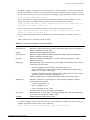
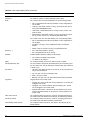
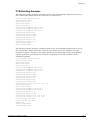
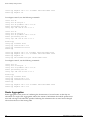
Enable or disable the exporting of RIP, static, and direct (interface) routes to OSPF using the following
commands:
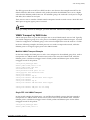
enable ospf export [bgp |direct | e-bgp | i-bgp | rip | static | vip] [cost <number>
[ase-type-1 | ase-type-2] {tag <number>} | <route map>]
disable ospf export [bgp |direct | e-bgp | i-bgp | rip | static | vip] [cost <number>
[ase-type-1 | ase-type-2] {tag <number>} | <route map>]
These commands enable or disable the exporting of RIP, static, and direct routes by way of LSA to other
OSPF routers as AS-external type 1 or type 2 routes. The default setting is disabled.
The cost metric is inserted for all RIP-learned, static, and direct routes injected into OSPF. If the cost
metric is set to 0, the cost is inserted from the route. The tag value is used only by special routing
applications. Use 0 if you do not have specific requirements for using a tag. The tag value in this
instance has no relationship with 802.1Q VLAN tagging.
The same cost, cost-type, and tag values can be inserted for all the export routes, or route maps can be
used for selective insertion. When a route map is associated with the export command, the route map is
applied on every exported route. The exported routes can also be filtered using route maps. Routes
filtered with a route map will be exported as ase-type-1.
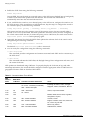
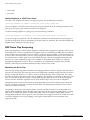
Enable or disable the export of virtual IP addresses to other OSPF routers using the following
commands:
enable ospf export vip [cost <number> [ase-type-1 | ase-type-2] {tag <number>} |
<route map>]
disable ospf export vip
Verify the configuration using the command:
show ospf {area | ase-summary | interfaces | lsdb | neighbor | virtual-link}
Previous Release Issues with OSPF Re-Distribution
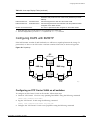
In versions of ExtremeWare prior to release 6.0, direct routes corresponding to the interfaces on which
RIP was enabled were exported into OSPF as part of RIP routes, using the command enable ospf
export rip. Using ExtremeWare 6.0 and above, you must configure ExtremeWare to export these direct
routes to OSPF. You can use an access profile to filter unnecessary direct routes, using the command:
config ospf direct-filter [<access-profile> | none]
Re-Distributing Routes into RIP
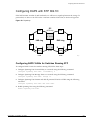
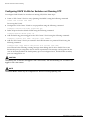
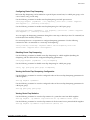
Enable or disable the exporting of static, direct, and OSPF-learned routes into the RIP domain using the
following commands:
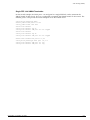
enable rip export [direct | ospf | ospf-extern1 | ospf-extern2 | ospf-inter |
ospf-intra | static | vip] cost <number> tag <number>
disable rip export [direct | ospf | ospf-extern1 | ospf-extern2 | ospf-inter |
ospf-intra | static | vip]
ExtremeWare 7.0.0 Software User Guide
319