1
SH-6550 User Guide
input supply.
(3) Connect one end of 15-pin XGA Signal Cable to the signal input
port on the LCD Monitor and the other end to the signal output port
of PC
(4) Connect the DC 12V power output jack to the 12V DC input socket
of the LCD monitor. Connect the power cord to the adapter and the
other end into a suitable AC power outlet socket.
(5) Now connect the PC power cord to the AC power outlet socket.
(6) Check all the connections are correct, then, Turn on the LCD
monitor power switch..
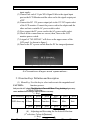
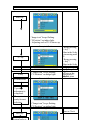
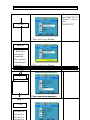
(7) A signal of “NO SIGNAL” will show on the upper corner of the
LCD panel. As shown in figure 1.
(8) Turn on the PC’s power switch Run the PC for image adjustment.
Figure 1. Display without Signal Input
SH-6550 User Guide
2.Function Keys and operation:
2.1 Function Keys Definition and description:
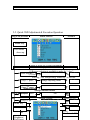
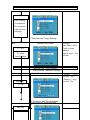
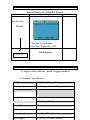
(1) Menu Key: Use this key to select and execute the magnitude and
function process.
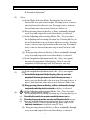
CAUTION:
The
Sequence
of Manu. User
Key of
pressing:
Only use the AC adapter
supplied
by theflows
manufacture
other adaptor may
cause malfunction(a)
or Mode
dangerSelection:
and invalidate warranty.
(+ Key)
Press Manu key Display 1st press 2nd press 3rd press 4th press 5th press
OSD
2
*OSD shows up. Colour Picture Function
Manu
Mics
Exit
.
5th press 4th press 3rd press 2nd press 1st press
(- key)
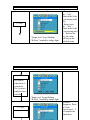
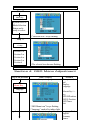
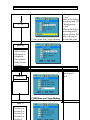
(b) Adjusting-and Executing for the desired Selection:
st
3
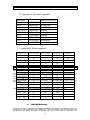
(1 selection: Colour Adjustment)
(+ Key)
st
nd
rd
th
th