1
SH-6550 User Guide
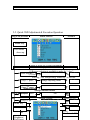
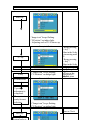
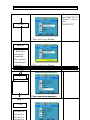
Step 6
Example: V-Position
Manu Key
1.“Image icon” keeps flashing.
2.“V-Position” on indigo light.
3. Adjusting scale of 0~20 shows up
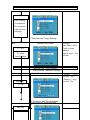
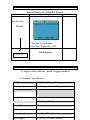
Step 7
Example: V-Position
+/- key
+/-key
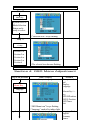
Step 8
To select Exit
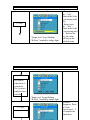
1.“Image icon” keeps flashing.
2.“V-Position” on indigo light.
* Keeps pressing
“+ key”:
Value in the Scale
is increasing until
20
* Keeps pressing
“- key”:
Value in the Scale
is decreasing
until
SH-6550
User Guide
0. Release the
key,
the value
adjustment:
will
stopstep
at the
Repeat
5~
satisfied
Step 8. point.
Example: V-Position
Manu key
V-position
adjustment is
completed.
The system is
ready for next
selection
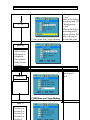
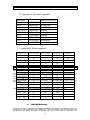
Step 9
Step 10
Manu key
1.“Image icon” keeps flashing.
2.“Exit” on indigo light.
1.“Image icon” keeps flashing.
2.“V-Position” on indigo light.
Example:Exit
Exit
Example:
15
As for Sharpness,
Phase or Clock