1
SH-6550 User Guide
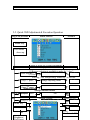
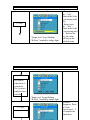
& Execution Operation”
(2)
(3)
(4)
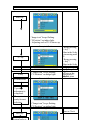
+ Key:
(a) In the Mode-Selection Mode: Pressing this key to locate
forward the icon you want to adjust. Pressing it once, it moves
one step forward to the next icon. Pressing it twice, it moves
forward one more step to next 2nd icon. And so on.
(b) Keep pressing down on this key, it flows continually through
every icon and stops at the icon when the key is released.
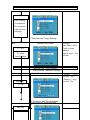
(c) In the Adjusting-and-executing Mode: The + Key, becomes
the Adjusting-and-executing selection key. Pressing this key to
locate forward the icon you want to adjust or execute. Pressing
it once, it moves one step forward to the next icon. Pressing it
twice, it moves forward one more step to next 2nd icon. And
so on.
(d) Keep pressing down on this key, it flows continually through
every icon and stops at the icon when the key is released.
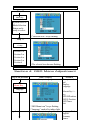
(e) In the magnitude adjustment mode, the + Key, once again,
becomes the magnitude Adjusting key. Press it once the
magnitude of the adjusting scale will increase one step.
(f) Keep pressing down on this key, and it will SH-6550
keep increasing
User Guide
continually until the key is released.
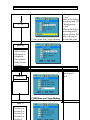
In the magnitude adjustment mode, the - Key, once again,
- (e)
Key:
the magnitudeMode:
Adjusting
key. this
Presskey
it once
the
(a) becomes
In the Mode-Selection
Pressing
to locate
magnitude
of the
will increase
step. it
backward the
iconadjusting
you wantscale
to adjust.
Pressingone
it once,
moves one step backward to the next icon. Pressing it twice, it
moves backward one more step to next 2nd icon. And so on.
(f)
it will
keep increasing
(b) Keep pressing down on this key, and
it flows
continually
through
continually
untilstops
the key
is icon
released.
every icon and
at the
when the key is released.
(c)Switch:Power
In the Adjusting-and-executing
on/off Switch. Mode: The - Key, becomes
the Adjusting-and-executing selection key. Pressing this key to
(a) Press
this
Key once;
monitor
would
be turned
on.
locate
backward
thethe
icon
you want
to adjust
or execute.
(b) Press
this key
again
theone
monitor
will be turned
Pressing
it once,
it and
moves
step backward
to theoff.
next icon.
(c) Users
are reminded
priorbackward
to press this
turntoonnext
the
Pressing
it twice, itthat
moves
one Key
moretostep
monitor,
2nd
icon.remember
And so on.to switch on your PC first
(d) Keep pressing down on this key, it flows continually through
every icon and stops at the icon when the key is released.
5