1
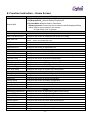
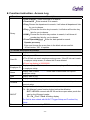
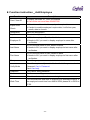
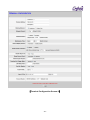
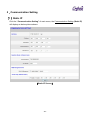
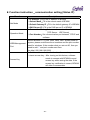
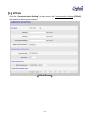
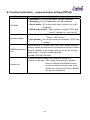
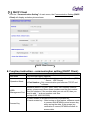
Function instruction-communication setting (Status IP) Function Net Mode Operation Mode Description IP Address:Fill in the IP address of BFMINI Subnet Mask:Fill in the subnet mask of BFMINI Default Gateway IP:Fill in the default gateway IP of BFMINI DNS Server IP:Fill in the DNS server IP of BFMINI Connection Mode:Set connection mode with software. (TCP Server、UDP Server) Port Number:Set communication port between TCP/IP and software WEB Management Port Revise BFMINI HTTP port. 2000, 5850, 5851 already used for system, please avoid these three numbers and the port number used for windows. If the number what you set not 80, than you need to add “:” and port number next time. (ex.http://192.168.0.66:5000) Select enable or disable the function of access key Insert access key:After turning on this feature, software Access Key needs to connect with BFMINI to send access key while saving the data. If the access key verification is correct, BFMINI will allow to access data. - 30 -