1
The main installation program TupSight.exe. It will install the engine service, console,
and driver programs. The engine program is for capturing packets and controlling web
accesses. It will run automatically in the background when the host PC starts. The
console program is the interface for viewing captured data and managing host
information.
The Workstation (Agent) program to be optionally installed on a specific PC host for
Employee Intranet Administration (EIA).
1.3
Installation Steps
4) Back up the data and settings, i.e., select Retain data files and folders when uninstall
the old version.
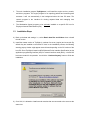
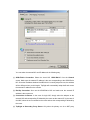
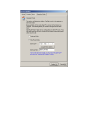
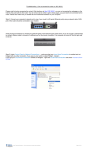
5) Install the newest version of TupSight. It consists of a server (engine) and a console. By
default they are installed on the same PC host. In the installation process, the following
warning pop-up window might appear several times depending on the OS version of the
host PC. Since TupSight is based on NDIS (Network Driver Interface Specification) as the
application programming interface (API) for network interface cards (NICs), a virtual NIC
has been created for its operation. Just click the “Continue Anyway” button to finish the
installation.
6) On a LAN, it is allowed to install several consoles that are connected to the server at the
same time.