1
User Guide
Welcome to the User Guide
The Massive Content Management System (CMS) enables Administrators, Site Managers
and Content Managers to control the content of the club and racing sites owned by CYCA.
Index
User Guide............................................................................................................................. 1
Welcome to the User Guide........................................................................................ 1
Index .......................................................................................................................... 1
Conventions used in this Manual................................................................................ 2
1
Logging in ................................................................................................................... 3
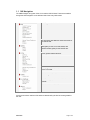
1.1 CMS Navigation ............................................................................................... 4
2
Editorial Pages ............................................................................................................ 5
2.1 Creating Editorial Pages................................................................................... 5
2.2 News stories................................................................................................... 10
2.3 Calendar......................................................................................................... 14
2.4 Homepage Features....................................................................................... 19
2.5 FAQs .............................................................................................................. 21
2.6 Footer............................................................................................................. 24
3
Editor Box reference................................................................................................. 27
3.1 Controls.......................................................................................................... 27
3.2 Editing content directly in the Editor Box ........................................................ 28
3.3 Pasting from Word to the Editor Box .............................................................. 28
3.4 Pasting HTML to the Editor Box ..................................................................... 28
3.5 Links............................................................................................................... 29
4
Gallery Reference ..................................................................................................... 32
4.1 Photographers................................................................................................ 32
4.2 Sizing and optimising images for the gallery................................................... 32
4.3 Adding an image ............................................................................................ 33
4.4 Adding images to stories ................................................................................ 36
4.5 Removing images from stories ....................................................................... 38
4.6 Sizing and optimising images in Photoshop ................................................... 39
5
FTP ............................................................................................................................. 57
5.1 Setting Up ...................................................................................................... 57
5.2 Troubleshooting.............................................................................................. 59
5.3 Uploading Files............................................................................................... 60
6
Racing Site Mode ...................................................................................................... 62
6.1 Calendar of changes ...................................................................................... 62
6.2 Site mode controls.......................................................................................... 63
6.3 Lead-up .......................................................................................................... 63
6.4 In-race ............................................................................................................ 63
6.5 Ex-race........................................................................................................... 64
7
Skeds (Streaming Audio) ......................................................................................... 66
7.1 Approach overview......................................................................................... 66
7.2 Audio capture set-up ...................................................................................... 66
7.3 Setting the Sked Times .................................................................................. 69
8
Producing On-demand Audio and Video ................................................................ 74
8.1 Setup.............................................................................................................. 74
08/04/05
© Massive Interactive – Proprietary & Confidential
Page 1 of 13