1
PrimaryCare Sidebar® Prompts Panel User Guide
7 MBS Prompts
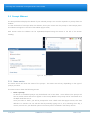
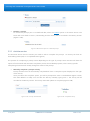
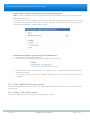
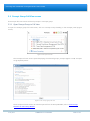
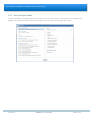
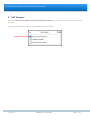
The MBS Prompts feature currently covers a number of MBS Items.
Your Patient’s eligibility to these MBS Items is determined by a number of rules residing in the Sidebar. These
rules interrogate clinical system data, billing system data and data manually entered into the Prompt to
determine the contents and status of a Prompt at any one time.
Once an MBS Item has been claimed, the prompts are designed to retrigger once (if) the patient is again
eligible for the MBS Item.
Please note: MBS Prompts cannot determine when an item has been already claimed by another provider as
the software does not interface with Medicare. You will need to determine this as per current procedure.
You will need to configure Sidebar with a compatible billing system for MBS Prompts to operate, see Clinical
Billing System Compatibility.
23 July 2012
COMMERCIAL-IN-CONFIDENCE
PAGE 22 of 25