1
PrimaryCare Sidebar® Prompts Panel User Guide
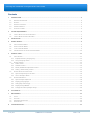
Contents
1
2
INTRODUCTION .................................................................................................................................................. 4
1.1
PRIMARYCARE SIDEBAR® ................................................................................................................................................................................... 4
1.2
PROMPTS .............................................................................................................................................................................................................. 4
1.3
RELEVANT DOCUMENTS ...................................................................................................................................................................................... 5
1.4
INTENDED AUDIENCE ........................................................................................................................................................................................... 6
1.5
GLOSSARY OF TERMS ........................................................................................................................................................................................... 6
SYSTEM REQUIREMENTS .................................................................................................................................... 7
2.1
CLINICAL DESKTOP SYSTEM COMPATIBILITY....................................................................................................................................................... 7
2.2
CLINICAL BILLING SYSTEM COMPATIBILITY ......................................................................................................................................................... 7
3
INSTALLATION .................................................................................................................................................... 8
4
PROMPT BUBBLE ................................................................................................................................................ 9
5
4.1
VIEW THE PROMPT BUBBLE ................................................................................................................................................................................. 9
4.2
OPEN THE PROMPT BUBBLE ................................................................................................................................................................................ 9
4.3
CLOSE THE PROMPT BUBBLE ............................................................................................................................................................................... 9
4.4
VIEW PROMPT DETAILS FROM THE PROMPT BUBBLE ....................................................................................................................................... 10
PROMPTS PANEL .............................................................................................................................................. 11
5.1
VIEW A PROMPT ................................................................................................................................................................................................. 11
5.1.1
Expand/contract a prompt group ....................................................................................................................................................... 12
5.1.2
5.2
View prompts by status ......................................................................................................................................................................... 12
PROMPT SLIDEOUT............................................................................................................................................................................................. 13
5.2.1
Status section ............................................................................................................................................................................................ 13
5.2.2
Activities section ....................................................................................................................................................................................... 14
5.2.3
Detail / Additional Information section............................................................................................................................................ 15
5.2.4
5.3
History / Event History section ............................................................................................................................................................ 15
PROMPT GROUP FULL VIEW SCREEN ................................................................................................................................................................ 16
5.3.1
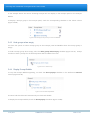
Open Prompt Group to Full View ....................................................................................................................................................... 16
5.3.2
View a Prompt’s details ......................................................................................................................................................................... 17
5.4
PROMPTS PREFERENCES..................................................................................................................................................................................... 18
5.4.1
Open Prompts Preferences ................................................................................................................................................................... 18
5.4.2
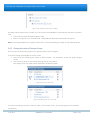
Display prompt groups .......................................................................................................................................................................... 18
5.4.3
Hide groups when empty ...................................................................................................................................................................... 19
5.4.4
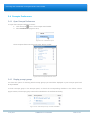
Display Prompt Bubble .......................................................................................................................................................................... 19
5.4.5
Change the order of Prompt Groups ................................................................................................................................................. 20
6
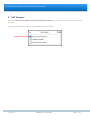
CAT PROMPTS .................................................................................................................................................. 21
7
MBS PROMPTS ................................................................................................................................................. 22
8
7.1
STATUS ............................................................................................................................................................................................................... 23
7.2
ACTIVITIES........................................................................................................................................................................................................... 24
7.3
ADDITIONAL INFORMATION .............................................................................................................................................................................. 24
7.4
EVENT HISTORY .................................................................................................................................................................................................. 24
TROUBLESHOOTING ......................................................................................................................................... 25
23 July 2012
COMMERCIAL-IN-CONFIDENCE
PAGE 3 of 25