1
WELCOME TO
MANAGED SERVICES ONLINE!
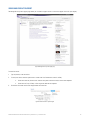
Managed Service Online (MSO) is the fast, easy way to manage your Telstra Managed Products and Services. MSO allows you to interact with your
Telstra Managed Service Desk online across your contracted products and services for Incidents, Service Requests and How To Support.
This guide will help you navigate and complete critical tasks to benefit your business and provide tips to better utilise the application.
NEED MORE SUPPORT?
Additional information, such as the MSO user guide and Frequently Asks Questions (FAQs) are available online at Your Telstra Tools under the Help
and Resources tab.
You may wish to contact your Telstra Managed Service Desk via phone and consultants can assist you in using the application. The consultants have
access to view the same screen as to which you are having difficulty, and can either assist you in completing the task, and/or identify a fault and
manage that on your behalf.
You can also contact us via Online Chat or email.
CONVENTIONS USED IN THIS GUIDE
The following typographical conventions are used in this guide for simplicity and readability:
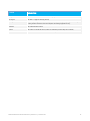
Web addresses, e-mail addresses and hyperlinks are shown in bold italics , for example www.telstra.com.au/business-enterprise .
Button names and titles/features on your computer screen are shown in italics.
User input is shown in typewriter font.
MANAGED SERVICES ONLINE USER GUIDE | VERSION 3.0 | JANUARY 2013
3