1
Section 8. Datalogger Program Creation with Edlog
8.1.1.2 Edlog File Types
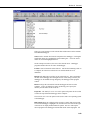
When a program is saved and compiled, the following files are created:
•
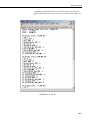
*.CSI - The CSI file is what the user actually edits. When an Edlog
program is saved, Edlog automatically adds a CSI extension to the
program's name. Existing CSI files can be edited by selecting File | Open.
Although CSI files are ASCII files they require a particular format, so
editing the files with some other text editor can corrupt the Edlog programs
so that they no longer compile.
•
*.DLD - When Edlog compiles a program (*.CSI), a DLD file is created.
This is the file that is downloaded to the datalogger, (and also the type of
file that is retrieved from the datalogger). If an existing program file is
edited and compiled, the old DLD file will be overwritten by the new file.
A CSI file can be created from a DLD by choosing File | Document DLD
File.
•
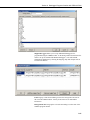
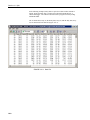
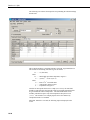
*.PTI - PTI files show the execution times for each instruction, block (e.g.,
subroutine), and program table, as well as the estimated number of final
storage locations used per day. The execution times are estimates. PTI
files do not account for If commands, Else commands, or repetitions of
loops. For some instructions, the execution times are listed as 0. This
occurs when the execution time is unknown (e.g., P23 – Burst
Measurement).
•
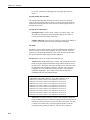
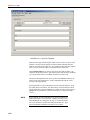
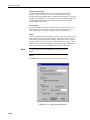
*.FSL – Final Storage Label files contain the final storage labels for the
data values in the output data records. This file is used by Split to show
labels for data values in reports, and by View for column headings. FSL
files are not created for table-based dataloggers. Table-based datalogger
program files contain the final storage labels.
There are a couple of other files that are used in Edlog, but are generated by
other means than compiling the file:
•
NOTE
*.LBR - Library files (*.LBR) are parts of a program that can be retrieved
and used in other Edlog programs. If a programmer often uses an
instruction set in his/her datalogger programs, this partial file can be saved
to disk and inserted into a new program. For information about creating a
library file, see the help on Creating a Library File.
Library files that are created for one type of datalogger should
not be used in a different type of datalogger (e.g., do not use an
LBR file created for a CR10X-TD in a CR10X or CR510-TD
program). Instructions differ among dataloggers, and bringing in
an invalid instruction to a datalogger will result in errors.
•
*.TXT - Printer output files created by Edlog are saved with a TXT
extension. These files can be sent to a printer or viewed with a text editor.
A TXT file is created by selecting File | Print to File.
8-5