1
Chapter 2 Touchscreen Control Panel
21
Touch Settings Tab
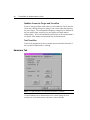
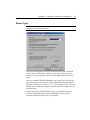
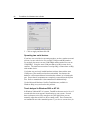
You can use the Touch Settings tab to customize the response of your
touchscreen:
•
Touch mode – define the touch actions that equate to a mouse click, doubleclick, and drag.
•
Right-click tool – place the right-click tool on your desktop enabling you to
utilize right-click functionality using the touchscreen.
•
Touch sound – define whether you hear a sound when you touch the screen and
when that sound occurs (touchdown or liftoff).
•
Double-click speed and area – define how fast you need to touch and the space
in which you must touch in order to produce a double-click.
•
Test – enables you to test the double-click speed and area.