1
346
User Guide — Master Data
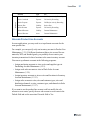
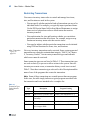
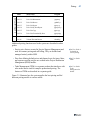
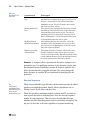
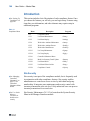
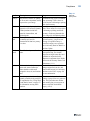
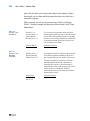
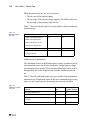
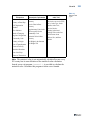
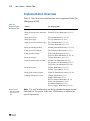
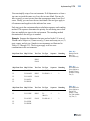
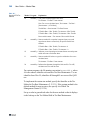
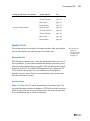
Table 12.7
Standard GTM Tax
Methods
Method Program
01
Explanation
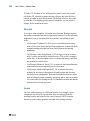
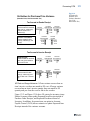
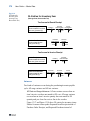
txmeth01.p This generic method supports most taxes.
Tax Amount = Tax Rate * Item Amount
Note: For reverse-calculated taxes, Tax Amount = Tax Rate *
[Item Amount / (1+Tax Rate)]
Taxable Base = Item Amount * Tax Base Percent
If Taxable Base < Min. Taxable, Tax Amount = Min. Taxable
If Taxable Base > Max. Taxable, Tax Amount = Max. Taxable
Recoverable Amount = Tax Amount * Recoverable Percent
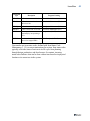
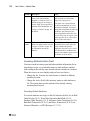
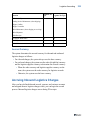
02
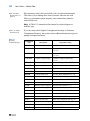
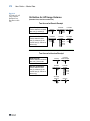
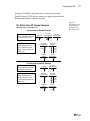
txmeth02.p Same as method 01 except that it supports luxury taxes and
capped taxes that are assessed only on specific taxable base
amounts.
If Taxable Base < Min. Taxable, Tax Amount = 0
If Taxable Base > Max. Taxable, Tax Amount = 0
03
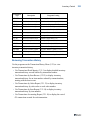
txmeth03.p Indicates you are importing tax amounts from an external system
and do not want to recalculate them.
11
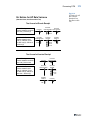
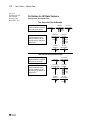
txmeth11.p Same as method 01 but has a regressive calculation for reversecalculated taxes.
Tax Amount = Tax Rate * Item Amount
20
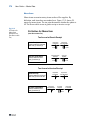
txmeth20.p Indicates that Quantum, through the Sales and Use Tax API,
calculates taxes for each line item.
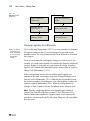
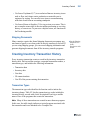
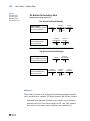
For custom programs, the file naming convention is txmeth##.p, where
## is the numeric identifier referenced in Tax Rate Maintenance. Use an
identifier from 50 to 99; identifiers 00 through 49 are reserved for QAD
use.
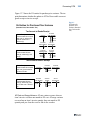
To implement the custom tax method, specify the identifier as the Tax
Method in Tax Rate Maintenance (2.13.13.1). If the custom method is the
default method for new tax rates, also specify it in Global Tax
Management Control (2.13.24).
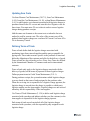
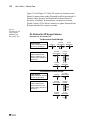
Set up a value in generalized codes for the new method so that it displays
in the look-up on the Tax Method field in Tax Rate Maintenance.