1
1
System Settings
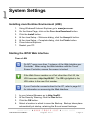
Installing Java Runtime Environment (JRE)
1.
2.
3.
4.
5.
6.
7.
Using Windows® Internet Explorer go to www.java.com.
On the Home Page, click on the Free Java Download button.
Click the Install button.
At the Java Setup – Welcome dialog, click the Accept > button.
At the Java Setup – Complete dialog, click the Finish button.
Close Internet Explorer.
Restart your PC.
Starting the IXP20 Web Interface
Over a LAN
Do NOT open more than 1 instance of the Web Interface per
Controller. When using the Web Interface with the Touch
Screen Controller, ensure the screen is locked.
If the Web Server resides on a Port other than Port 80, the
URL becomes: http://ixp20:XX/. The XX highlighted in the
URL refers to the new Port number.
If your Controller connects direct to the PC, refer to page 24
for information on accessing the Web Interface.
1.
2.
3.
4.
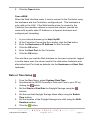
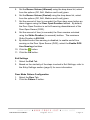
In your Internet Browser go to http://ixp20/.
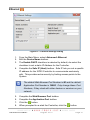
At the Security Warning, click the Run button.
Click the OK button.
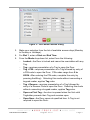
Select a location in which to save the Backup. Backup takes place
automatically at startup, retaining the 5 most recent backups.
ISC306-0-0-GB-01
August 2010
Page 2