1
5.
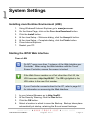
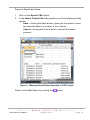
Click the Open button.
Over a WAN
When the Web Interface loads, it tries to connect to the Controller using
the hostname and the Controller’s configured port. This hostname is
only valid on the LAN. If the Web Interface tries to connect to the
Controller from another network or across the internet, provide the
router with a public static IP Address or a dynamic hostname and
configure port forwarding.
1.
2.
3.
4.
5.
6.
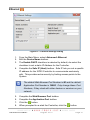
In your internet browser go to http://ixp20/.
At the Controller Connection Error dialog, click the Yes button.
Enter the Hostname or IP Address for the Controller.
Click the OK button.
Enter the Host Port for the Controller.
Click the OK button.
The next time you load the Web Interface on the same computer, logged
in as the same user, the values used for the alternative Hostname and
alternative Host Port load as defaults into the Hostname and Host Port
textboxes.
Date or Time Setup
1.
2.
3.
4.
5.
6.
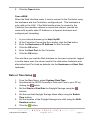
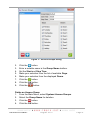
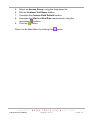
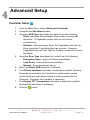
From the Main Menu, select System>Date/Time.
Synchronise the IXP20 Controller’s Date and Time to your PC by
clicking the
button.
Set the Start and End Date for Daylight Savings using the
buttons.
Set the time that Daylight Savings takes effect using the Switch
Time textbox.
Set the duration of the Daylight Savings time shift using the Shift
Duration textbox.
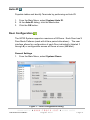
Click the
button.
ISC306-0-0-GB-01
August 2010
Page 3