1
56
Configuring the 861
Reference Digital
Surround Controller
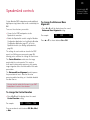
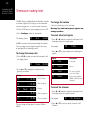
Sinewave sweep test
The 861 Reference Digital Surround Controller includes
a sinewave signal test, to help you set the subwoofer
crossover frequencies, or check for room resonances.
To change the volume
• Select a PCM source; eg an analogue source or CD.
Warning: Very loud low-frequency signals may
damage speakers.
• Press Configure (under the front panel).
The displays shows:
CD
Sine
• Use the volume keys in the usual way.
To select other test signals
80.0Hz
An 80Hz sinewave will be played through all channels.
• Press < or > (remote or under the front panel) until
the display shows the current signal.
CD
Sine
You can change the test signal using the menu keys,
as described in the following sections.
For example:
To change the sweep rate
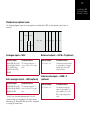
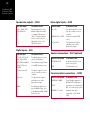
• Press A or V to choose between the following test
signals:
• Press < or > (remote or under the front panel) until
the display shows:
CD
Pause
Description
CD
Sine
A sinewave.
CD
Silent
Silence.
CD
Input
The source signal in
mono (left + right).
CD
Noise
Pink noise (band pass
500Hz to 2kHz for main
channels).
80.0Hz
• Press A or V to change the sweep rate and
direction, as follows:
Display
Display
Description
CD
>>
88.5Hz
Fast sweep up.
CD
>
81.5Hz
Slow sweep up.
80.0Hz
Paused.
To select the channel
CD
Pause
CD
<
78.5Hz
Slow sweep down.
• Press < or > (remote or under the front panel) until
the display shows the current channels.
CD
<<
70.5Hz
Fast sweep down.
For example:
The sine sweep will stop when it reaches 0.5Hz or
200Hz.
CD
All Channels
• Press A or V to select a specific channel, or All
Channels.