1
49
Configuring the 861
Reference Digital
Surround Controller
Setting up the digital surround
controller with other Meridian
equipment
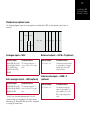
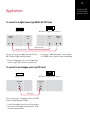
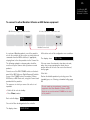
If you are using the 861 with other Meridian equipment,
such as the 800 Reference DVD/CD Player, you
should set up the Comms with the following automatic
setup procedure:
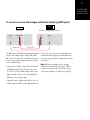
• Switch all the units to standby.
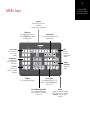
• Press Clear (remote).
Each unit will display:
Auto
The 861 will then be designated as the controller, and
display:
Controller
This is the unit that will respond to the remote.
All the other units will be configured as non-controllers,
and display:
Not Controller
Your system is now set up and ready for use.
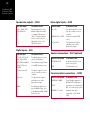
If for any reason the automatic setup does not give the
configuration you want, restore the default operation by
selecting one of the standard Types; see Choosing a
standard setting, page 48.