1
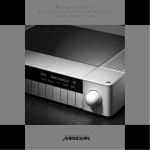
Using the 861
Reference Digital
Surround Controller
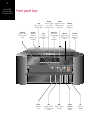
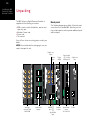
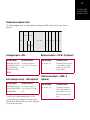
Front panel keys
Copy
Copies a source to
the tape output
Indicators
Show the current
DSP processing
mode
Display
Changes the
information
displayed on the
front panel
Display
Shows the current
source, DSP
preset, and volume
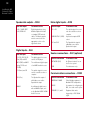
Store
Stores the
parameters for a
preset
Assign
Assigns the current
DSP preset to the
current source
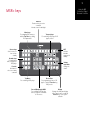
Menu keys
Allow you to
select and change
DSP
parameters
Display
Copy
Calibrate
Sets up the
loudspeakers
Indicators
Show the current
DSP processing
mode
Store
Assign
Configure
Selects the
sinewave test
signal
Calibrate
Configure
Reference Digital Surround Controller 861
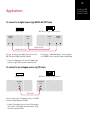
Source
Selects the
source
Source
DSP
Changes the DSP
preset selected for
a source
DSP
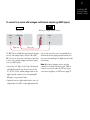
Mute
Mute
Mutes or restores
the sound
Off
Volume
down/up
Change the
volume
Off
Switches to
standby