1
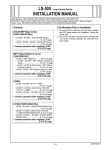
VIII.Importing Adjustment Data
X.Adjustment Data Backup
Import the factory adjustment data of the SD-506 to
the machine memory.
If a SD-506 and other optional units are connected,
they can recover the standard data at the same
time.
If the SD-506 adjustment data is changed, back up
the main body SD-506 data to the SD-506 memory.
If a SD-506 and other optional units are connected,
the data will be backed up at the same time.
[COLOR MFP 65ppm series]
[MFP 120ppm(105ppm-2) series]
[COLOR MFP 65ppm series]
[MFP 120ppm(105ppm-2) series]
Step
Step
1. On the Service mode menu screen, touch
the “Finisher Adjustment” key.
1. On the Service mode menu screen, touch the
“Machine Condition” key or “State Confirmation” key.
2. Touch the “Recall Standard Data” key.
2. Touch the “I/O Check Mode” key.
3. Touch the “Factory Initial Data” key on the
recall standard data screen.
3. Enter “9” and “0” using the quantity setting
buttons.
Make sure that <90-00> or <090-00>
appears on the message display.
4. "Completed in recalling standard data."
appears on the screen.
(MFP 120ppm (105ppm-2) series only)
4. Press the [Start] key.
Make sure that <OUT:FIN> appears on the
message display after the adjustment.
[C8000/C7000/C7000P/C6000P/C70hc]
Step
5. Touch the "Return" key, then touch the "Exit"
key.
1. On the Service mode menu screen, touch
the “Finisher Adjustment” key.
[C8000/C7000/C7000P/C6000P/C70hc]
2. Touch the “Recall Standard Data” key.
Step
3. Touch the “Factory Initial Data” key, then
touch the ”Yes” key.
1. On the Service mode menu screen, touch the
“State Confirmation” key.
4. Touch the "Return" key, then touch the
"Close" key.
2. Touch the “I/O Check Mode” key.
IX.Confirmation of Paper Output
Output paper in all folding modes, saddle-stitch
mode, and trimming mode to check the accuracy of
paper folding, saddle stitching, and trimming. If the
results are not within the standard values, adjust the
settings.
See the Service Manual for adjustment method.
E-23
3. Enter “9” and “0” using the quantity setting
buttons.
Make sure that <90-00> appears on the
message display.
4. Press the [Start] key.
Make sure that <OUT:FIN> appears on the
message display after the adjustment.
5. Touch the "Return" key, then touch the "Exit"
key.