1
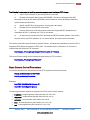
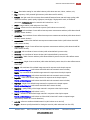
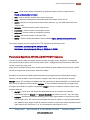
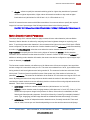
ARECONT VISION USER MANUAL 69 X0, Y0, X1, Y1 are the left, top, right and bottom coordinates of the requested image window, respectively. These values cannot exceed the size of the image sensor array for the specific camera model and should be divisible by 32 if Res = full and 64 if Res = half. QP is the quantization parameter for H.264 encoder. To achieve a higher quality video, a low qp is needed. Recommended values are in the range (16..37); SSN specifies the stream identifier. MPEG codecs including H.264 codecs are context dependent (decoding of the current frame depends on the previous frame(s)). The stream is a sequence of frames of the same resolution which can be decoded sequentially by one instance of an MPEG decoder. Accordingly, SSN is a means to distinguish different streams from one another. Use a unique SSN for each stream with a unique channel, image size, quality, and/or frame rate. Each camera supports up to eight simultaneous non-identical streams. Each client must have a unique (ip:ssn) Bitrate is used to set up a constant bitrate of the H.264 stream in kilobits per second. If this parameter is present in the request string and is larger than zero then the QP parameter is ignored and the camera adjusts quantization parameters automatically to maintain the specified bitrate. FPS specifies the requested frame rate. Values 1 to 15 result in the specified frame rate. Omitting the fps parameter or using fps values of 0 or any values above 16 will result in maximum frame rate which is model dependent. Getting and Setting Camera Parameters NOTE: All commands listed below that allow parameter setting without explicitly specifying the channel number apply to all four channels. NOTE: The parameter setting is allowed only for the users with the admin access level (see below under Camera Access Control). 1. Enabling camera channels: http://camera_ip/get?channelenable http://camera_ip/set?channelenable=(1..15 as a 4-bit mask where each bit corresponds to one camera channel, LSB is channel 1) 2. Image rotation: http://camera_ip/get<channel>?rotate http://camera_ip/set[<channel>]?rotate=(0|180) Arecont Vision 425 E Colorado St, 7th Floor Glendale, CA 91205 www.arecontvision.com Revised 3/31/2009