1
RFID TRANSPONDER TECHNOLOGY
DOC. 368-R1-EN
EK20-IDPAYI
USER MANUAL
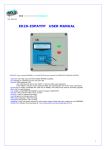
EK20-IDPAYI (here named READER) is a fixed RFID device suitable to exec payment with the insertion method.
-Exec all the operations of payment on High Security RFID CARDS MIFARE CLASSIC.
-Operate on CARDS created using the IDPAYM mobile and the IDONE-PAY program:
-PREPAID can be used only in subtract
-FREE can be used as in add as in subtract.
-SUBSCRIPTION verify only the expiry date
-Configured to exec operations under HOST CONTROL:
-When a CARD has been inserted the READER wait for an AUTHORIZATION from the HOST.
-Exec the PAY operation on CARD.
-Send the LOG to HOST and save it in the LOG memory.
-2500 event LOG memory.
-Wireless connection via RADIO UHF (range 200mt) or BLUETOOTH (OPTIONAL) or cable connection TTL/RS232.
-USB connection available for Firmware upgrade, Configuration and deferred Logs transfer.
-Demo and Doc to explain the communication protocol to be implemented on the HOST
-Power supply 9 to 14VDC stabilized.
1
INDEX
1.0
2.0
3.0
4.0
5.0
6.0
FIRST INSTALL
HOW TO WORK WITH PAYM
PROTOCOL
AVAILABLE MODELS
TECHNICAL SPECIFICATION
HOW TO UPGRADE THE FIRMWARE
1.0 FIRST INSTALL
INSTALL USB DRIVERS
1) Copy into the PC the folder “MCP2200WindowsDriver”.
2) In “DriverInstallationTool” select the folder “X64” for 64Bit or “X86” for 32bit platforms.
Launch “MCP2200DriverIstallationTool”. Press “Install” and wait to the end of drivers installation.
INSTALL USB ON YOUR PC
1) Turn off the READER. Insert the USB plug and turn on the READER.
2) The PC begin the new device install. Wait for the complete install of the assigned COM PORT.
INSTALL RADIO-PEN-UHF ON YOUR HOST –(IF USED)
1) Insert the supplied RADIO-PEN-UHF into the USB connector of the PC.
3) The PC begin the new device install. Wait for the complete install of the assigned COM PORT.
INSTALL IDONE-PAY SOFTWARE ON YOUR PC
Dowload the IDONE_PAY setup from the site:www.zetanetweb...............................
Launch “IDONE_PAY_40x_Setup” and follow the instructions to end.
Will be created an icon on your desktop.
CONFIGURE IDPAYI USING THE PROGRAM IDONE PAY
Connect the USB CABLE.
Launch the program IDONE-PAY
Click “PROGRAM OPTIONS”
-Uncheck “USE RADIO”.
-Set the USB COM PORT .
-Click “ CONNECT” and click OK to exit.
2
Now click “READER SETTINGS”
-Set the “DEVICE NUMBER” =0 and click the button to send to the READER.
-Click the button to send the actual “DATE & TIME” to the READER.
-The DEFAULT KEY is preset with the code (FF-FF-FF-FF-FF-FF). Do not change.
Press the button to send it to the READER.
-The “SECRET KEY” protects your CARDS against fraud and duplication.
Enter 12 digits with numbers from 0 to 9 and letters from A to F. Example: 3C-26-D9-67-FA-59.
For safety reasons, the “SECRET KEY” will not appear again, you will see always FF-FF-FF-FF-FF-FF.
Press the button to send it to the READER.
IMPORTANT: Write this code and keep it in a safe place.
-Click “SEND” to transmit the other parameters to IDPAYI. A bar indicates the good transfer.
Now IDPAYI is ready to operate.
2.0 HOW TO WORK WITH IDPAYI
The HOST will be connected by cable or wireless at a bit rate 19200 N-8-1.
1)HOST can send a READ command to the READER:
-If a CARD is inserted the READER read the CARD UID.
Ex. to verify if this code exists into a DATABASE or into a BLACK LIST.
NOTE: This command is optional.
In many cases don’t serve because the main parameters are tested by the AUTHORIZATION command.
2)HOST send the AUTHORIZATION command that contains:
-POINTS to be added or subtracted for the VALUE in the CARD.
-TIMEOUT in seconds.
-SIGN ‘+’ or ‘ –‘.
-APPLICATION number from 1 to 14.
After this command the READER verify for a CARD present during the TIMEOUT period.
-If no replay send a #TIMEOUT ERROR string to the HOST.
-If verify a correct SECRET KEY and a valid EXPIRY DATE in the defined APPLICATION, exec the SIGN operation
for the quantity specified in POINTS on the actual CARD VALUE.
Send an #EVENT LOG string to the HOST resuming the PAY operation data.
-In case of error the READER send an EVENT STATUS string with warnings:
TIMEOUT ERR
The command was not executed because out of time limit.
This error may be caused by :
-No tag present.
-A Tag is present but the CRYPTO KEY is uncorrect.
DATA_ERR
The Tag is authenticated but some internal data are corrupted.
CLOCK_ERROR
The Tag is authenticated but the IDPAYI calendar clock has a corrupted date.
Send a COMMAND#0 to update the calendar clock.
EXPIRY_DATE
The Tag is authenticated but the Expiry Date read on the tag is out of limit.
OUTOFLIMIT
The VALUE is out of limit. In PREPAYED mode the limit is 0000.
The pay session will be internally terminated. The HOST can retry a new AUTHORIZATION command.
We suggest to send the SET DATE command after any EVENT LOG for a good date alignement.
3
3.0
PROTOCOL
IDPAYI operates in polling mode. The HOST is Master.
STX
ADX
LENGTH
Start of string synchronization code.
Is the address of the radio device.(from 00H to 07H)
Is the number of bytes from the LENGTH to BCC comprise.
Example: STX-ADX-LENGTH-FUNCTION-DATA0....DATA11-BCC
The length is 14 DEC = 0D HEX.
FUNCTION /STATUS
Is the FUNCTION to be executed or the STATUS of an operation executed.
DATA0 to DATAn
Are the data exchanged.
BCC
Is calculated as the XOR of all bytes from STX included to last DATA,
BCC exluded.
Ex: STX-ADX-LENGTH-STATUS-BCC
02H-00H-02H-01H-BCC BCC= 01H.
In case IDPAYI detects a BCC error on the received string, don’t exec the Command and don’t transmit any reply.
STRINGS DESCRIPTION TO EXEC A PAY OPERATION
COMMAND#P : POLL UID
DESCRIPTION
STX
ADX
HEX VALUE
NAME
POLL UID
02H HEX
FUNCTION
04H
REPLY#C : READ UID
DESCRIPTION
STX
ADX
HEX VALUE
02H
HEX
NAME
STATUS
READ UID
04H
LENGTH
FUNCTION
BLOCK
N-BLOCKS
05H
See below
00H
00H
DESCRIPTION
BLOCK=0 N-BLOCKS=0 TAG TYPE=08H
Read for a valid SERIAL CODE.
Replay with a READ UID string.
TAG TYPE
BCC
08H
HEX
LENGTH
STATUS
DATA0-1-2-3-4
BCC
07H
See below
HEX
HEX
DESCRIPTION
Contains the Serial Code Number (first 5 bytes) read from the TAG.
COMMAND#AUTH : AUTHORIZATION
DESCRIPTION
STX
ADX
LENGTH FUNCTION POINTH
POINTL
TIMEOUT
SIGN
APPLICATION
HEX VALUE
02H
HEX
07H
7EH
HEX
HEX
HEX
2B-2D 01H to 0DH
NAME
FUNCTION
DESCRIPTION
AUTHORIZATION 7EH
POINTH-L
insert in HEX the number of points to be decremented.
Example: 00-0EH for 14 points decrement.
BCC
HEX
TIMEOUT
insert in HEX the seconds to wait for a full PAY operation to be
completed.
Example: 0FH for 15 seconds timeout.
SIGN
insert the operation type 2BH for increment or 2DH for
decrement.
APPLICATION
insert the APPLICATION (SECTOR) number on which make
the operations. (from 01H to 0DH).
Replay with an EVENT LOG or an EVENT STATUS string.
REPLY#E: EVENT LOG
DESCRIPTION STX ADX
LENGTH
FUNCTION
HEX VALUE
02H HEX
30H
04H
FUNCTION
VALUE
DESCRIPTION
READ OK
04H
C/T
E/S1
C/T
08H
E/S1
HEX
E/S0
HEX
CODE
5 bytes
DATE
6 bytes
TEXT
32 bytes
BCC
HEX
always 08H.
Indicate the operation performed on the CARD.(can be 10H or 20H)
0
0
1
0
2
0
3
0
4
INCREMENT
5
DECREMENT
6
0
7
0
4
E/S0
Indicate the CARD TYPE. (can be 41H-44H-84H)
Bit0 FREE
Bit1 POSTPAY
Bit2 PREPAY
Bit3 BONUS
Bit4 USER
Bit5 SUPERVISOR
Bit6 1=PAY IDENTIFIER
Bit7 SUBSCRIPTION
CODE
is the UID Card Code read on the Tag (5 bytes HEX).
DATE
TEXT
is the Event Date: Day-Month-Year Hour-Minutes-Seconds in BCD
32 bytes HEX (Pay operation descriptor)
Format example: HEX 0A-8C-0A-28-18-01-20-16-46-02
|
|
|
| |
Pos 0
2
4
8 9
Pos 0-1
PREVIOUS AMOUNT 2 bytes HEX (0x0A8C)
Pos 2-3
FINAL AMOUNT
2 bytes HEX (0x0A28)
Pos 4 to 7
EXPIRY DATE Day/Month/Year 3 bytes BCD (0x18012016)
Pos 8
CARD TYPE FREE=46H PRE=2DH
SUBSCRIPTION=41H
Pos 9
APPLICATION SECTOR HEX (0x02)
Other bytes to Pos 31 all 0x00.
REPLY#S :
EVENT STATUS
DESCRIPTION
STX
ADX
HEX VALUE
02H
HEX
STATUS
VALUE
LENGTH
STATUS
02H
See below
DESCRIPTION
BCC
HEX
TIMEOUT ERR
30H
The command was not executed because out of time limit.
This error may be caused by:
No tag is present.
A Tag Mifare is present but the CRYPTO KEY is uncorrect.
CMD_OK
04H
A command has been correctly executed.
DATA_ERR
01H
The Tag data are corrupted.
CLOCK_ERROR
31H
The Tag is authenticated but IDPAR calendar clock has a corrupted date.
Send a COMMAND#0 to update the calendar clock.
EXPIRY_DATE
32H
The Tag is authenticated but the Expiry Date read on the tag is out of limit.
BLACK_LIST
33H
The Tag is authenticated but the tag code is present into a Black List.
OUTOFLIMIT
34H
The VALUE is out of limit. In PREPAYED mode the limit is 0000.
COMMAND#0 :
DESCRIPTION
HEX VALUE
NAME
SET DATE
SET DATE
STX ADX
02H HEX
FUNCTION
79H
LENGTH
FUNCTION SPARE (6)
DATE (6) BCC
0EH
79H
00H
BCD
HEX
DESCRIPTION
Change the DATE Day-Mon-Year Hour-Min-Sec on the READER.(BCD format).
DATE Ex: 31H-12H-12H 15H-59H-59H
STRINGS DESCRIPTION TO EXEC CONFIGURATION
COMMAND#APP : SET APPLICATION SECTOR
DESCRIPTION
STX ADX
LENGTH
FUNCTION APPLICATION Spare BCC
HEX VALUE
02H 0
04H
32H
01H to 0EH
00H
HEX
NAME
FUNCTION
DESCRIPTION
SET APPL
32H
Enables all the read and write operations on the specific APPLICATION SECTOR.
COMMAND#WKC :
WKEY_ON_ CHIP
DESCRIPTION
STX
ADX
LENGTH FUNCTION
SECTOR
Spare (6 bytes)
N_KEY (6 bytes)
BCC
HEX VALUE
02H
HEX
0FH
B0H
00H
00H
HEX
HEX
NAME
FUNCTION
DESCRIPTION
WKEY_ON_CHIP B0H
This command write the N_KEY in ALL the SECTORs (1 to 15) into the KEY memory
of the READER.
5
4.0
EK20-IDPAYI-R
EK20-IDPAYI-TTL
EK20-IDPAYI-232
AVAILABLE MODELS
Basic model with USB and RADIO UHF.
Basic model with USB and SERIAL TTL.
Basic model with USB and SERIAL RS232.
For other options: BLUETOOTH-WIFI contact us.
RADIO PEN UHF
The RADIO PEN UHF is quoted a part.
5.0
TECHNICAL SPECIFICATION
RFID FREQUENCY
13.56Mhz MIFARE 1K-ISO14443A
LOG MEMORY
2500 records
ACOUSTIC WARNIG
Buzzer
DATA TRANSMISSION
19200-8-N-1
USB2.0 - RADIO UHF- SERIAL TTL/RS232
DIMENSIONS
125mm x 70mm x 23mm
WEIGHT
170 g
6.0
HOW TO UPGRADE THE FIRMWARE ON READER
- Connect the USB cable to the READER.
- Turn on the READER.
-
Click on the icon
of the program EK20-UPLOADER found in the folder “IDPAYI_CD”.
Select the USB COM PORT and the bitrate at 19200.
Click “UPLOAD PROGRAM”.
Take the file IDPAYI*.BIN
Select the number of the READER to be programmed.
Click START and wait the end of programming “Upload OK”.
Turn off the READER.
INOUT RFID s.r.l
Phone:+39 02.95138.139
Email: [email protected]
Via Milano,14/H 20064-Gorgonzola (ITALY)
Fax:+39 02.95.158.694
Web: www.inoutsrl.it
6