1
5
Zimbra Features in Outlook
Zimbra Features in Outlook
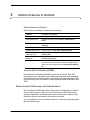
Zimbra features available in Outlook are listed below.
Feature
Location in Outlook
Zimbra Personas
Available in Outlook under Tools > Options > Personas.
Zimbra Mail Filters
Available in Outlook under Tools > Zimbra Server
Rules.
Out-of-Office Reply
Available in Outlook under Tools > Zimbra Out of Office
Assistant.
Zimbra Tags
Synchronized with Outlook Categories.
Zimbra mailbox quota
Can be checked using Tools >Mailbox Quota.
Enable/disable and
update the GAL
Enable or disable using Tools > Send/Receive > Global
Address List.
Select/Deselect Error
Messages
Select or deselect error messages to the Inbox. Go to
View>Errors to Inbox.
Sharing
You can access Zimbra mail folders, calendars, contacts,
and tasks shared by another Zimbra user. Right-click the
folder you want to share and select Properties>Sharing
tab
Personal Email Certificates (S/MIME)
Personal Email Certificates (S/MIME) synchronize in the GAL from ZCS,
which allows you to send and receive signed and encrypted email messages.
Certificates are stored in two places, including the GAL (synchronized to ZCO
during GAL sync), and in Personal Contacts (synchronized bi-directionally with
ZCS).
Zimbra Feature Differences for Outlook Users
ZCS and Zimbra Collaboration Server offer account configuration by Class of
Service and by account. When you use Outlook, many of the features and
options configured for the Zimbra account are not enforced in Outlook. Only
restrictions that are controlled by the server are enforced.
You can configure your own Outlook preferences. These are not synchronized
with the Zimbra server.
Zimbra Collaboration Server
ZCO 8.0 25