1
Claim Editor User Guide
Introduction
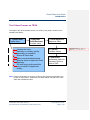
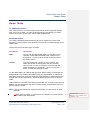
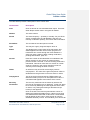
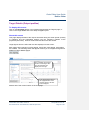
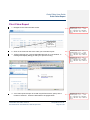
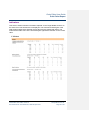
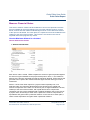
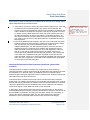
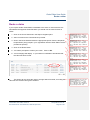
The Claims Process on TESA
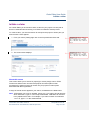
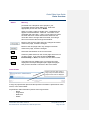
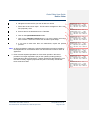
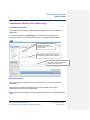
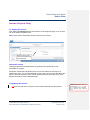
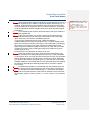
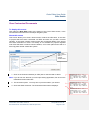
The stage in the TESA workflow which is covered by this guide is outlined in the
shaded boxes below:
1. Claim Editor
Drafts claim
2. Applicant
Claim Reviewer
Reviews claim
•• Initiates the claim.
•• Quarterly or monthly activity
depending on schedule.
•• Enters all claim data.
•• Adds comments/attachments.
•• Submits claim to Applicant Claim
Reviewer.
•• GO staff may be allocated this
role on behalf of Applicants
initially.
3. Claim Approver
Approves claim
4. Certifier
Certifies claims
5. Authoriser
Authorises claim for
payment. Claim is
sent to SAP.
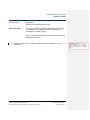
Note: If, during the drafting or review of a claim by the Applicant organisation, the
project or action plan is ‘suspended’, the claim will be returned to the claim
editor who initiated the claim.
Claim Editor User Guide: Version 6
Document Owner: Victoria Norman, TESA Project Team
Last updated: 30-07-07
Page 4 of 69
Formatted: Bulleted + Level: 1 +
Aligned at: 0 pt + Indent at: 0 pt