1
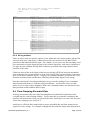
slowly for each update. This is perfectly normal operation and the apparent 'counting' is down
to the way AntiLog time slices the menu update and is not due to a clock resolution problem.
14.2 Recording Problems
14.2.1 The data I logged appears corrupted
• If you are trying to use a terminal program on a PC to 'capture' the data from an AntiLog
unit and the terminal output is broken up, it may be that the recorded data isn't corrupt. It is
highly likely that the PC terminal program cannot keep up with the data rate transmitted
from AntiLog. Either reduce the output baud rate, use a more capable terminal program
and/or PC hardware and/or upload the data to the host using an ASLTx compatible
application to upload the data, such as the AntiLogReader application.
• Some PC terminal applications respond badly to binary data being transmitted at them. In
particular, if a binary zero is transmitted at some terminal applications, subsequent
characters may not appear at all or may appear corrupt. The problem in this case is with
the terminal application, and not AntiLog. Try using a different PC terminal application.
• The record baud rate and RS232 data bits per character must match the source baud rate
and data bits. Double check on these settings using the terminal menu system.
• The cable used for recording (or playback) may be defective (e.g. the ground wire may be
disconnected giving the illusion of working properly some of the time).
• Cable length excessive at high baud rates. You may need to use short cable lengths for
recording 230,400 and 460,800 baud data sources using the original AntiLog hardware.
• Make sure you have selected the correct recording mode. If filtered GPS NMEA or the sub
sample filter is activated in error you will not record the data you expect.
• If you intended to record binary or 8 bit data, make sure the ASCII line time stamp feature
is not active in the Recording Options menu.
• Are you sure you are playing back the correct channel data? You may be looking at data
recorded on the other channel.
• Use the AntiLog playback hexadecimal dump mode to see exactly what did get recorded at
the byte level. This may give a clue as to why the data is not as expected.
14.2.2 I see three or four flashing red LEDs in recording mode
The flash media card cannot be detected or it may be defective. In an extreme situation (i.e.
the unit gets dropped) the flash memory card may have become unseated from its holder.
Undo the four main screws on the underside of the unit and carefully pull the lid and base
apart. Undo the single screw securing the PCB to the base of the box and carefully lift the
whole PCB out. On the underside of the card you will see the flash memory card and holder.
Remove and replace the flash memory card a couple of times to ensure a positive connection.
Refit the PCB into the case, fit the board retaining screw, and replace the lid and four screws
ensuring no wires are trapped as you secure the lid.
14.2.3 I see five flashing red LEDs in recording mode
The flash media is full. Switch off AntiLog using the 'Off' button and upload the recorded
data in playback mode. You will need to erase the data on the card before attempting to
record more.
DOC/AntiLog/UG/2003001_5.1
Page 76 of 90