1
Invoice Services
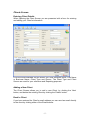
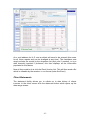
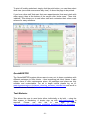
To add services that you have provided to your Client click the ‘Add’ button on
the Services toolbar in the middle of the Invoice Screen.
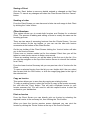
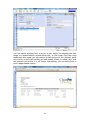
To Edit a service you have added to your Invoice, select the Service from the
Service List (on the Invoice Screen) and click the ‘Edit’ button, or double click
the Service in the Service List.
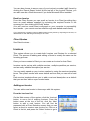
To Delete a service from the Invoice, select the Service from the Service List
(on the Invoice Screen) and click the ‘Delete’ button, or double click the
Service in the Service List, then press the ‘Delete’ button on the Services
Screen.
Add a Service
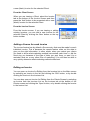
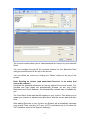
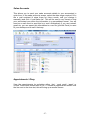
When you are adding a Service that you have provided, to your Invoice, you
are presented with the blank Service screen.
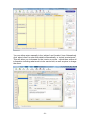
To add a Service you must pick one from the dropdown list (If you wish to add
a new service to the dropdown list, please click the ‘Edit Services’ button)
Picking a service from the list provided would add the basic service details to
the screen: Service, Description, Service Price and Quantity. The system is
set up to make generating Invoices as easy as possible by using the Service
Templates in this way.
You can edit the selected details for that particular Invoice, before clicking the
‘Save’ button to return to the main Invoice Screen.
- 10 -