1
Quick Find
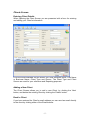
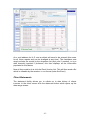
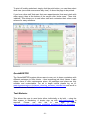
At the top left of the Search Screen you can enter Client Reference Number,
Invoice Number or a Quote number to quickly find and open the Screen
corresponding to the Number you entered.
This allows you to quickly access the information you need when answering a
client query or looking up an Invoice or Quote.
Advanced Search
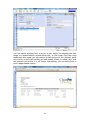
To the bottom left of the Search Screen is a number of boxes allowing you to
perform a detailed search for one or more Clients matching the search
parameters entered.
You can search for all or part of your specified search term, by entering more
or less information. (e.g. To find all Clients with a Surname like Smith,
including Smythe and Smithy, just enter the letters ‘Sm’ into the Name search
field. To find all Clients in a particular Phone Code area, just enter the code
into Phone Number field.)
- 12 -