1
125
Data preparation
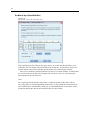
If a missing value code conflicts with one of the binned category values for the new variable,
the missing value code for the new variable is recoded to a nonconflicting value by adding 100 to
the highest binned category value. For example, if a value of 1 is defined as user-missing for the
source variable and the new variable will have six binned categories, any cases with a value of 1
for the source variable will have a value of 106 for the new variable, and 106 will be defined as
user-missing. If the user-missing value for the source variable had a defined value label, that label
will be retained as the value label for the recoded value of the new variable.
Note: If the source variable has a defined range of user-missing values of the form LO-n, where n
is a positive number, the corresponding user-missing values for the new variable will be negative
numbers.