1
User Manual: Multispot GII-HP5
User Manual: Multispot GII-HP5
Upon the user’s choice, the unit can work in stand-alone automatic mode, or with fixed
colors, or it may be controlled by external DMX-controllers. Available modes:
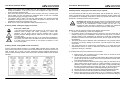
■ STATIC COLOUR
Press the MODE button until the display shows “STxx” whereas xx stands for numbers
0 until 25.
Use the left/right arrows to change the colour between any of the 26 presets, the
display shows “ST0”…”ST25” accordingly and will remain to show unless the dim
function is used. Use the +/- button to change the dim level. The first touch of the + or button changes the display, now showing the dimming level ”L000”…”L100”
representing the relative dimming level chosen. Now the dimming level can be changed
by using the +/- buttons. Pressing the +/- buttons for longer than 1 second accelerates
the change rate of the displayed value to 3 times. If no further changes are made to the
dimming level by the +/- buttons, the display will automatically return to show “STxx”
after 5 seconds, and the dimming level will remain as last set. The same happens if the
color preset is changed by the left/right arrows, in this case the dimming level mode is
left immediately and the dimming level will remain as last set. Color settings for “ST0”
… “ST25” as follows:
Preset
#
Color
Preset #
Color
ST0
ST1
ST2
ST3
ST4
ST5
ST6
ST7
ST8
ST9
ST10
ST11
ST12
all off
Red
Green
Blue
Yellow
Pink
Turquoise
Lime
Orange
Marine
Frog
Lavender
Candy
ST13
ST14
ST15
ST16
ST17
ST18
ST19
ST20
ST21
ST22
ST23
ST24
ST25
Peach
Aqua
Leaf
Purple
Barbie
Breeze
White 1 (cold)
White 2
White 3
White 4
White 5 (warm)
Light Orange
Dark Orange
■ COLOUR SCROLL
Press the MODE button until the display shows “Cxxx” whereas xxx stands for numbers
000 until 225. A touch of the left/right arrow buttons will lead to a change of the Colour.
Choose your desired colour. The display shows “C0”…”C225” * accordingly and will
remain to show unless the dim function is used. Use the +/- button to change the dim
level. The first touch of the + or - button changes the display, now showing the dimming
level ”L000”…”L100” representing the relative dimming level chosen. Now the dimming
level can be changed by using the +/- buttons. Pressing the +/- buttons for longer than
V1.00 (08-2011)
16
V1.00 (08-2011)
9