1
Testing Your Physical Condition
Conditioning Test Overview
During the test to establish your level of physical conditioning, your resting
heart-rate and working heart-rate are used to calculate the pace of your
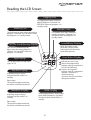
exercise session. The result is displayed on the LCD-screen as a number (1-9).
Higher numbers indicate higher levels of conditioning. The conditioning test
requires that you enter your age to assure the most accurate calculation.
Testing Procedure
Follow these steps to test for your level of physical conditioning.
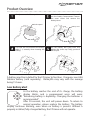
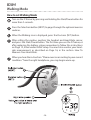
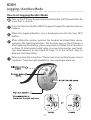
Turn on the FiTrainer by pressing and holding the Start/Pause button for
more than 3-seconds.
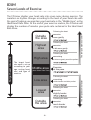
Press the Selection button (NEXT) to page-through the optional exercise
routines.
When the Test-for-Conditioning icon is displayed, press the Decision
(SET) button.
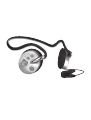
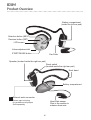
After setting the routine, position the headset and Heart-Rate sensor,
and press the Start/Pause button. The first time you use the FiTrainer, or
after replacing the battery, please remember to follow the instructions
on Page 12, listed under Initial Setup. You must also reenter your heartrate measurement, as described on Page 16, in the section: How To
Measure Your Heart-Rate.
When you hear the instruction: Please exercise according to your current
condition. from the right headphone, you may begin warm-up.
*When you ve selected your exercise routine,
the previous test results will be displayed.
The first time you use the FiTrainer, or after
the batteries have been replaced, or your age
has been reset, the physical conditioning test
score displays as 0.0.
-27-