1
1
Welcome
2
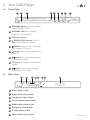
Your DVD Player
2.1 In The Box
2.4 Remote Control
2.2 Front View
2.3 Rear View
3
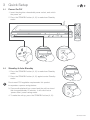
Quick Setup
3.1 Power On/Off
3.2 Standby & Auto Standby
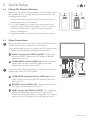
3.3 Fitting The Remote Batteries
4
Operation
Getting Started
4.1 Power On and Play a DVD
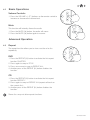
Basic Operation
4.2 Basic Operation
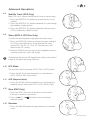
Advanced Operation
4.3Repeat
4.4 Repeat A-B
4.5 Numeric Buttons
4.6 Multi-Angle (DVD Only)
4.7 Audio Track (DVD Only)
4.8 Subtitle Track (DVD Only)
5
4.9 Zoom (DVD & JPG Disc Only)
4.10 N/P Mode
4.11 A/R (Aspect ratio)
4.12 Step (DVD Only)
4.13Random
4.14 Go To
4.15Reset
4.16Resume
4.17Return
4.18 JPG Disc
4.19 Program Playback
4.20Clear
Setup Menu
5.1 System Setup
5.2 General Setup
5.3 Audio Setup
6
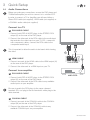
3.4 Video Connections
3.5 Audio Connections
5.4 Video Setup
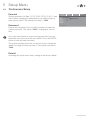
5.5 Preferences Setup
Useful Information
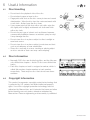
6.1 Disc Handling
6.2 Disc Information
6.3 Copyright Information
7
Troubleshooting
8
Technical Specifications
9
Customer Support
6.4 Disc Types
6.5 Region Management Information