1
6 Useful Information
6.1
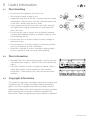
Disc Handling
• Do not touch the playback side of the disc.
• Do not attach paper or tape to disc.
• Fingerprints and dust on the disc cause picture and sound
deterioration. Wipe the disc from the centre outwards with
a soft cloth. Always keep the disc clean.
• If you cannot wipe off the dust with a soft cloth, wipe the
disc lightly with a slightly moistened soft cloth and finish
with a dry cloth.
• Do not use any type of solvent such as thinner, benzene,
commercially available cleaners or antistatic spray for vinyl.
It may damage the disc.
• Do not store discs in a place subject to direct sunlight or
near heat source.
• Do not store discs in a place subject to moisture and dust
such as a bathroom or near a humidifier.
• Store discs vertically in a case, stacking or placing object
on discs outside or their case may cause warping.
6.2
Disc Information
• Normally, DVD discs are divided into titles, and the titles are
sub-divided into chapters. Audio CD discs are divided into
tracks.
• Each title, chapter, or track is assigned a number, which is
called title number, chapter number or track number
respectively. There may be discs that do not have these
numbers.
6.3
Copyright Information
This product incorporates copyright protection technology that
is protected by U.S. patents and other intellectual property
rights. Use of this copyright protection technology must be
authorized by Macrovision, and is intended for home and other
limited viewing uses only unless otherwise authorized by
Macrovision. Reverse engineering or disassembly is prohibited.
GDVD3607HDMI