1
Controls and Indicators
Status Panel
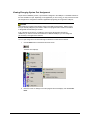
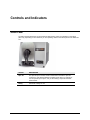
The status panel indicates the current instrument settings being used. The indicators on the status
panel vary, depending on the instrument you are operating. Below is the status panel for the Datacolor
110:
OPTION
DESCRIPTION
Spec Inc.
The specular port is closed, and all measurements include the specular
component. If the Ready indicator is lighted, but the Spec Inc. indicator is
not, the specular port is open, and you are making a “specular excluded”
measurement.
Ready
Instrument is ready for use.
Datacolor 110 User's Guide
Status Panel • 17