1
Amazon Elastic Compute Cloud User Guide for Linux
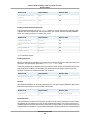
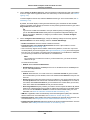
Custom Security Groups
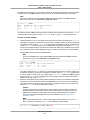
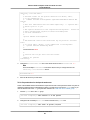
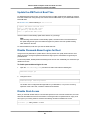
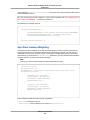
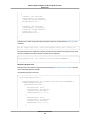
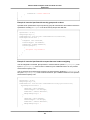
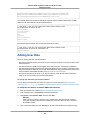
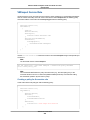
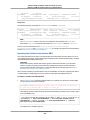
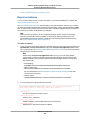
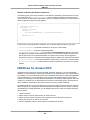
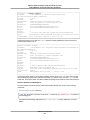
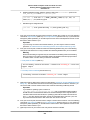
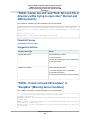
Client.CannotDelete: the specified group: "sg-51530134" name: "default" cannot
be deleted by a user.
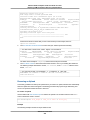
Custom Security Groups
If you don't want all your instances to use the default security group, you can create your own security
groups and specify them when you launch your instances. You can create multiple security groups to
reflect the different roles that your instances play; for example, a web server or a database server. For
instructions that help you create security groups for web servers and database servers, see Recommended
Security Groups in the Amazon VPC User Guide.
Note
In EC2-Classic, you can create up to 500 security groups in each region for each account. In
EC2-VPC, you can create up to 100 security groups per VPC.The security groups for EC2-Classic
do not count against the security group limit for EC2-VPC.
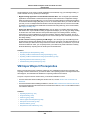
When you create a security group, you must provide it with a name and a description. Security group
names and descriptions can be up to 255 characters in length, and are limited to the following characters:
• EC2-Classic: ASCII characters
• EC2-VPC: a-z, A-Z, 0-9, spaces, and ._-:/()#,@[]+=&;{}!$*
AWS assigns each security group a unique ID in the form sg-xxxxxxxx. The following are the initial settings
for a security group that you create:
• Allow no inbound traffic
• Allow all outbound traffic
After you've created a security group, you can change its inbound rules to reflect the type of inbound
traffic that you want to reach the associated instances. In EC2-VPC, you can also change its outbound
rules.
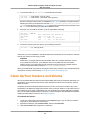
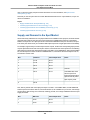
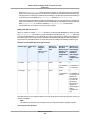
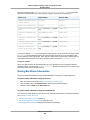
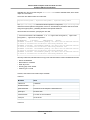
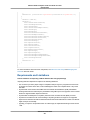
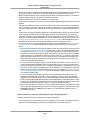
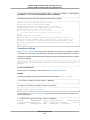
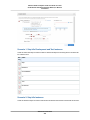
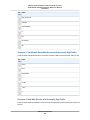
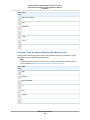
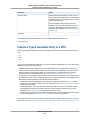
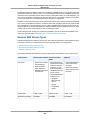
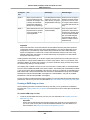
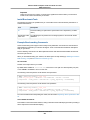
To allow instances that have the same security group to communicate with each other, you must explicitly
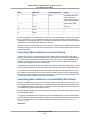
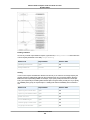
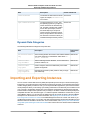
add rules for this. The following table describes the rules that you must add to your security group to
enable instances in EC2-Classic to communicate with each other.
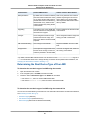
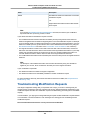
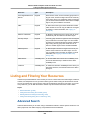
Inbound
Source
Protocol
Port Range
Comments
The ID of the security group
ICMP
All
Allow inbound ICMP access from other
instances associated with this security
group
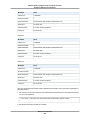
The ID of the security group
TCP
0 - 65535
Allow inbound TCP access from other
instances associated with this security
group
The ID of the security group
UDP
0 - 65535
Allow inbound UDP access from other
instances associated with this security
group
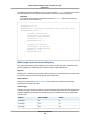
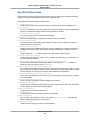
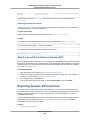
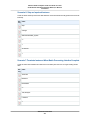
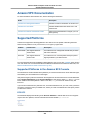
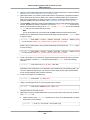
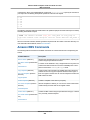
The following table describes the rules that you must add to your security group to enable instances in a
VPC to communicate with each other.
API Version 2015-04-15
400